

As an Amazon Associate, I earn from qualifying purchases
MacBook Air M3 8GB vs 16GB RAM: Quick Comparison
The biggest difference between the 8GB and 16GB MacBook Air M3 is not the processor. Both configurations use Apple’s M3 chip. The difference is how much memory your MacBook has available for applications, browser tabs, graphics, and background processes.
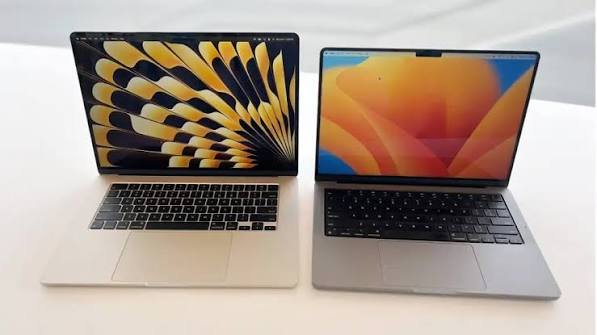
| Feature | MacBook Air M3 8GB | MacBook Air M3 16GB |
| Processor | Apple M3 | Apple M3 |
| CPU | 8-core | 8-core |
| GPU | 8-core or 10-core, depending on configuration | 8-core or 10-core, depending on configuration |
| Unified memory | 8GB | 16GB |
| Memory bandwidth | 100GB/s | 100GB/s |
| Multitasking | Suitable for light use | Better for heavier multitasking |
| Video editing | Basic projects | More comfortable for larger projects |
| Programming | Basic development | Better for larger projects and tools |
| Photo editing | Casual editing | Better for large files and multitasking |
| Upgrade later | No | No |
| Best for | Budget buyers | Most users |
The processor and memory bandwidth are the same when comparing otherwise equivalent configurations. The 16GB model does not automatically make every application twice as fast. Instead, it gives macOS and your applications more memory to work with before they need to rely more heavily on SSD storage.
Apple originally offered the M3 MacBook Air with 8GB of unified memory, configurable to 16GB or 24GB. Some configurations were also sold with 16GB as standard. Always check the exact configuration when buying a used or refurbished model.
1. What Is the Difference Between 8GB and 16GB RAM on MacBook Air M3?
The difference is the amount of unified memory available to the entire computer.
Unlike many Windows laptops, where system memory and dedicated graphics memory may be separate, Apple’s M3 chip uses unified memory. The CPU, GPU, and other parts of the chip can access the same memory pool.
This design helps Apple silicon communicate efficiently with memory. However, it does not mean that 8GB is equivalent to 16GB.
With 8GB, macOS, your browser, applications, and graphics tasks must share a smaller amount of memory. With 16GB, there is more space for multiple applications and larger workloads.
For example, imagine you are working on a school assignment.
You open Safari, Google Docs, Spotify, Messages, and a PDF reader. You may also have several browser tabs open.
The 8GB MacBook Air M3 can handle this type of work. However, if you add more demanding applications, memory pressure can increase.
The 16GB version has more room to handle these tasks together.
This is why 16GB is a better long-term choice for people who regularly multitask.
2. Does 16GB RAM Make the MacBook Air M3 Faster?
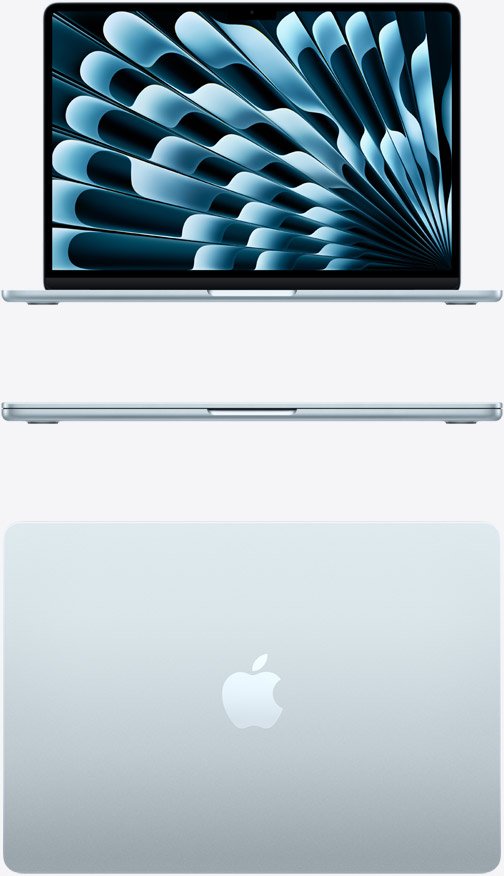
Yes, it can make the MacBook Air M3 feel faster when your workload needs more than 8GB of memory.
However, there is an important distinction.
The 16GB model does not have a faster M3 processor. If you open a lightweight application or perform a simple task that fits comfortably within 8GB, both configurations can deliver very similar performance.
The difference becomes more noticeable when memory demand increases.
Consider these examples:
- Opening several demanding applications at once.
- Working with large Photoshop files.
- Editing high-resolution videos.
- Running development tools and virtual machines.
- Keeping many browser tabs open.
- Working with large spreadsheets and documents.
When available memory becomes limited, macOS can compress memory and use part of the SSD as swap storage.
This allows the computer to continue working, but SSD swapping is not a complete replacement for having enough physical memory.
If the system repeatedly needs to move data between memory and storage, some tasks may become slower.
In testing reported by Tom’s Hardware, an 8GB M3 MacBook Pro configuration showed much larger performance slowdowns in certain multitasking workloads than a 16GB configuration. For example, a Lightroom Classic test with 20 browser tabs took substantially longer on the 8GB model.
That comparison is useful evidence of the memory difference, but it was performed on a MacBook Pro rather than a MacBook Air. Results will vary by application and workload.
The practical lesson is simple: 8GB can work well for lighter tasks, but 16GB provides more breathing room.
3. MacBook Air M3 8GB vs 16GB for Everyday Use
If you mainly use your MacBook for everyday activities, you may not notice a major difference between the two configurations.
Both models can handle common tasks such as:
- Browsing the internet.
- Sending and receiving emails.
- Watching YouTube and streaming videos.
- Using Microsoft Word and Excel.
- Attending Zoom or Google Meet classes.
- Reading PDFs.
- Managing documents.
- Listening to music.
- Using social media websites.
For example, a student who mainly uses Google Docs, Safari, PowerPoint, and online learning platforms can get good results from the 8GB model.
The M3 chip is powerful enough for these activities.
However, the 16GB version is more comfortable if you regularly keep many applications open.
You may have a browser with 20 tabs, a video meeting, a spreadsheet, and several other applications running simultaneously.
The additional memory helps reduce the chance that your computer will need to manage memory pressure as aggressively.
Verdict for everyday use: The 8GB MacBook Air M3 is sufficient for basic tasks. Choose 16GB if you multitask frequently or want more room for future applications.
4. MacBook Air M3 8GB vs 16GB for Students
Students are among the most suitable buyers for the MacBook Air M3.
It is lightweight, portable, has a good display, and offers strong performance for everyday schoolwork.
However, should students choose 8GB or 16GB?
The answer depends on the type of course and applications they use.
When 8GB is enough for students
The 8GB model can work well if your school activities mainly involve:
- Writing assignments.
- Researching online.
- Reading PDF textbooks.
- Creating presentations.
- Attending online classes.
- Using Google Classroom.
- Watching educational videos.
- Managing emails and documents.
For a high school student or someone taking general university courses, 8GB may be enough.
Why 16GB is better for university students
University students often use more demanding applications.
For example, computer science students may run code editors, development environments, databases, and browser documentation together.
Engineering students may use technical applications that need more memory.
Students studying graphic design, photography, or media production may work with large files.
In these situations, 16GB provides more flexibility.
It is also a better option if you want to keep the MacBook for several years without feeling limited by its original memory configuration.
Verdict for students: Choose 8GB for basic schoolwork if the savings are significant. Choose 16GB for university, programming, engineering, design, or a longer ownership period.
5. MacBook Air M3 8GB vs 16GB for Programming
If you plan to use your MacBook Air M3 for programming, I recommend the 16GB version.
The M3 processor is capable of handling many development tasks, but programming workloads can use memory quickly.
A typical programming setup might include:
- Visual Studio Code or another code editor.
- A browser with documentation open.
- A local development server.
- A terminal window.
- Git tools.
- A database.
- Communication applications.
An 8GB MacBook can handle basic web development and smaller coding projects.
For example, you can learn Python, HTML, CSS, and JavaScript without necessarily needing 16GB.
However, more complicated development environments can put pressure on 8GB.
If you use Docker, virtual machines, Android development tools, large projects, or multiple services at the same time, 16GB is a much safer choice.
It gives you more room to run development tools without constantly managing which applications are open.
Verdict for programming: The 8GB model is suitable for learning and basic coding. The 16GB model is better for professional development and more demanding projects.
6. MacBook Air M3 8GB vs 16GB for Video Editing
Video editing is another area where 16GB makes a meaningful difference.
The M3 chip includes hardware acceleration for supported video formats, including H.264, HEVC, ProRes, and ProRes RAW.
This helps the MacBook Air M3 handle many video editing tasks.
However, memory still matters.
Can the 8GB MacBook Air M3 edit videos?
Yes. You can edit basic videos with 8GB.
It may be suitable for:
- Short YouTube videos.
- Social media clips.
- Simple 1080p projects.
- Basic transitions and effects.
- Light editing in iMovie or similar applications.
However, larger timelines, multiple video layers, heavy effects, and high-resolution footage can make 8GB feel restrictive.
Is 16GB better for 4K video editing?
Yes. The 16GB model is the better choice for 4K editing.
It gives your editing software more room to manage video frames, effects, previews, and other data.
You may still experience slowdowns during demanding projects because the MacBook Air is fanless and does not have the sustained cooling system of a MacBook Pro.
But between the two M3 Air memory options, 16GB is the better configuration for video creators.
If you edit professionally, work with complex 4K timelines, or regularly use demanding effects, consider a MacBook Pro with a more powerful chip and active cooling.
Verdict for video editing: Choose 16GB for regular editing. The 8GB model is better suited to simple projects and occasional content creation.
7. MacBook Air M3 8GB vs 16GB for Photo Editing
For photo editing, 16GB is also the better choice.
Applications such as Adobe Photoshop and Lightroom can use substantial memory when handling large images.
For example, editing a small JPEG image is not the same as working with multiple high-resolution RAW photographs.
Your workload becomes more demanding when you:
- Open several large images.
- Work with multiple Photoshop layers.
- Use complex filters.
- Edit large RAW files.
- Keep Lightroom and Photoshop open together.
- Export several images while multitasking.
The 8GB version can handle casual editing, but it may become less comfortable as projects grow.
The 16GB version provides more flexibility and is better suited to photographers who regularly work with large files.
If photography is a major part of your work, consider 24GB if your budget allows.
Verdict for photo editing: 16GB is the better starting point. Choose 8GB only for occasional and relatively simple editing.
8. Does 8GB RAM Affect MacBook Air M3 Gaming?
The M3 chip has a capable integrated GPU, but gaming performance depends on more than memory.
The game itself, graphics settings, resolution, and software optimization all matter.
For lighter games, the 8GB MacBook Air M3 may perform adequately.
However, some modern games require more memory and can benefit from the 16GB configuration.
Remember that the GPU also uses the unified memory pool. That means the system and graphics workloads share the available 8GB or 16GB.
With 8GB, demanding games may have less room for graphics data and background applications.
The 16GB version offers more flexibility, especially if you want to play games while keeping other applications open.
Neither configuration turns the MacBook Air into a dedicated gaming laptop. The fanless design can also limit sustained performance during long, demanding sessions.
Verdict for gaming: Choose 16GB if you plan to play supported demanding games. For serious gaming, consider a laptop designed specifically for that purpose.
9. Is 8GB RAM Enough for MacBook Air M3 in 2026?
Yes, 8GB can still be enough in 2026, but it is no longer the configuration I would recommend to most buyers.
It remains suitable for people who use their MacBook for basic productivity.
However, modern workflows often involve several applications running at once.
A typical user may have:
- Multiple browser tabs.
- Cloud storage applications.
- Video meetings.
- Messaging applications.
- Office software.
- Background synchronization.
- Creative or AI-powered tools.
Each application uses some memory.
The more applications you open, the more important memory capacity becomes.
Another factor is ownership time. If you are buying a MacBook in 2026 and expect to use it for several more years, 16GB gives you more flexibility as applications and workflows change.
The 8GB model is not automatically obsolete. It simply has less room for demanding tasks.
My recommendation: Buy 16GB if you can afford it. Choose 8GB only when you have a light workload and the price difference is worth the compromise.
10. Does 16GB RAM Improve MacBook Air M3 Battery Life?
Not necessarily.
The 8GB and 16GB versions use the same basic M3 platform and have similar battery specifications when comparing otherwise equivalent configurations.
Apple rated the 13-inch M3 MacBook Air for up to 15 hours of wireless web browsing and up to 18 hours of Apple TV movie playback under its testing conditions.
Actual battery life depends on screen brightness, applications, network activity, and workload.
Having 16GB does not automatically mean your MacBook will last longer on a charge.
However, if an 8GB configuration is under heavy memory pressure and repeatedly relies on SSD swapping, the experience may become less efficient.
Do not buy 16GB primarily to improve battery life. Buy it for the additional memory capacity and multitasking flexibility.
11. Can You Upgrade MacBook Air M3 RAM Later?
No. You cannot upgrade the unified memory in a MacBook Air M3 after purchasing it.
The memory is integrated into Apple’s M3 chip package.
This is different from some older laptops that allow users to replace or add RAM modules.
If you buy the 8GB version, you cannot later install another 8GB to turn it into a 16GB model.
You also cannot solve the problem by connecting an external SSD. External storage can hold files and project data, but it does not replace system memory.
This is one of the most important reasons to think carefully before choosing the cheaper configuration.
If you are unsure whether 8GB will be enough, buying 16GB is the safer decision.
12. What About the 24GB MacBook Air M3?
Apple also offered a 24GB unified memory option for the M3 MacBook Air.
This configuration is worth considering if your workload is more demanding than typical everyday computing.
For example, 24GB may be useful for:
- Large programming projects.
- Heavy multitasking.
- Professional photo editing.
- More demanding video editing.
- Running several development tools.
- Working with large datasets.
However, not everyone needs 24GB.
If your work involves browsing, writing, streaming, and office applications, 16GB is already a strong choice.
For most buyers deciding between 8GB and 16GB, I would choose 16GB rather than paying extra for 24GB without a clear reason.
13. Should You Buy a Used MacBook Air M3 With 8GB or 16GB?
Buying a used MacBook Air M3 can be a good way to save money in 2026.
However, memory should be one of your first checks.
If you find two used M3 MacBooks in similar physical condition, I would generally choose the 16GB version.
The additional memory makes the computer more flexible for future workloads.
Before buying, check the following:
| What to inspect | Why it matters |
| Memory | Confirm whether it has 8GB or 16GB |
| Battery health | Check maximum capacity and condition |
| Cycle count | Understand accumulated battery use |
| Display | Look for scratches, marks, and dead pixels |
| Keyboard | Test every key |
| Trackpad | Check clicking and gestures |
| Ports | Confirm that charging and USB-C connections work |
| Activation Lock | Make sure the seller can remove their account |
| Storage | Confirm that the SSD capacity meets your needs |
| Physical condition | Check for dents and signs of damage |
To confirm the memory, click the Apple menu, select About This Mac, and look for the Memory information.
Do not rely only on the seller’s advertisement.
Also, do not pay a large premium for 16GB if the particular laptop has serious battery or hardware problems. Overall condition still matters.
14. MacBook Air M3 8GB vs 16GB: Which Is Better Value?
The 16GB configuration generally offers better long-term value because it provides more flexibility.
However, the right choice also depends on the price difference.
Imagine you find these two used MacBooks:
- MacBook Air M3 with 8GB memory at a significantly lower price.
- MacBook Air M3 with 16GB memory at a slightly higher price.
If the price difference is small, choose 16GB.
If the 8GB model is substantially cheaper and you only need basic computing, it may still be a sensible purchase.
When comparing prices, remember to consider storage too.
A 16GB model with 256GB storage may not be the best choice for someone who stores large video files. A configuration with 16GB memory and 512GB storage would provide more flexibility.
Memory and storage solve different problems:
- RAM helps your MacBook run applications and multitask.
- Storage holds your files, applications, photos, and videos.
Do not sacrifice one without considering your actual needs.
Frequently Asked Questions
Is MacBook Air M3 8GB RAM enough in 2026?
Yes, it is enough for browsing, email, documents, streaming, and basic schoolwork. However, 16GB is a better choice for multitasking, programming, editing, and longer-term use.
Is 16GB RAM worth the extra money on MacBook Air M3?
For most buyers, yes. It provides more room for demanding applications and multitasking. Since the memory cannot be upgraded later, choosing 16GB can be a worthwhile investment.
Is the MacBook Air M3 8GB slower than the 16GB version?
Not in every situation. Both use the same M3 chip when comparing equivalent processor and graphics configurations. The 16GB model can perform better when applications need more memory, especially during multitasking.
Can I upgrade MacBook Air M3 from 8GB to 16GB?
No. The unified memory is integrated into the chip package and cannot be upgraded after purchase. Choose the memory configuration you need before buying.
Is 8GB RAM enough for Photoshop on MacBook Air M3?
It can handle basic photo editing, but 16GB is better for large images, multiple layers, and heavier Photoshop projects.
Is MacBook Air M3 16GB good for programming?
Yes. It is a good configuration for web development, software development, and many coding workflows. More demanding projects involving virtual machines, Docker, or large development environments may benefit from additional memory.
Is 8GB enough for MacBook Air M3 video editing?
It can handle basic editing and smaller projects. For regular 4K editing, multiple layers, and heavier effects, 16GB is the better option.
Does 16GB RAM make MacBook Air M3 last longer?
It does not physically extend the battery’s lifespan. However, it can make the computer more useful for demanding applications over a longer ownership period because there is more memory available.
Should I buy MacBook Air M3 8GB or MacBook Air M2 16GB?
For memory-intensive tasks, the M2 with 16GB may be a better choice than the M3 with 8GB. The M3 has a newer processor, but memory capacity matters when your applications need more than 8GB. Compare condition, price, storage, and battery health before deciding.
Is 24GB RAM better than 16GB on MacBook Air M3?
Yes, 24GB provides additional memory for demanding workloads. However, most everyday users and many students will be comfortable with 16GB. Choose 24GB if your applications regularly require more memory.
Final Verdict: MacBook Air M3 8GB vs 16GB RAM
The MacBook Air M3 with 16GB RAM is the better choice for most people in 2026.
It offers more room for multitasking, programming, photo editing, video editing, and applications that use more memory. It is also a safer choice if you plan to keep your MacBook for several years.
The 8GB version is still useful. If you mainly browse the internet, write documents, watch videos, attend online classes, and use basic applications, it can handle those tasks.
Here is my final recommendation:
- Choose 8GB if you have a limited budget and mainly perform everyday tasks.
- Choose 16GB if you are a student, programmer, content creator, or regular multitasker.
- Choose 24GB if you work with large projects and demanding applications.
If the price difference between 8GB and 16GB is reasonable, buy the 16GB MacBook Air M3. You cannot upgrade the memory later, so it is better to have the extra capacity available.
For most buyers, 16GB offers the best balance between performance, flexibility, and long-term value.