

As an Amazon Associate, I earn from qualifying purchases
The M5 MacBook Air is the newest and most powerful option. The M4 offers excellent value if you find it at a lower price. The M3 is still a capable laptop for most users. The M2 remains a good budget option, especially when bought used or refurbished. And the M1 can still handle everyday tasks surprisingly well.
So, which one should you buy?
In this MacBook Air M5 vs M4 vs M3 vs M2 vs M1 comparison, we will look at performance, battery life, displays, memory, storage, ports, external monitors, software support, and value.
MacBook Air M5 vs M4 vs M3 vs M2 vs M1: Quick Comparison
| Model | Year | Best For | Starting Memory | Starting Storage | Battery |
| MacBook Air M5 | 2026 | Best overall | 16GB | 512GB | Up to 18 hours |
| MacBook Air M4 | 2025 | Best value | 16GB | 256GB | Up to 18 hours |
| MacBook Air M3 | 2024 | Budget performance | 8GB/16GB depending configuration | 256GB | Up to 18 hours |
| MacBook Air M2 | 2022 | Lower-cost option | 8GB/16GB depending configuration | 256GB | Up to 18 hours |
| MacBook Air M1 | 2020 | Cheapest option | 8GB | 256GB or less depending configuration | Up to 18 hours |
Apple’s specifications show that the M5 moves to a 16GB memory and 512GB SSD starting configuration, while older generations generally started with less memory and storage.
MacBook Air M5: Best MacBook Air Overall
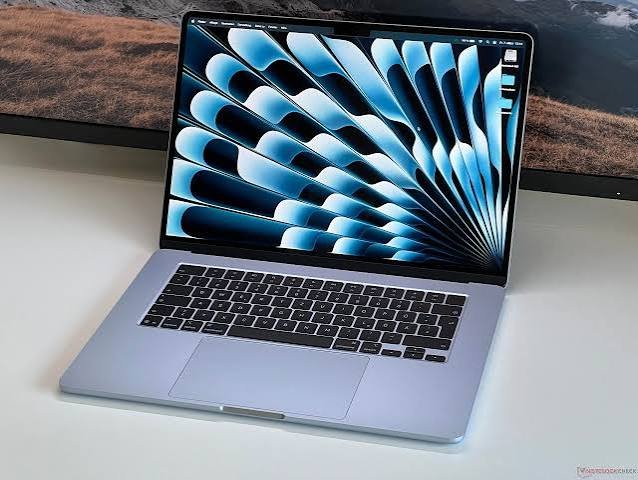
If you want the newest MacBook Air, the M5 is the model to buy.
Apple introduced the M5 MacBook Air in 2026.
The M5 has a 10-core CPU and up to a 10-core GPU. It also includes Neural Accelerators, hardware-accelerated ray tracing, and a 16-core Neural Engine.
It has 153GB/s of memory bandwidth, which is higher than the M4, M3, and M2.
But the biggest practical improvement is the starting configuration.
The current M5 MacBook Air starts with 16GB of unified memory and a 512GB SSD.
That is a much better starting point for modern users.
You get more room for apps, photos, documents, and creative projects without immediately needing an upgrade.
The M5 Air also supports up to 32GB of memory and up to 4TB of storage.
Who should buy the M5?
The M5 is best for people who want:
- The newest MacBook Air
- The fastest Air performance
- Better long-term value
- More memory and storage from the start
- Video editing
- Programming
- Photo editing
- AI-related workloads
- Multitasking
- A laptop to keep for many years
If the price difference between the M5 and an older model is small, the M5 is usually the easier recommendation.
MacBook Air M4: Best Value Alternative
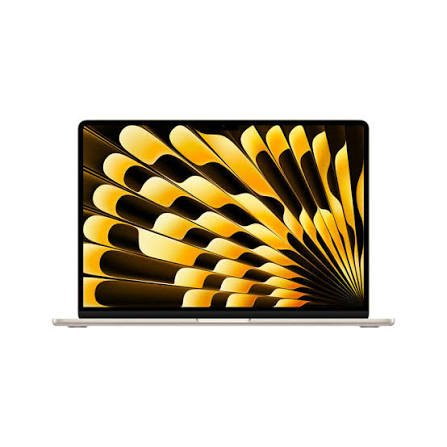
The MacBook Air M4 is only one generation behind the M5.
That makes it an interesting option if you find a good discount.
The M4 has a 10-core CPU and up to a 10-core GPU. It also has a 16-core Neural Engine and 120GB/s memory bandwidth.
The M4 Air starts with 16GB of unified memory.
It can be configured with 24GB or 32GB.
Storage starts at 256GB and can be upgraded to 512GB, 1TB, or 2TB.
The M4 also brought a 12MP Center Stage camera.
That is useful for people who spend a lot of time on video calls.
Another important improvement is external display support.
The M4 MacBook Air can support up to two external displays while also using its built-in display.
Who should buy the M4?
The M4 makes sense if you find it significantly cheaper than the M5.
It is powerful enough for almost every everyday task.
It is also an excellent choice for students, programmers, office workers, writers, and content creators.
If you do not need the newest chip, a discounted M4 can offer excellent value.
MacBook Air M3: Still a Very Good Laptop
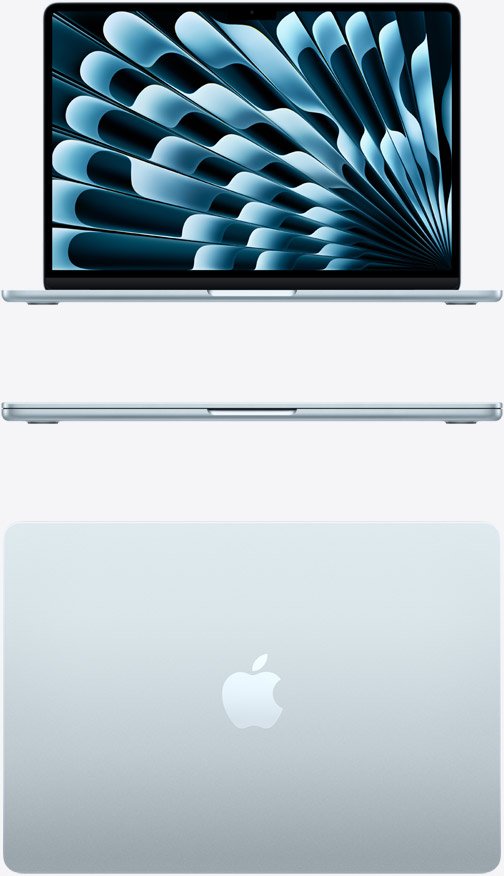
The M3 MacBook Air was released in 2024.
It introduced several improvements over the M2.
The M3 has an 8-core CPU and up to a 10-core GPU.
It also introduced hardware-accelerated ray tracing and improved graphics capabilities.
The M3 Air supports up to 24GB of unified memory.
It also has a Liquid Retina display with 500 nits brightness, P3 wide color, and True Tone.
Battery life is rated at up to 18 hours of video playback and up to 15 hours of wireless web browsing.
The M3 also supports two external displays when the MacBook Air’s lid is closed.
That makes it more flexible than the older M1 and M2 Air models for some desk setups.
Who should buy the M3?
The M3 is a good choice if you find it at a substantial discount.
It is more than powerful enough for:
- College work
- Web browsing
- Microsoft Office
- Programming
- Photo editing
- Light video editing
- YouTube
- Business use
- General multitasking
You probably do not need an M5 if your work is relatively simple.
MacBook Air M2: Still Worth Buying?
Yes.
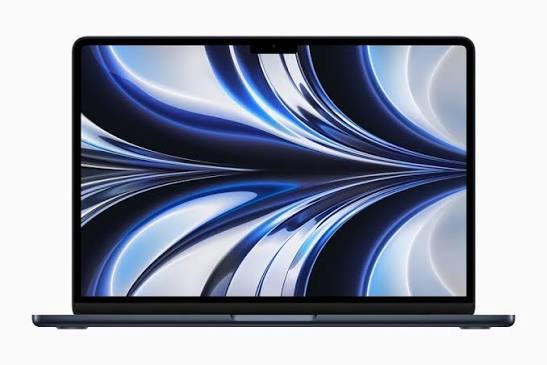
The MacBook Air M2 is still a good laptop in 2026.
The M2 model introduced the modern MacBook Air design, including the larger 13.6-inch Liquid Retina display.
It has an 8-core CPU, up to a 10-core GPU, a 16-core Neural Engine, and 100GB/s memory bandwidth.
It also has MagSafe 3 charging.
The display reaches 500 nits and supports P3 wide color and True Tone.
Battery life remains strong, with Apple rating it for up to 18 hours of video playback and up to 15 hours of wireless web use.
The biggest reason to buy an M2 today is price.
If you can find an M2 MacBook Air at a good price, it can still be an excellent student laptop or everyday computer.
Who should buy the M2?
The M2 makes sense for:
- Students
- Writers
- Office workers
- Remote workers
- Casual creators
- Web users
- People shopping on a budget
If an M2 costs almost as much as an M4 or M5, however, the newer model is usually the better purchase.
MacBook Air M1: Is It Still Good in 2026?
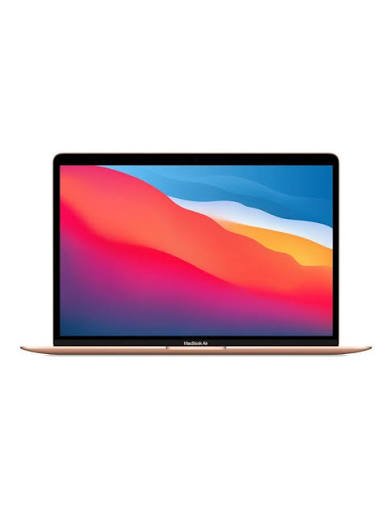
The M1 MacBook Air is now several years old.
But it is still surprisingly capable.
Apple introduced it in 2020 with an 8-core CPU, 7-core or 8-core GPU, and 16-core Neural Engine.
The M1 Air also offers up to 18 hours of Apple TV movie playback and up to 15 hours of wireless web browsing under Apple’s testing conditions.
For basic tasks, the M1 remains usable.
You can still browse the web, write documents, watch videos, attend meetings, use email, and perform many everyday tasks.
The problem is not that the M1 is suddenly slow.
The problem is age.
An M1 MacBook Air is more likely to have an older battery, less memory, less storage, and a shorter remaining useful life than a newer model.
Who should buy the M1?
Only consider the M1 if the price is very attractive.
A used M1 can be a good budget laptop.
But check the battery health, storage, memory, physical condition, and software support before buying.
M5 vs M4: Is the Newer Model Worth It?
For many users, the M4 is already fast enough.
The M5 is newer and more powerful.
It also starts with twice the SSD capacity of the M4’s original base configuration.
The M5 starts at 512GB, while the M4 starts at 256GB.
The M5 also has higher memory bandwidth at 153GB/s compared with 120GB/s on the M4.
However, the difference may not be obvious during simple tasks.
If you mostly browse the web, write documents, stream videos, and use productivity apps, both are more than capable.
For demanding workloads, the M5 has more headroom.
Verdict: Buy the M5 if you want the newest model. Choose the M4 if you can save a meaningful amount of money.
M4 vs M3: Which Should You Buy?
The M4 is faster and newer.
It also starts with 16GB of memory, while M3 configurations were sold with 8GB or 16GB depending on the configuration.
The M4 also has a newer 12MP Center Stage camera.
For most buyers, the M4 is the better choice if the price difference is reasonable.
But the M3 remains a good deal when discounted.
Verdict: M4 for long-term value; M3 for a bigger discount.
M3 vs M2: Is the Upgrade Worth It?
The M3 is a clear improvement over the M2.
It adds hardware-accelerated ray tracing and newer graphics features.
It also offers improved external display support.
But the M2 is not outdated.
For basic productivity, the difference between the two may not matter much.
If you already own an M2, there is usually little reason to upgrade to an M3 unless you need additional performance or a specific feature.
If you are buying new, choose whichever is priced better.
Verdict: M3 if prices are close; M2 if it is significantly cheaper.
M2 vs M1: Which MacBook Air Is Better?
The M2 is better.
It has a newer design, a larger 13.6-inch display, MagSafe 3, a brighter screen, and a newer chip.
The M1 can still perform well, though.
If your budget is tight, a good-condition M1 can make sense.
But I would generally choose an M2 over an M1 if the price difference is reasonable.
MacBook Air Display Comparison
The display has changed significantly across these generations.
The M1 uses a 13.3-inch Retina display with 400 nits brightness.
The M2, M3, M4, and M5 move to a 13.6-inch Liquid Retina display with 500 nits brightness.
The newer models also offer a 15-inch version.
The 15-inch M3 and M4 have a 15.3-inch display with a 2880 × 1864 resolution.
The M5 also comes in 13-inch and 15-inch versions.
If you write, edit photos, work with spreadsheets, or simply prefer more screen space, the 15-inch Air can be worth considering.
MacBook Air Battery Life Comparison
Battery life is one area where the differences are smaller than you might expect.
Apple rates the M1, M2, M3, M4, and M5 MacBook Air models for up to around 18 hours of video playback, although testing methods and configurations vary.
That means you should not choose between these models based only on advertised battery life.
The newer models offer other advantages, such as newer processors and better connectivity.
Real-world battery life also depends on screen brightness, applications, workload, Wi-Fi use, and battery health.
MacBook Air Memory: 8GB vs 16GB vs 24GB
Memory is more important than many buyers realize.
The M1 and early M2/M3 configurations could be purchased with 8GB of unified memory.
The M4 and M5 start with 16GB.
For a new MacBook Air, 16GB is the sweet spot.
It gives you more room for multitasking and demanding applications.
If you edit video, program, use virtual machines, work with large files, or keep many applications open, 24GB or 32GB can be worthwhile.
For simple browsing and office work, 16GB is already plenty.
MacBook Air Storage: 256GB vs 512GB
Storage is another area where newer models have an advantage.
The M5 starts with a 512GB SSD.
The M4 and M3 start at 256GB.
Older M2 models also started at 256GB, while the original M1 had configurations starting as low as 128GB.
For most buyers, 512GB is the better target.
256GB can work if you mainly use cloud storage and do not keep many large files locally.
But photos, videos, games, and creative projects can fill 256GB surprisingly quickly.
Which MacBook Air Is Best for Students?
For most students, I would choose the M5 MacBook Air if the budget allows.
It starts with 16GB memory and 512GB storage.
That gives you a strong setup for school work, research, video calls, programming, and entertainment.
However, an M4 or M3 can be an excellent student laptop if it is heavily discounted.
Students on a tighter budget should consider an M2.
I would only choose an M1 if the price is low enough to justify buying an older machine.
Which MacBook Air Is Best for Programming?
The M5 is the best overall choice.
But you do not need the M5 just to write code.
An M3 or M4 is already powerful enough for web development, software development, and many programming environments.
If you use Docker, virtual machines, emulators, or large development projects, prioritize memory.
In that situation, a 24GB or 32GB MacBook Air can be more useful than spending all your budget on the newest chip.
Which MacBook Air Is Best for Video Editing?
The M5 is the best option in the Air lineup.
It has a 10-core CPU, up to a 10-core GPU, hardware-accelerated ray tracing, and dedicated media engines for H.264, HEVC, ProRes, and ProRes RAW.
The M4 and M3 are also capable video editing machines.
For casual YouTube videos and short 4K projects, an M3 or M4 can be enough.
For professional editing, however, you may want to skip the Air and consider a MacBook Pro.
Which MacBook Air Should You Buy in 2026?
Here is the simple answer.
Buy the M5 if:
- You want the newest model.
- You want 512GB storage as standard.
- You want the best performance.
- You plan to keep the Mac for many years.
- You edit photos or video.
- You program or run demanding applications.
Buy the M4 if:
- You find a large discount.
- You want excellent performance.
- You want 16GB memory.
- You need support for two external displays.
- You do not need the newest chip.
Buy the M3 if:
- You find a strong deal.
- You want good performance at a lower price.
- You need a reliable everyday laptop.
- You do some creative work.
Buy the M2 if:
- Your budget is limited.
- You want the modern MacBook Air design.
- You mainly do productivity work.
- You find a good refurbished or used deal.
Buy the M1 if:
- You want the cheapest possible MacBook Air.
- You only need basic computing.
- You find one in excellent condition.
- The price is significantly below newer models.
Frequently Asked Questions
Is the MacBook Air M5 much better than the M4?
The M5 is newer and has higher memory bandwidth and newer processing features. However, the M4 is already extremely capable. For basic tasks, the difference may not be noticeable.
Is MacBook Air M4 worth buying in 2026?
Yes. The M4 is still an excellent MacBook Air. It is especially attractive when sold at a meaningful discount compared with the M5.
Is the MacBook Air M3 still worth buying?
Yes. The M3 remains powerful enough for students, office work, programming, photo editing, and many video editing tasks.
Is MacBook Air M2 still good in 2026?
Yes. The M2 is still a capable everyday laptop. It becomes particularly attractive when its price is significantly lower than newer models.
Is the MacBook Air M1 still worth buying in 2026?
It can be, but only at the right price. The M1 is now an older Mac, so check its battery health, memory, storage, physical condition, and software support before buying.
Which MacBook Air has the best battery life?
All five generations offer strong battery life. Apple rates many configurations for up to 18 hours of video playback, although real-world results vary by workload and configuration.
Is 16GB RAM enough for MacBook Air?
Yes. For most people, 16GB is enough. It is a good choice for students, office workers, programmers, writers, and many content creators.
Is 512GB storage enough for MacBook Air?
For most people, yes. 512GB gives you much more room than 256GB for apps, photos, documents, and creative projects.
Which MacBook Air is best for college students?
The M5 is the best overall choice if your budget allows it. An M4 or M3 can be a better value if discounted, while an M2 is a good budget option.
Which MacBook Air is best for video editing?
The M5 is the most capable MacBook Air in this comparison. For professional video editing, consider a MacBook Pro instead.
Should I upgrade from M1 to M5?
If your M1 still meets your needs, you do not have to upgrade. But the M5 gives you a newer design, more memory and storage in the base configuration, newer performance, and a longer expected useful life.
Should I buy M4 or wait for M5?
The M5 is already available in 2026. If you are buying new and the price difference is reasonable, the M5 is the better long-term choice. If the M4 is heavily discounted, it can offer better value.
Final Verdict: M5, M4, M3, M2, or M1?
The MacBook Air M5 is the best overall MacBook Air in 2026.
It has the newest chip, 16GB of memory as standard, 512GB of storage as standard, and support for up to 32GB of memory and 4TB of storage.
But that does not make the older models bad.
The M4 is arguably the best value if you can find it at a significant discount.
The M3 is still a very capable everyday and creative laptop.
The M2 is a smart budget choice, especially if you find a refurbished model at a good price.
The M1 remains useful for basic tasks, but its age means you should only buy one if the price is low enough.
The biggest mistake is assuming you always need the newest chip.
If you browse the web, write documents, attend video meetings, stream content, and use normal productivity apps, even an M2 or M3 can be more than enough.
If you edit video, program, work with large files, or want a MacBook that will stay useful for many years, the M5 makes more sense.
For most buyers in 2026, my recommendation is simple: buy the M5 if you want the best overall experience, buy the M4 if you find an excellent deal, and consider the M3 or M2 when saving money is the priority.