

As an Amazon Associate, I earn from qualifying purchases
Best MacBooks for Content Creators Under $1500 at a Glance
| MacBook | Best For | Main Advantage | Main Limitation |
| 13-inch MacBook Air M5 | Most content creators | Excellent balance of performance and portability | Smaller editing workspace |
| 15-inch MacBook Air M5 | Video editors and designers who prefer a larger screen | More screen space without buying a Pro model | Still has a fanless design |
| Refurbished MacBook Pro with an M-series Pro chip | More demanding creative workloads | Active cooling and potentially stronger sustained performance | Condition and specifications vary |
| Discounted MacBook Air M4 | Budget-conscious creators | Potential savings on a capable previous-generation model | Older chip and potentially less storage |
Prices, configurations, and refurbished availability can change. Check the exact specification and current price before purchasing.
1. 13-Inch MacBook Air M5 — Best Overall MacBook for Content Creators Under $1500
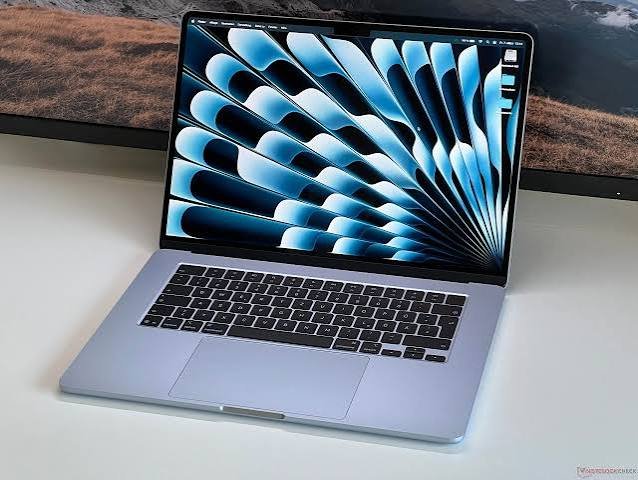
The 13-inch MacBook Air M5 is the best starting point for most content creators who want a dependable laptop without spending more than $1,500. It offers a combination of processing power, portability, storage, and battery life that suits creators who work from home, travel, study, or produce content in different locations.
The M5 MacBook Air starts with 16GB of unified memory and a 512GB SSD, with higher configurations available. Apple also advertises up to 18 hours of battery life, although actual results depend on the apps you use, display brightness, and workload.
Why content creators should consider it
Video editing: The M5 chip is suitable for many everyday editing workflows, including YouTube videos, social media clips, tutorials, interviews, and 4K projects. Apps such as Final Cut Pro and Adobe Premiere Pro can benefit from Apple silicon acceleration. Performance will depend on the effects, footage, codecs, and complexity of each project.
Photo editing: Photographers can use applications such as Adobe Lightroom and Photoshop to edit images, organize photo libraries, and prepare images for websites or social media. The display is sharp and supports a wide color gamut, which is useful for creative work. For professional color-critical projects, an appropriately calibrated external monitor can still be valuable.
Graphic design: The laptop can handle many tasks in Photoshop, Illustrator, Canva, and similar applications. It is particularly suitable for thumbnails, marketing graphics, presentations, web assets, and other two-dimensional design projects.
Portability: The compact design makes it convenient for creators who move between a desk, classroom, studio, café, or client location.
The MacBook Air also operates without a cooling fan. That means it stays silent during normal work, recording voiceovers, and editing in quiet environments. However, long, demanding exports can cause it to reduce performance as heat builds up.
Who should buy it?
Choose the 13-inch MacBook Air M5 if you create content for YouTube, TikTok, Instagram, blogs, or online businesses and need a laptop that can handle several creative applications without becoming difficult to carry.
It is also a good choice for beginners who want a capable machine they can continue using as their editing skills develop.
Main drawback: The smaller screen can feel cramped when you arrange a video timeline, preview window, media library, and editing controls together. Connecting an external monitor at your desk can help.
2. 15-Inch MacBook Air M5 — Best for Creators Who Want a Bigger Screen
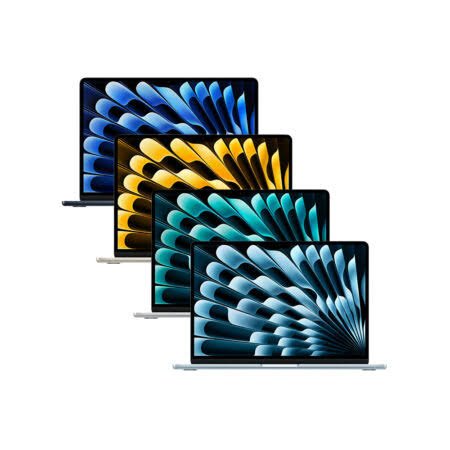
The 15-inch MacBook Air M5 is a strong alternative if you prefer working directly on your laptop screen. Its 15.3-inch display gives you more room for editing timelines, design panels, photo previews, browser windows, and writing tools.
Its US starting price is $1,499, placing it at the top of the budget before taxes or additional accessories. That makes it an especially attractive option for creators who want a larger display without moving to the more expensive MacBook Pro range.
Benefits for creative work
A more comfortable editing workspace: A larger display can make it easier to see your timeline, arrange tracks, and compare clips. It is also helpful when you work with long documents, multiple design panels, or detailed spreadsheets for a content business.
Useful for photography: Larger images are easier to inspect at a comfortable size. You can keep more of your editing interface visible while working on a photo.
Good for multitasking: You can place a script or reference page beside your editing application, or keep research materials visible while designing graphics.
Still portable: Although it is larger than the 13-inch model, the Air remains a slim laptop that can be carried between work locations.
The 15-inch Air is a good match for creators who spend hours editing at home but occasionally need to work elsewhere. It also works well for people who do not want to purchase a separate monitor immediately.
What are the limitations?
The larger display does not automatically make the 15-inch Air faster than the 13-inch model. Both use the M5 chip family, and performance depends on their specific configurations.
The Air’s fanless design is another consideration. If you regularly render long, complex videos, work with heavy visual effects, or process large creative projects for extended periods, a MacBook Pro with active cooling may be a better fit if you find one within your budget.
Best for: YouTubers, photographers, graphic designers, bloggers, and freelancers who value a spacious built-in display.
3. Refurbished MacBook Pro With an M-Series Pro Chip — Best for Demanding Workloads
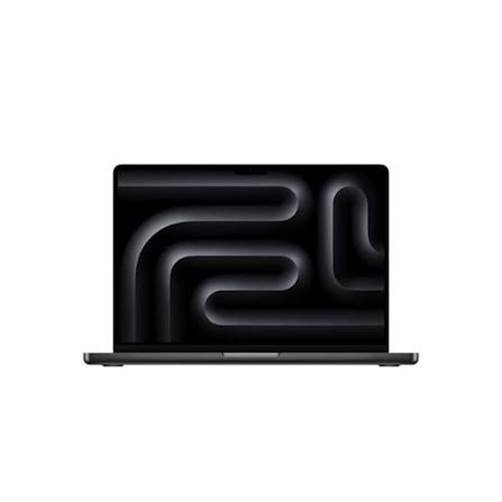
A refurbished or carefully inspected used MacBook Pro can be worth considering if your work involves more demanding editing sessions. Depending on the model and condition, an older MacBook Pro with an M-series Pro chip may offer advantages over a new MacBook Air for sustained creative workloads.
This option requires more research because not every refurbished MacBook Pro under $1,500 is a good purchase.
Why consider a MacBook Pro?
Active cooling: MacBook Pro models use fans to help manage heat. This can be beneficial during lengthy exports, rendering, and other sustained tasks.
More capable configurations: Certain Pro-chip models offer stronger graphics capabilities, more memory bandwidth, and additional hardware resources than a standard Air configuration from the same generation.
More useful ports on many models: Depending on the specific generation, a MacBook Pro may include HDMI, an SD card slot, and additional Thunderbolt ports. These can be convenient for photographers who transfer images from camera cards or creators who connect several accessories.
A more advanced display on many models: MacBook Pro displays generally offer features designed for more demanding visual workflows, including higher contrast and high-refresh-rate support on applicable models.
These features can improve the experience for creators who work with demanding timelines, large photo libraries, multiple displays, or complex visual projects.
What should you check before buying?
Before purchasing a refurbished or used MacBook Pro, check these details:
- Chip: Confirm whether it has a standard M-series chip or an M-series Pro or Max chip. These are not equivalent configurations.
- Memory: Aim for at least 16GB for a general creative workload. More memory can help with large projects and multitasking.
- Storage: A 512GB SSD is a more comfortable starting point for many creators, but 1TB can be valuable if you work with substantial video files.
- Battery health: Ask about battery condition and service history. A low purchase price can be less attractive if a battery replacement is needed soon.
- Display: Inspect for dead pixels, marks, pressure damage, and other screen defects.
- Ports and keyboard: Test every port, the keyboard, trackpad, camera, speakers, and charging system.
- Activation and ownership: Make sure the seller has removed the device from their account and that you can set it up normally.
- Warranty and returns: Prefer a reputable refurbisher or seller that offers a clear return policy and warranty.
Do not spend the entire $1,500 on a used laptop if you will also need an external SSD, adapter, or other essential equipment. Leave room in your budget for the tools required by your workflow.
Best for: Experienced video editors, photographers, and creators who prioritize sustained performance over buying the newest generation.
4. Discounted MacBook Air M4 — Best Alternative for Saving Money
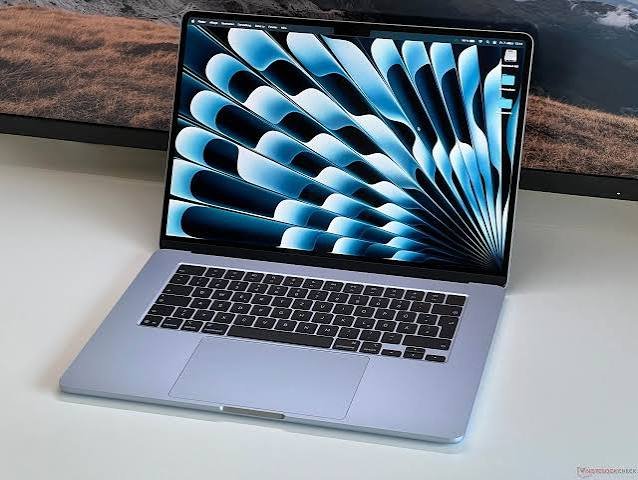
The MacBook Air M4 is worth considering when a reputable retailer offers a meaningful discount. It remains capable of many creative tasks, including editing photos, creating designs, producing social media videos, and working with typical office and web applications.
The newer M5 Air offers improvements, including a higher standard storage capacity and updated wireless connectivity. However, the M4 can still be a sensible purchase when its price is sufficiently lower.
Why choose the M4?
The biggest reason is value. If you find a good M4 configuration for substantially less than an M5 model, the savings could go toward an external SSD, a microphone, a monitor, lighting, or other content creation equipment.
For example, a YouTube creator might benefit more from a good microphone and lighting setup than from paying extra for a small performance difference between two capable laptops.
The M4 Air can be suitable for:
- Editing short and medium-length videos.
- Creating YouTube thumbnails and social media graphics.
- Retouching photos.
- Managing a blog or affiliate website.
- Recording and editing podcasts.
- Producing marketing materials for clients.
What should you avoid?
Do not buy an older model solely because it is cheap. Compare its memory, storage, battery condition, software compatibility, and warranty against the M5 alternatives.
Also, check whether the discounted model has enough internal storage for your projects. A lower-priced configuration with limited storage may become inconvenient if you regularly download large video files.
Best for: Beginners and budget-conscious creators who want to keep some money available for accessories.
MacBook Air vs. MacBook Pro for Content Creation
Both MacBook Air and MacBook Pro models can be excellent creative laptops, but they serve slightly different needs.
| Feature | MacBook Air M5 | MacBook Pro |
| Best use | Everyday creative work | More demanding creative workloads |
| Cooling | Fanless | Active cooling |
| Portability | Very lightweight and slim | Depends on model; generally more workstation-focused |
| Display | Liquid Retina | Liquid Retina XDR on applicable models |
| Ports | Two Thunderbolt 4 ports plus MagSafe | More ports on many models, depending on generation |
| Battery | Apple advertises up to 18 hours for M5 Air | Varies by model; some models advertise longer battery life |
| Long editing sessions | Capable, but heat may limit sustained performance | Active cooling can help sustain performance |
| Under $1,500 | New models fit the budget | Often requires a sale or refurbished purchase |
The current MacBook Pro M5 starts above this budget in the US, so a new Pro model may not be realistic unless a suitable discount or special offer is available. <Cite refs={[“turn277701search0″,”turn277701search3”]}/>
For most creators, the Air is the simpler purchase. For creators who frequently work with heavy effects, large projects, or lengthy exports, a suitable Pro model can be worth seeking out.
How Much RAM and Storage Do Content Creators Need?
Choosing the right memory and storage configuration is just as important as choosing the chip.
RAM: Is 16GB enough?
For many creators, 16GB of unified memory is a reasonable starting point. It can handle photo editing, graphic design, common video projects, browser tabs, and multitasking.
Consider more memory if you regularly:
- Edit complex 4K projects with many layers and effects.
- Work with very large Photoshop files.
- Run several demanding creative applications at once.
- Use advanced motion graphics or 3D software.
- Work with large local AI models or memory-intensive creative tools.
Remember that unified memory is shared by the CPU and GPU. Your project size and applications determine how much memory you actually need.
Storage: Is 512GB enough?
For a creator who mainly edits photos, designs graphics, writes articles, or produces short videos, 512GB can be a practical starting point.
Video files can consume storage quickly, especially when you keep original footage, exported versions, project files, audio, and backups on the same drive. If you work with a large amount of footage, consider a larger internal SSD or a fast external SSD.
An external drive is useful for storing completed projects and archived footage. However, it is not a complete substitute for internal storage because applications, caches, and active projects may still need space on your MacBook.
My recommendation: Prioritize 16GB or more of memory and at least 512GB of storage when your budget allows. If you must choose between a more expensive chip and enough memory for your actual workload, the better-balanced configuration may deliver a smoother daily experience.
Which MacBook Is Best for Each Type of Content Creator?
Best MacBook for YouTubers
The 13-inch MacBook Air M5 is a strong option for creators who edit talking-head videos, tutorials, reviews, interviews, and social media content. Choose the 15-inch version if you want more space for the timeline and preview window.
If your videos regularly include complex effects, multicamera editing, or long exports, consider a suitable refurbished MacBook Pro.
Best MacBook for Photographers
The MacBook Air M5 can handle common photography workflows, including RAW image processing and retouching. The 15-inch model provides a larger working area, while the 13-inch model is easier to carry on photo shoots.
For professional color work, remember that screen calibration, lighting conditions, and your export settings also affect the final result.
Best MacBook for Graphic Designers
Both Air models are good candidates for web graphics, social media designs, branding assets, and many illustration projects.
If your work involves extremely large files, complex visual effects, or multiple demanding applications, consider a higher-memory configuration or a suitable MacBook Pro.
Best MacBook for Bloggers and Affiliate Marketers
The 13-inch MacBook Air M5 is more than capable for writing, keyword research, website management, image editing, email, and analytics dashboards.
You probably do not need to spend the full $1,500. A lower-cost configuration may leave more money for a domain, hosting, an external display, and other tools that support your business.
Best MacBook for Podcasters
The MacBook Air M5 is a practical choice for recording, editing, and publishing many podcasts. Its silent operation is helpful in quiet recording spaces.
If you work with numerous audio tracks, complex plugins, or large sessions, select enough memory and check the requirements of your preferred audio software. You may also want to budget for a quality microphone and headphones.
What Should You Look for Before Buying?
Use this checklist to make a more informed purchase.
- Choose your main creative task. Photo editing, graphic design, video editing, and 3D work place different demands on a laptop.
- Set a realistic budget. Remember to account for taxes, accessories, storage, and software.
- Check the chip and memory. Do not assume that every MacBook Air or Pro has the same performance.
- Check storage capacity. Video creators usually need more room than people who mainly write or create web graphics.
- Consider screen size. A larger screen can reduce the need for an external monitor.
- Review ports and accessories. Photographers may need card readers, while some video creators need external displays or storage.
- Check software compatibility. Confirm that your preferred editing applications support the Mac model and macOS version.
- Compare warranties and return policies. This is especially important for refurbished or used MacBooks.
- Keep money for essential tools. A laptop alone will not replace good lighting, audio equipment, storage, or a reliable backup system.
Frequently Asked Questions
1. What is the best MacBook for content creators under $1500?
For most people, the 13-inch MacBook Air M5 is the best overall choice. It balances performance, portability, battery life, and storage. The 15-inch M5 Air is a strong alternative if you prefer a larger display and can spend close to the full budget.
2. Can a MacBook Air edit 4K video?
Yes. The M5 MacBook Air can handle many 4K video editing workflows in compatible applications. Performance depends on footage, effects, timeline complexity, memory, and export settings. Very demanding projects may benefit from a MacBook Pro with active cooling.
3. Is 16GB RAM enough for content creation?
For many photo editors, graphic designers, bloggers, and video creators, 16GB is a reasonable starting point. If you regularly work with complex timelines, large files, advanced effects, or several demanding applications at once, more memory may be beneficial.
4. Should I buy a MacBook Air or MacBook Pro for YouTube?
The MacBook Air is generally the better value for typical YouTube production, including editing tutorials, reviews, interviews, and short videos. A MacBook Pro is worth considering if your workflow includes long exports, complex effects, or frequent high-resolution editing.
5. Is the 15-inch MacBook Air better for editing?
It offers a larger built-in workspace, which can make editing and multitasking more comfortable. However, the larger screen does not automatically make it faster than the 13-inch model. Both models use the same chip family, and their actual performance depends on configuration and workload.
6. Can I use a MacBook Air for Photoshop and Lightroom?
Yes. The MacBook Air M5 is suitable for many Photoshop and Lightroom tasks, including image retouching, RAW photo editing, and preparing images for websites or social media. Large files and advanced workflows may benefit from additional memory and storage.
7. Is a refurbished MacBook Pro worth buying?
It can be, particularly if you find a well-maintained model with a capable M-series Pro chip, sufficient memory, and a healthy battery. Verify the specifications, warranty, return policy, and condition before purchasing. A refurbished Pro is not automatically better than a new Air.
8. Is 512GB storage enough for video editing?
It can be enough for smaller projects, especially when you regularly archive completed work to external storage. Creators who keep large amounts of footage and multiple active projects may prefer a larger internal SSD or a fast external drive.
9. Should I spend the entire $1,500 on the MacBook?
Not necessarily. If your current workflow is relatively simple, a less expensive MacBook may leave room for a microphone, lighting, an external SSD, or a monitor. These accessories can improve your production setup more than a modest laptop upgrade.
10. Is the MacBook Air M4 still worth buying in 2026?
Yes, if you find a good configuration at a meaningful discount. It remains capable of many creative tasks. Compare its price, memory, storage, battery condition, and warranty with the newer M5 model before deciding.
Final Verdict: Which MacBook Should Content Creators Buy Under $1500?
The 13-inch MacBook Air M5 is the best MacBook for content creators under $1,500 for most users. It offers a strong combination of portability, creative performance, and practical storage for video editing, photography, graphic design, podcasting, and social media production.
Choose the 15-inch MacBook Air M5 if you want more screen space and are comfortable spending close to the full budget. Its larger display can make long editing sessions more comfortable.
If your work involves demanding video projects, complex effects, or sustained rendering, look for a reputable refurbished MacBook Pro with an appropriate M-series Pro chip and enough memory. Check the battery, warranty, and exact specifications carefully.
Finally, consider the rest of your creative setup. A suitable external SSD, microphone, monitor, or lighting kit can be just as valuable as a more expensive laptop. The best choice is the MacBook that fits your actual workload while leaving enough room in your budget to create better content.
Affiliate Disclosure
This article may contain affiliate links. If you purchase through qualifying links, this website may earn a commission at no additional cost to you. Recommendations are intended to help readers compare their options and choose equipment that fits their needs.
Suggested Internal Links