

As an Amazon Associate, I earn from qualifying purchases
256GB vs 512GB MacBook: The Quick Answer
Choose 256GB if you mainly browse the internet, write documents, attend online classes, and store most of your files in the cloud. Choose 512GB if you download large files, install many applications, edit photos or videos, play games, or want more storage for long-term use.
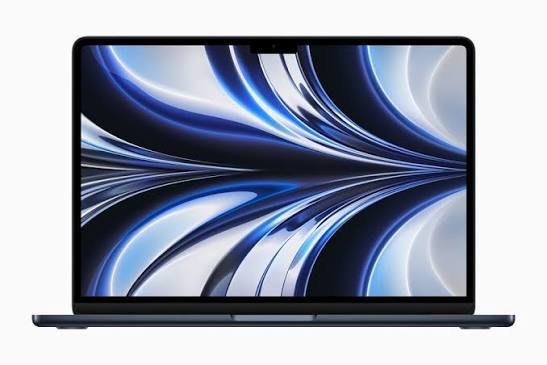
For most people who can comfortably afford the larger capacity, 512GB is the more flexible choice. It gives you twice the advertised storage space and reduces the need to delete files or connect an external drive as often.
However, 256GB is not automatically a bad choice. If you use your MacBook for basic tasks and manage your files carefully, it can be enough.
One important detail for buyers in 2026: Apple’s MacBook Air M5 starts with 512GB of storage. The 256GB option is more relevant when comparing older MacBook models, used devices, and refurbished computers. Always check the exact model and configuration before purchasing.
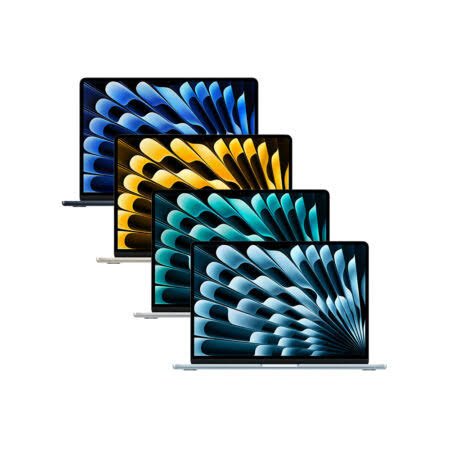
256GB vs 512GB MacBook: Main Differences
| Feature | 256GB MacBook | 512GB MacBook |
| Advertised storage | 256GB | 512GB |
| Storage capacity | Smaller | Twice the capacity |
| Browsing and documents | Usually sufficient | More than enough for most users |
| Photos and downloads | Suitable for modest collections | Better for growing collections |
| Video editing | Better with external storage for larger projects | More room for active projects |
| Games and large apps | Fills up more quickly | More room for installations |
| Cloud storage needs | May be more useful | Optional, depending on your habits |
| Long-term flexibility | Best for light users | Better for changing needs |
| Best for | Basic users and cloud-first workflows | Students, professionals, and creators with larger files |
The actual free space will be lower than the advertised capacity because macOS, built-in applications, and other system data use part of the internal drive. The exact amount varies by model and software version.
1. What Does 256GB or 512GB Mean on a MacBook?
Storage is the space your MacBook uses to save files and applications, even when the computer is switched off.
A 256GB SSD has half the advertised capacity of a 512GB SSD. This difference becomes important as you collect more photos, download applications, save videos, and keep work files on your computer.
For example, documents and spreadsheets generally use relatively little space. High-resolution photos, large games, video footage, and professional applications can require much more.
What can you store on 256GB?
A 256GB MacBook can comfortably support many everyday activities, including:
- Browsing websites and checking email.
- Writing assignments and business documents.
- Attending online meetings.
- Using office applications.
- Saving a modest collection of photos.
- Streaming music and videos.
- Working with cloud-based applications.
The main limitation is that you have less room for additional files and applications. If your needs grow, you may need to delete old downloads or move large files to external storage.
What can you store on 512GB?
A 512GB MacBook gives you more room for:
- Larger photo collections.
- More applications and games.
- Downloaded videos and offline media.
- Creative projects and work files.
- Development tools and datasets.
- Several active projects at once.
You can still fill a 512GB drive, especially if you work with large video files. However, the extra space gives you more freedom to keep files locally without constantly managing your storage.
2. Is 256GB Enough for a MacBook in 2026?
Yes, 256GB can be enough if your storage needs are modest.
For example, a student who writes essays, researches online, creates presentations, and stores assignments in cloud storage may not need 512GB. The same applies to someone who mainly uses email, web browsers, and office applications.
However, your storage needs depend on more than your daily tasks.
macOS and applications use space
Your internal drive does not contain only your personal files. macOS, built-in applications, downloaded updates, caches, and temporary files also use storage.
Applications can also create supporting files and store data while you use them. As you install more software, the available space for personal files becomes smaller.
This is why you should not plan to use every advertised gigabyte for your documents and downloads.
Your storage needs may increase
You might start with a few applications and a small collection of photos. After a year or two, you may have hundreds of additional files, more applications, and larger projects.
If you plan to keep your MacBook for several years, consider how your habits might change. A storage size that feels sufficient today may become restrictive later.
When 256GB makes sense
Choose 256GB if you:
- Mainly use browser-based applications.
- Store most documents online.
- Stream rather than download large media files.
- Keep relatively few applications installed.
- Do not regularly edit large videos.
- Are comfortable managing your files.
If these points describe you, 256GB can be a sensible way to avoid paying for storage you may not need.
3. Is 512GB Worth It for a MacBook?
For many buyers, yes. A 512GB MacBook offers more flexibility and makes it easier to keep files available locally.
You can install more applications, download larger files, and maintain a bigger collection of photos and work documents. You are also less likely to need an external drive simply to make room for a new application or project.
Why 512GB is a better long-term option
The biggest benefit is flexibility.
You may not need 512GB today, but your work and interests can change. You might begin editing videos, download more games, take more photos, or install specialized software.
With 512GB, you have more space to adapt.
It is also convenient if you travel regularly or work in places where reliable internet access is not always available. You can keep more files on your laptop rather than relying on cloud downloads.
When 512GB makes sense
Choose 512GB if you:
- Want to keep more files on your MacBook.
- Install large applications or games.
- Take lots of photos and videos.
- Work with creative projects.
- Need offline access to many files.
- Prefer not to manage storage frequently.
- Plan to keep your laptop for several years.
If the price difference fits your budget, 512GB is often the safer choice for long-term use.
4. Which MacBook Storage Size Is Better for Students?
Both storage options can work for students, but the right choice depends on the subject they study and the software they use.
A student studying business, history, literature, or general subjects may mainly need a browser, word processor, spreadsheet application, presentation software, and PDF reader. A 256GB MacBook can be enough for these tasks.
Students in technical or creative courses may need more space.
For example, computer science students may install development tools or work with virtual machines. Design students may save large graphics files. Film students may need to store video footage and project files.
Why students may prefer 512GB
A 512GB MacBook gives students more space for:
- Lecture recordings and downloaded course materials.
- Specialized applications.
- Large assignments and research files.
- Coding projects and datasets.
- Design and video-editing projects.
- Personal photos, music, and other files.
It can also reduce the need to remove older files when starting a new semester.
Our recommendation: For basic schoolwork, 256GB may be sufficient. For university students who use specialized applications or want more room for future needs, 512GB is the better option if affordable.
5. 256GB vs 512GB MacBook for Business
For general office work, both storage capacities can be suitable.
If you mainly use email, spreadsheets, presentations, video meetings, and browser-based business tools, 256GB may be enough. Many office documents are relatively small, especially when you use online collaboration tools.
However, some professionals need to keep large project folders, customer files, offline documents, media assets, or specialized applications on their laptops.
In these cases, 512GB can be more convenient.
Ask yourself these questions
- Do you regularly download large files from clients?
- Do you keep business documents available offline?
- Do you use design or marketing applications?
- Do you manage large spreadsheets or databases?
- Do you work on several projects at once?
If you answer yes to several questions, 512GB is likely the more practical choice.
If your work is almost entirely cloud-based and your files are relatively small, 256GB may still be sufficient.
6. Which Is Better for Photo and Video Editing?
Creative work can consume storage quickly. High-resolution photos, video footage, audio files, project files, previews, and exported media all take up space.
Photo editing
For occasional photo editing, 256GB can work well. You can keep current projects on the MacBook and move completed work to an external SSD or cloud storage.
However, photographers with large image libraries may find the smaller capacity restrictive.
A 512GB MacBook offers more room for active projects and growing collections. It is a more comfortable option if photography is a regular part of your work.
Video editing
Video editing usually requires more storage than everyday office work.
A video project may contain original footage, audio, graphics, project files, rendered previews, and exported videos. Some editing applications also create cache files that take up additional space.
A 256GB MacBook can handle smaller projects, especially when paired with an external SSD. However, it is less convenient if you want to keep multiple large projects on the internal drive.
A 512GB MacBook is more practical for many casual and intermediate creators. Professional editors working with extensive 4K or higher-resolution footage may still benefit from 1TB or more of internal storage and additional external drives.
Recommended storage for creative work
| Creative Workload | Suggested Storage |
| Occasional photo editing | 256GB may be enough |
| Regular photography | 512GB |
| Short-form video editing | 512GB |
| Large 4K video projects | 1TB or more, depending on workflow |
| Professional media libraries | Larger internal storage plus external drives |
These are general guidelines. Your needs depend on file sizes, project complexity, and whether you archive completed work externally.
7. What About Gaming on a MacBook?
Games can vary greatly in size. Some require relatively little storage, while modern games may need many gigabytes or more.
If you install several large games, a 256GB MacBook can fill up quickly. You also need space for macOS, applications, updates, and personal files.
A 512GB MacBook gives you more room for game installations.
However, storage capacity is not the only consideration. The MacBook’s chip, graphics performance, memory, and the game’s compatibility with macOS all affect the gaming experience.
If gaming is one of your main reasons for buying a laptop, research the specific games you want to play before choosing a MacBook. A larger SSD cannot make an unsupported game run or turn a laptop into a dedicated gaming machine.
Recommendation: Choose 512GB if you plan to install several games. If gaming is your main priority and you want a large library installed simultaneously, consider whether a higher-capacity MacBook or a dedicated gaming laptop would better suit your needs.
8. Can Cloud Storage Make 256GB Enough?
Cloud storage can make a smaller internal drive more practical.
Services such as iCloud Drive, Google Drive, and Dropbox let you store files online and access them across devices. Depending on your settings, some files can remain online until you need to download them.
This means you do not always need every document, photo, or work file stored on your MacBook.
However, cloud storage does not eliminate the need for local space. Applications still need to be installed, downloaded files use storage, and offline access requires files to be available locally.
Some cloud services also require a paid subscription once you exceed their free storage allowance.
Cloud storage works well if you:
- Have reliable internet access.
- Mainly work with documents and smaller files.
- Do not need every file available offline.
- Already use a cloud service regularly.
Cloud storage may be less convenient if you:
- Travel frequently without reliable internet.
- Work with large video files.
- Need immediate access to extensive file libraries.
- Prefer keeping important files locally.
Cloud storage is a useful way to manage space, but it should complement your storage choice rather than replace it completely.
9. Can You Upgrade MacBook Storage Later?
This is one of the most important things to understand before buying a MacBook.
Modern Apple-silicon MacBooks generally do not support a simple user upgrade of the internal SSD after purchase. You should assume that the internal storage capacity you buy is the capacity you will keep.
That makes your initial decision important.
What if you buy 256GB and run out of space?
You still have options. You can:
- Move large files to an external SSD.
- Store suitable files in the cloud.
- Delete unnecessary downloads.
- Uninstall applications you no longer use.
- Archive completed projects elsewhere.
These solutions can work well, but they require some file management. You may also need to carry an external drive when you want access to archived projects.
What if you buy 512GB?
You will have more room before needing to use those alternatives. You may still need external storage for large video libraries or backups, but you will generally have more flexibility.
Buying advice: If you are undecided and can comfortably afford 512GB, choosing the larger capacity at purchase is usually simpler than trying to compensate for limited internal storage later.
10. Can an External SSD Replace the Need for 512GB?
An external SSD is a practical way to add storage to a MacBook without relying entirely on its internal drive.
You can use one to store photo libraries, video projects, archived documents, and other large files. Depending on the drive and connection, an external SSD can also support many creative workflows.
This can make a 256GB MacBook practical for someone who occasionally works with large files.
However, an external drive has disadvantages. You must carry it, connect it when needed, and keep it safe. If your project files are stored on the drive, you cannot access them when the drive is unavailable unless you have another copy.
Internal storage vs external SSD
| Feature | Larger Internal SSD | External SSD |
| Convenience | Always available | Must be connected |
| Portability | Built into the MacBook | Carried separately |
| Expansion | Fixed after purchase | Can add more storage |
| File access | Simple and immediate | Depends on having the drive |
| Best use | Apps and frequently used files | Large projects and archives |
An external SSD is an excellent supplement. It is not always a complete replacement for adequate internal storage.
11. How Much Storage Should You Buy for the Next Three to Five Years?
Think about your future needs, not only the files you have today.
You may install more applications, collect more photos, download additional games, or start working with larger projects. Operating systems and applications also change over time, so leaving enough free space is useful.
Use this guide to help you decide:
| User Type | Recommended Starting Point |
| Basic browsing and email | 256GB |
| Student using cloud applications | 256GB or 512GB |
| Business user with many local files | 512GB |
| Photographer with a growing library | 512GB or 1TB |
| Casual video editor | 512GB |
| Professional video editor | 1TB or more, depending on workflow |
| Gamer with several large games | 512GB or more |
| Developer using virtual machines or large datasets | 512GB or more, depending on workload |
These are starting points, not strict rules. Your ideal capacity depends on how much data you keep locally and how comfortable you are using external or cloud storage.
12. Storage Is Not the Same as RAM
Before buying, make sure you understand the difference between storage and memory.
Storage holds your files, applications, photos, videos, and other data, even when your MacBook is switched off.
RAM, or unified memory on Apple-silicon MacBooks, helps the computer handle active applications and tasks.
A 512GB MacBook does not automatically have more RAM than a 256GB model. It also does not automatically perform faster in every task.
If you regularly use demanding applications, run many programs at once, or work with large creative projects, you should consider both memory and storage. Choose a configuration that suits your workload instead of focusing only on the SSD capacity.
Frequently Asked Questions
Is 256GB enough for a MacBook?
Yes, for many basic users. If you mainly browse the web, write documents, attend video calls, and use cloud storage, 256GB can be enough. Users who keep large media collections or install many applications may find it limiting.
Is 512GB worth the extra cost on a MacBook?
For many people, yes. It provides twice the advertised capacity and more room for applications, photos, downloads, and work files. It is especially useful if you plan to keep your MacBook for several years.
Is 256GB enough for a MacBook Air?
It can be enough for light everyday use, depending on the model and your habits. However, Apple’s MacBook Air M5 starts with 512GB, so 256GB is mainly relevant when comparing older, used, refurbished, or other eligible configurations. Check the specifications of the exact MacBook before buying.
Does a 512GB MacBook run faster than a 256GB MacBook?
Not necessarily. Storage capacity and processing performance are different things. SSD design and speed can affect certain tasks, but choosing 512GB instead of 256GB does not guarantee that every application will run faster.
Can I use iCloud instead of buying 512GB?
Yes, cloud storage can reduce the amount of data you need to keep locally. However, applications, temporary files, and downloaded content still need internal storage. Cloud-first users may be comfortable with 256GB, while others will prefer 512GB.
Can I upgrade a MacBook from 256GB to 512GB later?
Modern Apple-silicon MacBooks generally do not support a simple user upgrade of internal SSD storage. You can add an external SSD, but it is wise to choose enough internal storage when purchasing the computer.
Is 512GB enough for video editing?
It is enough for many small and medium projects, but large video libraries can quickly exceed that capacity. Professional workflows involving extensive 4K or higher-resolution footage may benefit from 1TB or more of internal storage and additional external SSDs.
Should a student buy 256GB or 512GB?
For basic assignments, online classes, and document work, 256GB may be sufficient. If you study a technical subject, install specialized applications, work with media, or want more room for future needs, 512GB is the safer choice.
Final Verdict: 256GB vs 512GB MacBook
A 256GB MacBook is a sensible option for light users who rely on cloud storage, work mainly with documents, and do not keep many large files locally.
A 512GB MacBook is the better all-round choice for people who want more room for applications, photos, downloads, and growing projects. It can also reduce the need to manage storage or depend on an external drive.
For most buyers who can comfortably afford the extra capacity, 512GB is the more flexible long-term choice. If your budget is tight and your needs are modest, 256GB can still work well.
Before purchasing, check the exact MacBook model and its available configurations. Storage options differ by generation, so make sure the model you are considering actually offers the capacity you want.
Affiliate Disclosure: This article may contain affiliate links. If you purchase through qualifying links, we may earn a commission at no additional cost to you. Always check the exact product specifications before purchasing.
Suggested Internal Links:
- Is 256GB Enough for MacBook Students?
- MacBook M2 Still Worth Buying in 2026?
- Best MacBook for College Students
- MacBook Air M5, M4, M3, M2, M1 Models Compared