

As an Amazon Associate, I earn from qualifying purchases
If you’re comparing the MacBook Air M2 vs M3, the M3 is the better laptop—but the M2 can be the smarter purchase if you find it at a significantly lower price.
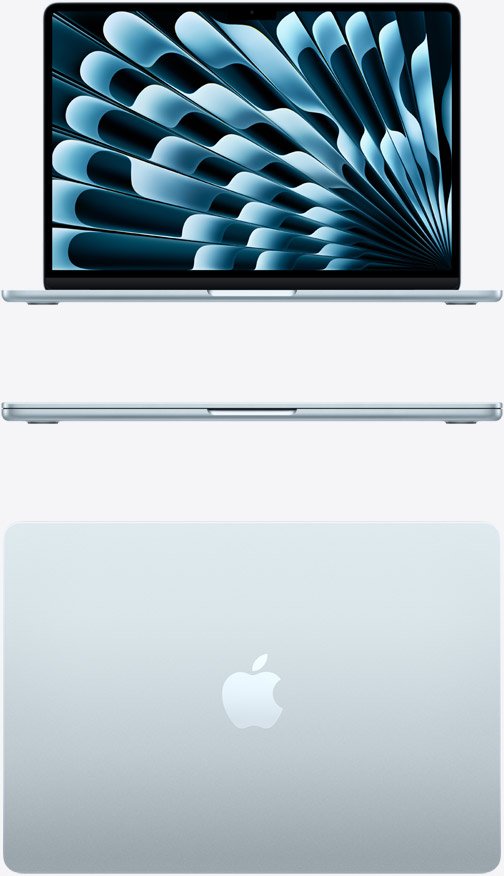
The two MacBook Air generations share essentially the same design, display and overall experience. The M3 brings a newer 3nm chip, faster graphics, Wi-Fi 6E, hardware-accelerated ray tracing and support for two external displays while the laptop is closed.
For most people, however, the performance difference isn’t large enough to justify a big price premium.
MacBook Air M2 vs M3: Quick Comparison
| Feature | MacBook Air M2 | MacBook Air M3 |
| CPU | 8-core M2 | 8-core M3 |
| GPU | Up to 10-core | Up to 10-core |
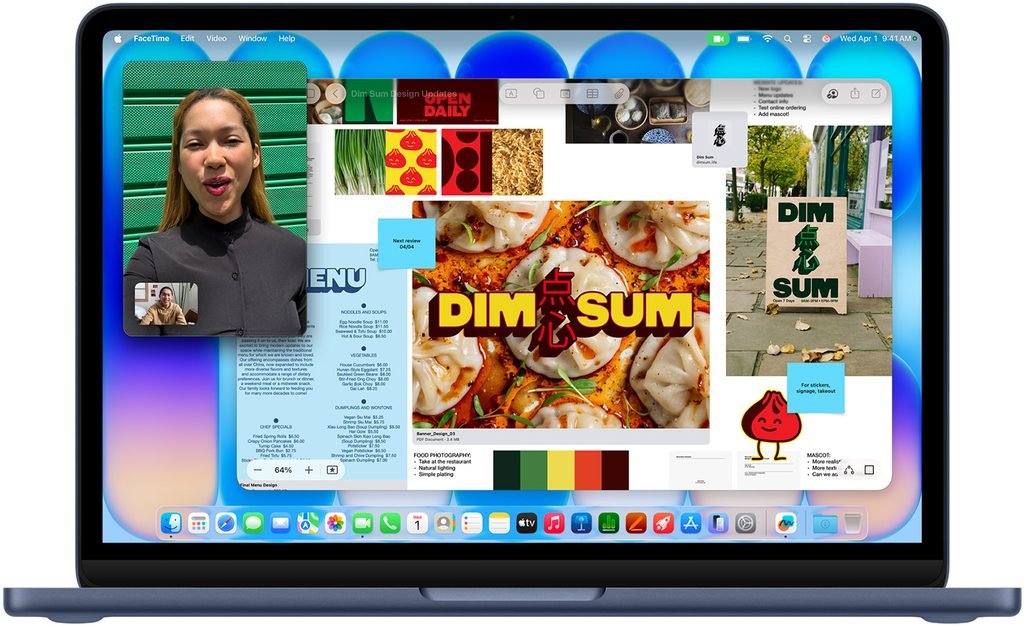
| Display | 13.6-inch Liquid Retina | 13.6-inch Liquid Retina |
| Memory | Up to 24GB | Up to 24GB |
| Storage | Up to 2TB | Up to 2TB |
| External displays | 1 | Up to 2 with lid closed |
| Wi-Fi | Wi-Fi 6 | Wi-Fi 6E |
| Media engine | H.264, HEVC, ProRes | H.264, HEVC, ProRes |
| Design | Modern flat design | Same design |
| Best for | Budget buyers | Most buyers |
Apple’s technical specifications confirm that both models offer up to 24GB unified memory and 2TB SSD configurations.
1. Performance: M3 Wins
The biggest difference is the processor.
The M3 uses a newer 3nm architecture and improves CPU and GPU performance compared with the M2. Apple also introduced hardware-accelerated ray tracing and Dynamic Caching with the M3.
For everyday activities such as:
- Web browsing
- Microsoft Office
- Watching videos
- Schoolwork
- Zoom calls
- Basic programming
the difference is relatively small.
Both machines are already fast enough for these tasks.
You’ll notice the M3 advantage more when you’re doing:
- Video editing
- Photo editing
- 3D work
- Gaming
- Large coding projects
- AI-related workloads
- Heavy multitasking
Winner: M3
2. Design and Display: It’s a Tie
This is one area where you shouldn’t expect a major difference.
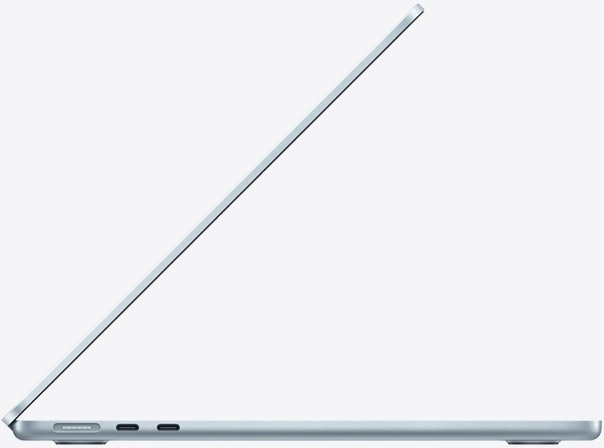
The M2 introduced Apple’s redesigned MacBook Air body, with flat edges, a MagSafe charging port and a 13.6-inch Liquid Retina display.
The M3 keeps essentially the same design.
Both offer:
- 13.6-inch display
- 2560 × 1664 resolution
- 500-nit brightness
- MagSafe charging
- Two USB-C/Thunderbolt ports
- 3.5mm headphone jack
So if you’re choosing between them based purely on appearance or screen quality, there’s no compelling reason to pay more for the M3.
Winner: Tie
3. External Monitor Support: M3 Wins
This is one of the most useful M3 upgrades.
The M2 MacBook Air supports one external display while the built-in screen is active.
The M3 can support two external displays when the MacBook’s lid is closed, allowing a more flexible desktop setup.
This matters if you use your MacBook with:
- Two monitors
- A home-office setup
- A docking station
- Multiple displays for video editing
- Large spreadsheets
If you only use the MacBook’s built-in screen or one external monitor, the difference doesn’t matter much.
Winner: M3
4. Battery Life: Very Similar
Both generations offer excellent battery life.
The M3 isn’t a dramatic battery-life upgrade over the M2. Your actual runtime will depend on brightness, applications, browser tabs, video playback and workload.
For most users, battery life shouldn’t be the deciding factor between these two models.
Winner: Tie

5. Connectivity: M3 Has an Advantage
The M3 brings Wi-Fi 6E, while the M2 uses Wi-Fi 6.
If you have a compatible Wi-Fi 6E router, the M3 can potentially provide faster wireless performance and access to the newer 6GHz band.
For ordinary home internet use, however, this isn’t a reason by itself to upgrade from M2 to M3.
Both models provide two USB-C/Thunderbolt ports and MagSafe charging.
Winner: M3
6. Which Has Better Value in 2026?
This is where things get interesting.
The M2 is no longer the current generation of MacBook Air. Apple’s current lineup has moved through M3 and M4 to the M5 MacBook Air, while Apple continues to list older M2 and M3 models on its comparison pages.
That means the M2 makes the most sense as a used or refurbished MacBook.
If you find an M2 Air with 16GB RAM at a substantial discount, it can be an excellent value.
The M3 becomes more attractive when the price difference between comparable M2 and M3 models is relatively small.
A simple rule:
M2 is worth buying if it’s significantly cheaper.
M3 is worth buying if the price difference is small.
7. M2 vs M3 for Students
For students, either model is more than capable.
An M2 Air can easily handle:
- Research
- Essays
- Presentations
- PDFs
- Online classes
- Programming
- Browsing
- Streaming
The M3 adds more performance headroom and better support for a two-monitor desktop setup.
But students should consider RAM and storage before obsessing over the chip.
I’d rather have:
M2 + 16GB RAM + 512GB SSD
than:
M3 + 8GB RAM + 256GB SSD
for long-term college use.
8. M2 vs M3 for Video Editing
Both MacBook Air models can edit video, but the M3 is better for demanding workloads.
The M3’s newer GPU architecture and additional graphics capabilities make it more attractive for video editors and creative users. Apple’s M2 and M3 Air models both include hardware acceleration for common video codecs and Apple’s ProRes formats.
For occasional 1080p or 4K editing, an M2 Air remains perfectly capable.
For frequent editing, however, I’d choose the M3—or preferably a newer-generation MacBook Air or MacBook Pro if your budget permits.
9. M2 vs M3 for Programming
Both are excellent programming laptops.
The M2 can comfortably handle:
- VS Code
- Python
- JavaScript
- Web development
- Git
- SQL
- Terminal tools
The M3 becomes more attractive if you’re using multiple development environments, simulators or demanding workloads.
For computer science students, 16GB RAM is more important than choosing M2 versus M3.
Should You Buy the M2 or M3 in 2026?
Use this decision guide.
Buy the M2 if:
- You find a good refurbished deal
- Your budget is limited
- You mainly do everyday computing
- You don’t need two external monitors
- You can get 16GB RAM at a good price
Buy the M3 if:
- The price difference is small
- You want better graphics performance
- You use two external displays
- You edit photos or video
- You want a newer machine
- You plan to keep it for several years
Is the MacBook Air M2 Still Worth It in 2026?
Yes—but only at the right price.
The M2 remains a very capable laptop. The bigger question is whether you’re getting enough of a discount compared with newer Air models.
The M2’s modern chassis, MagSafe charging, excellent display and Apple silicon performance keep it relevant.
If a refurbished M2 is hundreds of dollars cheaper than an equivalent M3, the M2 can be the better value.
If the prices are close, choose the M3.
Is the M3 Worth It Over the M2?
For an existing M2 owner, probably not.
The M3 is faster and has useful upgrades, but the M2 remains fast enough for most everyday workloads.
If you’re buying your first MacBook, however, the M3 makes more sense when the price premium is modest.
The M3 is particularly attractive if you need two external displays or do graphics-heavy work.
MacBook Air M2 vs M3: Final Verdict
The MacBook Air M3 is the better laptop, but the M2 is potentially the better bargain.
The M3 gives you a newer chip, better graphics capabilities, Wi-Fi 6E and the ability to run two external displays with the lid closed.
But the M2 still delivers excellent everyday performance and shares the same basic design and display.
Our verdict:
🏆 Best overall: MacBook Air M3
💰 Best value: MacBook Air M2 when heavily discounted
🎓 Best for students: M2 or M3 with 16GB RAM
🎬 Best for creators: M3
🖥️ Best for multiple monitors: M3
Bottom line: If the M3 costs only a little more, buy the M3. If you find a heavily discounted or refurbished M2, don’t be afraid to buy it—the performance is still excellent for everyday use in 2026.
And if you’re buying new at full price, remember that the M2 and M3 are no longer the latest MacBook Air generations. A newer M4 or M5 Air may provide better long-term value depending on its price.
FAQs
Is the MacBook Air M3 better than M2?
Yes. The M3 has a newer chip, improved graphics, Wi-Fi 6E and better external-display support. For everyday tasks, however, the difference isn’t dramatic.
Is the MacBook Air M2 still worth buying in 2026?
Yes, particularly if you buy it refurbished or at a significant discount. It’s still powerful enough for school, office work, programming and everyday use.
Should I buy M2 or M3 MacBook Air?
Choose the M3 if the price difference is small. Choose the M2 if you can save a significant amount of money.
Is M3 MacBook Air worth the extra money?
It can be, especially for creative users, people who need two external displays or buyers planning to keep their MacBook for several years.
Is M2 enough for students?
Yes. The M2 MacBook Air is more than powerful enough for most students. If possible, prioritize 16GB RAM and adequate storage.
Which is better for video editing, M2 or M3?
The M3 is better, particularly for graphics-heavy work. However, the M2 remains capable of editing ordinary 4K projects.
Does M3 MacBook Air support two monitors?
Yes, but the two-display configuration requires the MacBook’s built-in display to be turned off. The M2 is limited to one external display while the built-in screen is active.
