

As an Amazon Associate, I earn from qualifying purchases
Writing doesn’t require the most powerful computer on the market.
In fact, if you’re a novelist, blogger, journalist, student, screenwriter, copywriter, or freelance writer, you probably don’t need a laptop designed for video editing or 3D rendering.
What you need is a computer that makes it easy to write for hours, research without slowing down, carry around comfortably, and stay away from the charger for as long as possible.
That’s where the MacBook lineup makes a lot of sense.
The current MacBook Air M5 offers plenty of performance for writing and everyday productivity.
while the MacBook Pro is designed for people who want a more advanced display, additional performance, or a heavier professional workflow.
So, what is the best MacBook for writers in 2026?
For most writers, it’s the MacBook Air M5.
Here’s why.
Best MacBook for Writers in 2026: Quick Answer
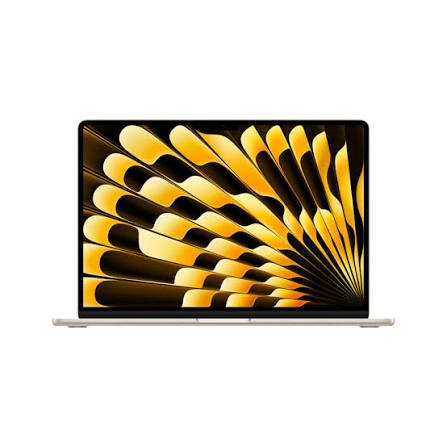
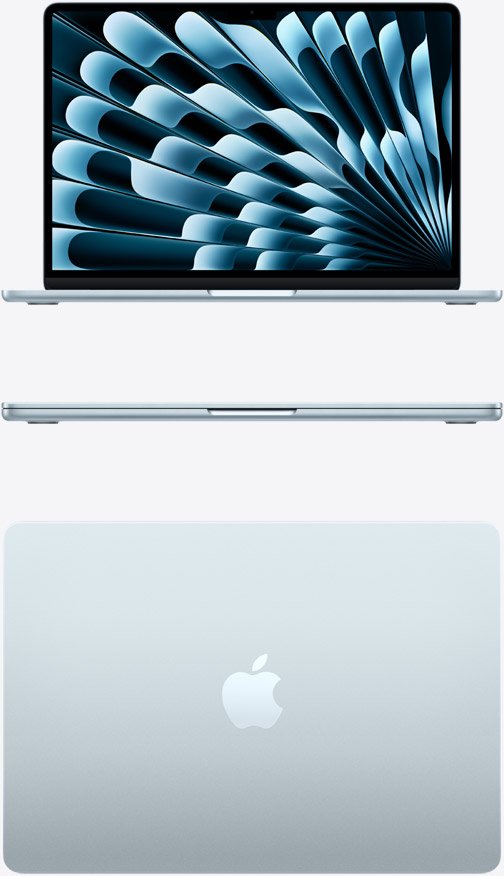
The 13-inch MacBook Air M5 is the best overall MacBook for most writers.
It combines a lightweight design with a 13.6-inch Liquid Retina display, 16GB of unified memory, 512GB of SSD storage, and up to 18 hours of video streaming battery life according to Apple’s specifications.
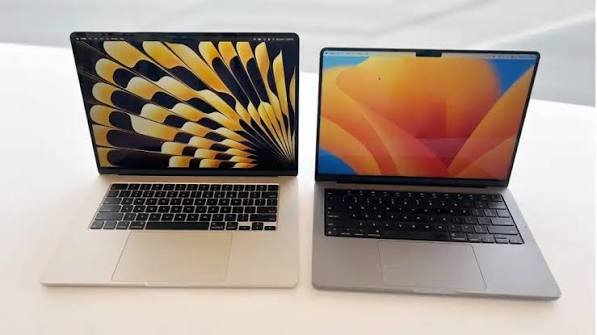
For writers who prefer a larger workspace, the 15-inch MacBook Air M5 is an excellent alternative.
It has a 15.3-inch display while retaining the same M5 platform and 16GB starting memory.
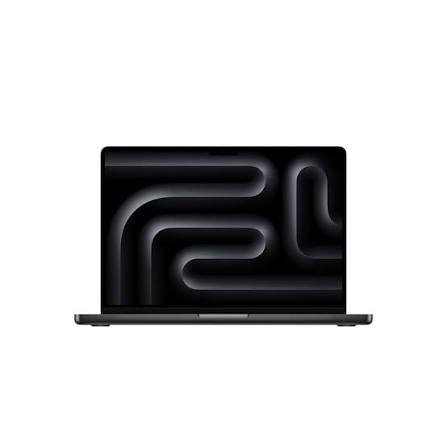
The 14-inch MacBook Pro makes more sense if writing is only one part of a demanding professional workflow involving video, photo editing, development, or other intensive applications.
Its Liquid Retina XDR display, ProMotion up to 120Hz, and up to 32GB memory on the M5 configuration provide more capability than most writers need.
Quick recommendations
| MacBook | Best For | Recommended Configuration |
| MacBook Air M5 13-inch | Most writers | 16GB / 512GB |
| MacBook Air M5 15-inch | Writers who want a larger screen | 16GB / 512GB |
| MacBook Pro 14-inch M5 | Writers with demanding workflows | 16GB–24GB / 1TB |
| MacBook Pro M5 Pro | Writers + professional creative work | 24GB+ / 1TB+ |
| MacBook Neo | Basic writing on a tighter budget | 8GB / 512GB |
1. MacBook Air M5 13-inch — Best Overall for Writers
The 13-inch MacBook Air M5 is the MacBook I’d recommend to most writers.
Why?
Because writing doesn’t require a huge amount of processing power.
Whether you’re working in Microsoft Word, Google Docs, Scrivener, Ulysses, Pages, Notion, Obsidian, or a browser-based writing platform, the M5 has more than enough performance.
The 13.6-inch Liquid Retina display has a 2560-by-1664 resolution, 500 nits brightness, P3 wide color, and True Tone.
Apple lists 16GB of unified memory and 512GB SSD storage as the starting configuration, with options up to 32GB memory and 4TB storage.
That is significantly more computer than most writers actually need.
And that’s a good thing.
You won’t have to worry about your laptop struggling because you have Word, 30 browser tabs, research documents, email, Spotify, and your writing application open at the same time.
Why writers will like the MacBook Air M5
The biggest advantages are:
- Lightweight and portable
- Excellent battery life
- Comfortable built-in keyboard
- Sharp display
- Plenty of performance
- 16GB memory standard
- 512GB storage standard
- MagSafe charging
- Two Thunderbolt 4 ports
- Silent, fanless operation
The Air is especially attractive if you like writing in different places.
You can take it to a coffee shop, library, classroom, office, bedroom, or on a trip without feeling like you’re carrying around a workstation.
2. MacBook Air M5 15-inch — Best MacBook for Writers Who Want More Screen Space
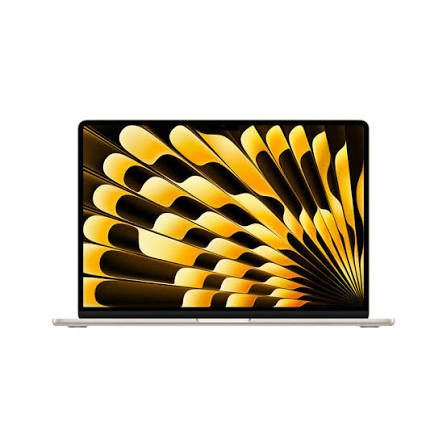
The 15-inch MacBook Air M5 is worth considering if you spend most of your day writing at a desk.
Its 15.3-inch Liquid Retina display provides considerably more workspace than the 13.6-inch model.
That extra space can be useful when you’re working with your manuscript alongside research.
For example, you could have:
Left side: Your writing document
Right side: Research, notes, or a web browser
The larger display is also useful for writers who frequently work with spreadsheets, PDFs, editing tools, or multiple documents.
The 15-inch M5 Air has a 2880-by-1864 display, 500 nits brightness, P3 wide color, 16GB starting unified memory, and 512GB starting storage.
13-inch vs 15-inch MacBook Air for writers
Choose the 13-inch if portability is your priority.
Choose the 15-inch if screen space is more important.
Performance is not the main reason to choose between them. The decision is primarily about how you want to work.
3. MacBook Pro 14-inch — Best for Professional Writers
The 14-inch MacBook Pro is probably overkill for someone who only writes.
But that doesn’t mean it’s a bad choice.
Some writers have much more demanding workflows.
You might be a writer who also:
- Edits video
- Produces podcasts
- Edits photographs
- Runs development tools
- Uses large research databases
- Works with multiple external displays
- Runs virtual machines
- Manages large projects
In that situation, the MacBook Pro becomes more interesting.
The 14-inch M5 MacBook Pro has a Liquid Retina XDR display with 3024-by-1964 resolution, P3 wide color, a 1,000,000:1 contrast ratio, and ProMotion up to 120Hz.
It can be configured with 16GB, 24GB, or 32GB unified memory and up to 4TB SSD storage.
For pure writing, you probably don’t need those specifications.
But for a writer who does much more than writing, they’re useful.
Is MacBook Air Good for Writers?
Yes.
In fact, the MacBook Air is arguably better suited to most writers than the MacBook Pro.
That’s because writers generally benefit more from:
- Portability
- Battery life
- A good keyboard
- A sharp display
- Comfortable viewing
- Quiet operation
- Reliable performance
than from maximum CPU and GPU performance.
The M5 MacBook Air provides all of those qualities while starting with 16GB of memory and 512GB of storage.
Unless your writing workflow includes demanding creative applications, there’s little reason to buy the most powerful MacBook available.
Best MacBook for Novelists
For novelists, I’d choose the 13-inch MacBook Air M5 for maximum portability or the 15-inch MacBook Air M5 for a larger workspace.
Novel writing doesn’t require enormous amounts of processing power.
The important factors are things like:
- Comfortable keyboard
- Battery life
- Screen size
- Portability
- Storage
- Reliability
- Distraction-free writing
A 16GB MacBook Air gives you plenty of headroom for a writing application, research, browser tabs, notes, cloud storage, and other everyday applications.
If you write primarily at a desk, the 15-inch model can be particularly appealing.
Best MacBook for Bloggers
Bloggers often need more than a writing application.
A typical blogging workflow might include:
- WordPress
- Google Docs
- Research tabs
- Canva
- Image editing
- SEO tools
- Social media
- Content management systems
That’s still well within the capabilities of the MacBook Air M5.
The 13-inch model is ideal if you travel frequently.
The 15-inch model is better if you want more screen space for research and content management.
For most bloggers, I’d spend extra money on storage or memory only if your workflow actually requires it, rather than automatically buying a MacBook Pro.
Best MacBook for Students Who Write
Students often need a computer that can handle much more than writing.
You may use your MacBook for:
- Essays
- Research
- Presentations
- PDFs
- Online classes
- Web browsing
- Video calls
- Coding
- Note-taking
- Entertainment
The MacBook Air M5 fits this type of workload extremely well.
The 13-inch version is easier to carry between classes, while the 15-inch version gives you more workspace.
If portability is important, I’d choose the 13-inch model.
Best MacBook for Screenwriters
Screenwriters have a slightly different requirement.
Writing software such as Final Draft doesn’t demand a powerful MacBook.
What matters more is having a comfortable writing environment and enough screen space to work efficiently.
The 13-inch MacBook Air works perfectly well.
However, if you frequently work with scripts alongside notes, character profiles, research, or production documents, the 15-inch MacBook Air can be more comfortable.
How Much RAM Do Writers Need?
This is one area where you don’t need to overthink things.
8GB
8GB can handle basic writing, but I wouldn’t specifically seek it out for a computer you plan to keep for several years.
Apple’s MacBook Neo is an example of a current MacBook with 8GB unified memory.
16GB
16GB is the sweet spot for most writers.
The current MacBook Air M5 starts at 16GB.
It gives you plenty of room for writing applications, browsers, research, communication tools, and everyday multitasking.
24GB or 32GB
Consider more memory if writing is combined with demanding professional workloads.
For example, a writer who also edits 4K video or works with large creative applications could benefit from additional memory.
But don’t spend hundreds more on RAM simply because you think writing requires it.
It doesn’t.
How Much Storage Does a Writer Need?
Storage requirements for writers are generally modest.
A novel is tiny compared with a video project.
Thousands of text documents can fit comfortably within a relatively small SSD.
For most writers:
512GB: More than enough for writing and everyday use.
1TB: Useful if you store lots of photos, videos, downloads, or creative projects.
2TB+: Usually unnecessary unless writing is combined with large creative workloads.
The M5 MacBook Air starts at 512GB and can be configured up to 4TB.
For a writer, I’d generally prioritize 16GB or more of memory and a comfortable screen before spending heavily on internal storage.
Is the MacBook Neo Good for Writers?
The MacBook Neo is an interesting option for people who primarily need a computer for basic writing and everyday tasks.
It has an A18 Pro chip, 8GB unified memory, and 256GB or 512GB SSD options. Its 13-inch display is 500 nits and supports the sRGB color space.
Apple rates it for up to 16 hours of video streaming.
For basic writing, that hardware is sufficient.
The bigger question is longevity and multitasking.
If your work involves dozens of browser tabs, large documents, multiple applications, and heavier workloads, the M5 Air’s 16GB starting memory makes it a more comfortable choice.
The Neo makes the most sense for writers whose requirements are straightforward: writing, browsing, email, documents, and similar tasks.
MacBook Air vs MacBook Pro for Writers
Here’s the simple way to think about it.
Choose MacBook Air if:
- Writing is your primary activity
- You write novels or articles
- You’re a student
- You’re a blogger
- You work remotely
- You travel frequently
- You value portability
- You want long battery life
- You don’t need professional-level creative performance
Choose MacBook Pro if:
- You’re a professional who writes and performs demanding creative work
- You edit video or audio
- You use intensive development software
- You need more memory
- You want the Liquid Retina XDR display
- You regularly connect several peripherals or displays
- You want more performance headroom
For writing alone, the Air is usually enough.
What Should Writers Look for in a MacBook?
Don’t make the mistake of focusing only on the processor.
For writing, these are arguably more important:
1. Keyboard
You’re going to type thousands—or potentially millions—of words.
A comfortable keyboard matters.
2. Display
You could stare at your screen for hours every day, so a sharp, comfortable display is worth having.
3. Battery Life
Long battery life means you can write without constantly looking for an outlet.
The M5 MacBook Air is rated for up to 18 hours of video streaming and up to 15 hours of wireless web use.
4. Portability
If you write in different locations, a lightweight laptop can make a surprisingly large difference.
5. Reliability
A writing computer should be dependable.
Losing an afternoon of work because your laptop is constantly crashing or running out of storage is frustrating.
Best MacBook for Writers: Final Verdict
So, what is the best MacBook for writers in 2026?
For most people, it’s the 13-inch MacBook Air M5 with 16GB unified memory and 512GB storage.
It’s fast enough for virtually any writing application, portable enough to take anywhere, has a high-quality display, and offers excellent battery life.
If you prefer working with multiple documents or research windows side by side, choose the 15-inch MacBook Air M5.
If you’re a writer who also performs demanding creative or professional work, the 14-inch MacBook Pro is the more capable option, particularly because of its XDR display.
The MacBook Neo can make sense for basic writing and everyday tasks, especially if your requirements are simple
Its 8GB memory configuration makes the M5 Air a more flexible choice for heavier multitasking.
My recommendations
Best overall for writers: MacBook Air M5 13-inch
Best large-screen MacBook for writers: MacBook Air M5 15-inch
Best for professional writers: MacBook Pro 14-inch
Best for writers on a basic workload: MacBook Neo
Best configuration for most writers: 16GB RAM + 512GB SSD
The key takeaway is simple: writers don’t need the most powerful MacBook—they need the MacBook that makes writing comfortable.
And in 2026, the MacBook Air M5 does that extremely well.
Frequently Asked Questions
What is the best MacBook for writers in 2026?
The MacBook Air M5 is the best overall choice for most writers. It combines strong performance, portability, long battery life, a high-quality display, 16GB starting memory, and 512GB starting storage.
Is MacBook Air good for writing?
Yes. The MacBook Air is more than powerful enough for Microsoft Word, Google Docs, Scrivener, Pages, Ulysses, Notion, blogging, research, and other writing tasks.
Is 16GB RAM enough for writers?
Yes. 16GB is more than enough for most writers and provides plenty of room for writing applications, browser tabs, research, and everyday multitasking.
Is 512GB enough for writers?
Yes. Writers generally don’t need enormous amounts of storage because text documents consume relatively little space. 512GB is plenty for most writing workflows.
Is the 13-inch or 15-inch MacBook Air better for writers?
The 13-inch model is better for portability, while the 15-inch model provides more screen space. Both are strong choices, so the decision mostly depends on how and where you write.
Do novelists need a MacBook Pro?
Usually not. A MacBook Air M5 is powerful enough for novel writing.
A MacBook Pro makes more sense if you also perform demanding tasks such as video editing, audio production, development, or other professional workloads.
Is MacBook Neo good for writing?
Yes. The MacBook Neo is capable of handling basic writing, documents, web browsing, and everyday productivity. It has 8GB unified memory and up to 512GB storage.
What is the best MacBook for blogging?
The MacBook Air M5 is an excellent choice for bloggers.
The 13-inch model is ideal for portability, while the 15-inch version provides more room for research, writing, images, and browser windows.
What is the best MacBook for authors?
For most authors, the 13-inch MacBook Air M5 is the best overall choice. Authors who prefer a larger workspace can choose the 15-inch MacBook Air M5.