

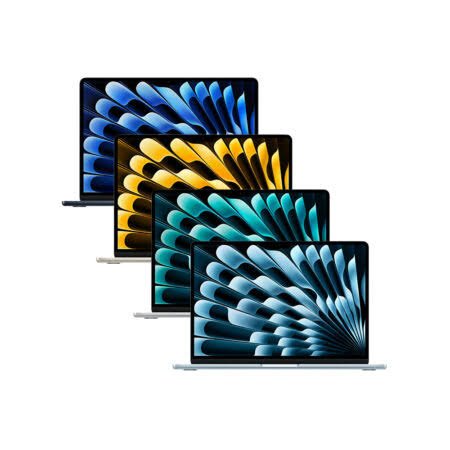
As an Amazon Associate, I earn from qualifying purchases
If you’re looking for the best MacBook for programming in 2026, you don’t necessarily need the most expensive MacBook.
For many programmers, a MacBook Air is already powerful enough.
The right choice depends on what you’re building.
A student learning Python or JavaScript has very different needs from a developer running Docker containers, virtual machines, emulators, databases, and large projects all day.
In 2026, Apple’s M5 MacBook Air and MacBook Pro models provide plenty of performance for software development. The 13-inch MacBook Air M5 starts with 16GB of unified memory and 512GB of SSD storage, while the MacBook Pro can be configured with substantially more memory for demanding workloads.
So which one should you buy?
Let’s break it down.
Best MacBooks for Programming in 2026
| MacBook | Best For | Recommended RAM | Recommended Storage |
| MacBook Air 13-inch M5 | Most programmers and students | 16GB | 512GB |
| MacBook Air 15-inch M5 | Programmers who want a larger screen | 16GB–24GB | 512GB–1TB |
| MacBook Pro 14-inch M5 | Professional developers | 24GB+ | 1TB |
| MacBook Pro 14-inch M5 Pro | Heavy development workloads | 24GB–48GB+ | 1TB+ |
| MacBook Pro M5 Max | Very demanding development | 48GB+ | 1TB+ |
For most people, the 13-inch MacBook Air M5 with 16GB RAM and 512GB storage is the sensible starting point.
- Best MacBook for Programming: MacBook Air M5 13-inch
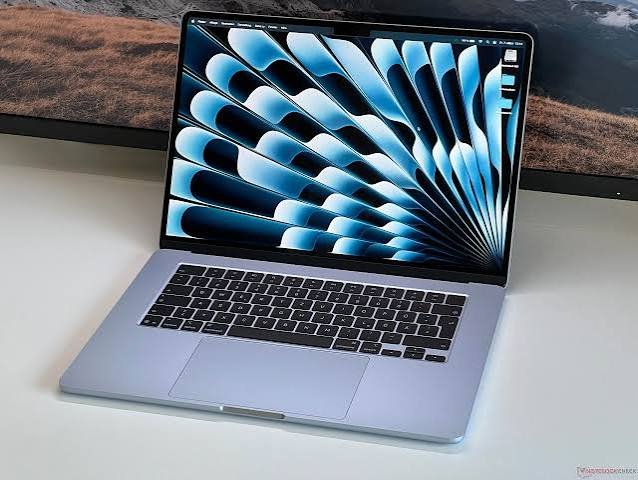
Best for: Most programmers, students, web developers, and beginners
The 13-inch MacBook Air M5 is the MacBook I’d look at first for programming.
It has Apple’s M5 chip with a 10-core CPU, up to a 10-core GPU, 16GB of unified memory as standard, and 512GB of SSD storage. It can be configured with up to 32GB of memory and 4TB of storage.
That’s more than enough for many programming workloads.
You can comfortably use applications such as:
- Visual Studio Code
- Xcode
- Android Studio
- IntelliJ IDEA
- PyCharm
- Git
- Terminal
- Node.js
- Python
- Java
- Swift
- Docker
The Air is also extremely portable.
That matters if you’re a student who carries your MacBook between classes, home, the library, and work.
Apple rates the M5 MacBook Air for up to 18 hours of video streaming and up to 15 hours of wireless web use.
Why choose the MacBook Air M5?
- Excellent performance
- 16GB RAM standard
- 512GB storage standard
- Lightweight
- Excellent battery life
- Silent fanless design
- Great display
- Good for most programming tasks
For general programming, it’s difficult to justify buying a much more expensive MacBook Pro unless your workload actually needs it.
2. Best MacBook for Programming With a Big Screen: MacBook Air 15-inch M5
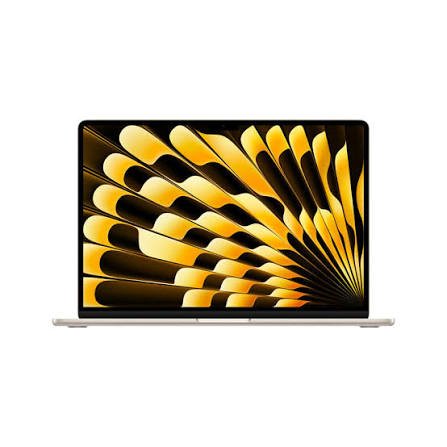
Best for: Developers who want more screen space
The 15-inch MacBook Air M5 is essentially the larger-screen alternative.
It’s useful if you spend hours looking at code.
A larger display gives you more room for your editor, terminal, browser, documentation, and other applications.
This can make multitasking more comfortable.
It’s particularly useful for web developers who often need to compare code with a live browser preview.
The downside is simple:
It’s larger and less portable than the 13-inch Air.
If you frequently carry your laptop around, the 13-inch model is easier to live with.
If most of your programming happens at a desk, the larger display can be worth considering.
3. Best MacBook Pro for Programming: MacBook Pro 14-inch M5
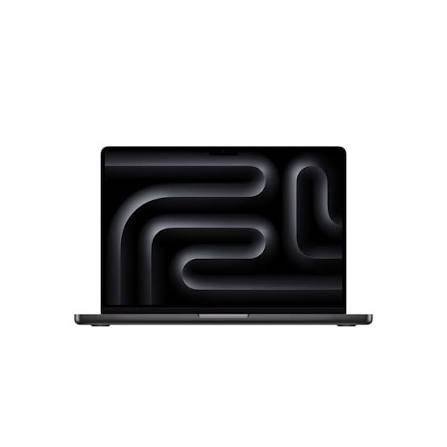
Best for: Professional developers and heavier workloads
The 14-inch MacBook Pro is where you should start looking if your programming workload is more demanding.
The standard M5 version provides significantly more headroom than most programmers need.
It also gives you Apple’s higher-end Liquid Retina XDR display and a more capable cooling system than the fanless Air.
That’s useful when you’re compiling large projects or running demanding workloads for long periods.
A recent 2026 programming laptop roundup from TechRadar also identifies the 14-inch MacBook Pro as a strong option for front-end, full-stack, mobile, DevOps, and cloud development.
Why buy the MacBook Pro?
Consider it if you regularly:
- Compile large projects
- Run several development environments
- Use Docker heavily
- Run simulators
- Work with large databases
- Run multiple virtual machines
- Edit video alongside development
- Work on demanding professional projects
You get more performance headroom than you get from the Air.
4. Best MacBook for Heavy Programming: MacBook Pro M5 Pro
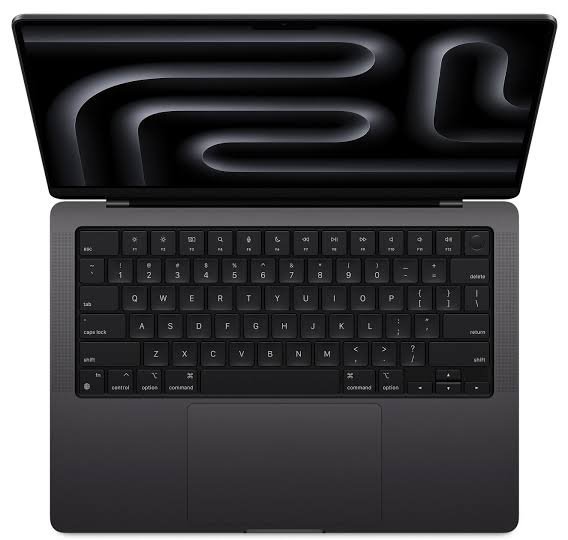
Best for: Software engineers with demanding workloads
If you’re a professional developer running several resource-heavy applications simultaneously, the MacBook Pro with M5 Pro is worth considering.
The M5 Pro models can be configured with up to 64GB of unified memory, depending on the configuration.
That makes a major difference for developers who routinely push memory usage.
Think about workloads involving:
- Large Docker environments
- Multiple containers
- Virtual machines
- Large codebases
- Local databases
- Compilers
- Simulators
- AI development
- Multiple IDEs
- Heavy multitasking
You shouldn’t buy the M5 Pro simply because it is faster.
Buy it when your workload can actually use the additional performance and memory.
5. MacBook Pro M5 Max: Who Actually Needs It?
Best for: Extremely demanding professional workloads
The M5 Max sits at the top of Apple’s MacBook lineup.
It can be configured with up to 128GB of unified memory and up to a 40-core GPU.
That’s serious hardware.
But most programmers don’t need it.
If you’re writing websites, building mobile apps, creating APIs, learning Python, or developing ordinary software, spending money on an M5 Max probably isn’t necessary.
It makes more sense for developers whose work combines programming with extremely demanding workloads such as AI, graphics, video, or large-scale local data processing.
How Much RAM Do You Need for Programming?
This is one of the most important questions.
16GB RAM
16GB is enough for most programmers.
It’s a good choice for:
- Students
- Web developers
- Front-end developers
- Beginners
- Python developers
- JavaScript developers
- General software development
The M5 MacBook Air already starts with 16GB, which makes the base configuration much more attractive for programming than older entry-level Macs.
24GB RAM
Consider 24GB if you regularly multitask heavily.
For example:
VS Code + Docker + Chrome + database + Slack + local server + other applications
That combination can consume memory quickly.
32GB or more
Look at 32GB+ if you’re doing serious professional development involving large projects, virtual machines, containers, AI development, or other memory-heavy workloads.
The M5 Air can reach 32GB, while higher-end MacBook Pro configurations go considerably further.
How Much Storage Do Programmers Need?
I’d recommend at least 512GB for a programming MacBook.
You can technically program on 256GB.
But storage disappears quickly.
Your Mac may need space for:
- Xcode
- SDKs
- Docker images
- Node modules
- Python environments
- Android Studio
- Android SDKs
- Git repositories
- Databases
- Virtual machines
- Project files
You don’t want to constantly delete files just to install another development tool.
512GB
Best for most programmers.
1TB
Worth considering for professional development, Docker-heavy workflows, large projects, or developers who keep lots of files locally.
2TB+
Useful for specialized workloads involving very large datasets, virtual machines, media projects, or local AI models.
Best MacBook for Xcode and iOS Development
If you’re developing apps for iPhone, iPad, Apple Watch, or Mac, you’ll want a Mac because Apple’s development tools are designed around macOS.
Apple’s current Xcode requirements show that the latest Xcode 27 requires macOS Tahoe 26.6 or later.
For learning Swift and building ordinary iOS apps, the MacBook Air M5 with 16GB RAM is a sensible choice.
For professional iOS development with large projects and multiple simulators, consider a MacBook Pro with more memory.
Best MacBook for Web Development
You don’t need a MacBook Pro just to build websites.
The MacBook Air M5 is more than capable for:
- HTML
- CSS
- JavaScript
- React
- Next.js
- Vue
- Angular
- Node.js
- PHP
- Python
- Git
- SQL
If you’re a front-end developer or learning web development, the 13-inch MacBook Air M5 is a particularly practical option.
A recent 2026 programming guide also recommends the M5 MacBook Air for coding students and general programming workloads.
Best MacBook for Computer Science Students
For a computer science student, I’d avoid overspending.
You probably don’t need an M5 Max.
The 13-inch MacBook Air M5 with 16GB RAM and 512GB storage is a strong configuration for programming classes and everyday college work.
It is portable enough to carry around campus.
And you still get enough performance for common programming languages and development environments.
If your coursework involves heavy machine learning, specialized Windows software, or CAD, however, check your course requirements before buying.
MacBook Air vs MacBook Pro for Programming
The choice is actually quite simple.
Choose MacBook Air if:
- You’re a student
- You’re learning to code
- You build websites
- You develop ordinary applications
- You use VS Code
- You use Python or JavaScript
- You value portability
- You want better value
Choose MacBook Pro if:
- You’re a professional developer
- You use Docker heavily
- You run virtual machines
- You compile large projects
- You run multiple simulators
- You need more than 32GB RAM
- You need sustained high performance
Don’t buy a Pro simply because it has “Pro” in the name.
For many programmers, the Air is already enough.
Is the M2 MacBook Still Good for Programming in 2026?
Yes.
If you already own an M2 MacBook, there’s usually no reason to replace it just because newer M5 models exist.
An M2 MacBook can still handle programming, web development, Python, JavaScript, and many other development tasks.
However, if you’re buying a new Mac in 2026, compare the price of an M2 carefully against newer models.
A discounted M2 with 16GB RAM and 512GB storage can still be interesting.
But if the price difference is small, the newer MacBook gives you newer hardware and a longer runway.
What About Docker and Virtual Machines?
This is where RAM becomes particularly important.
Docker containers and virtual machines can consume significant memory.
If you’re regularly running several containers or a virtual machine alongside your IDE and browser, I’d look beyond the base 16GB configuration.
For light Docker use, 16GB can work.
For heavier containerized development, 24GB or 32GB is more comfortable.
Professional developers running several virtual machines may want a MacBook Pro with substantially more memory.
What Is the Best MacBook for Programming in 2026?
For most programmers, the 13-inch MacBook Air M5 with 16GB RAM and 512GB storage is the practical choice.
It provides a strong combination of performance, portability, battery life, memory, and storage without paying for hardware most programmers won’t use.
If you need more screen space, look at the 15-inch MacBook Air M5.
If you have demanding professional workloads, move up to the 14-inch MacBook Pro.
And if you’re running extremely demanding development environments, consider the M5 Pro or M5 Max.
The most important thing is to buy for your workload.
You don’t need the most powerful MacBook to write good code.
Frequently Asked Questions
Is MacBook good for programming?
Yes. MacBooks are well suited to web development, software engineering, programming education, mobile development, and many professional development workflows.
Is MacBook Air good for programming?
Yes. The M5 MacBook Air has enough performance for most programming tasks and starts with 16GB of unified memory and 512GB of storage.
Is 16GB RAM enough for programming?
For most programmers, yes. Developers using many containers, virtual machines, simulators, or large projects may benefit from 24GB or 32GB.
Is 512GB enough for programming?
For most developers, 512GB is a good starting point. Developers using many virtual machines, Docker images, SDKs, or large datasets may prefer 1TB or more.
Should programmers buy MacBook Air or Pro?
The MacBook Air is enough for most programmers. The MacBook Pro makes more sense for demanding professional workloads that require sustained performance or large amounts of memory.
Is MacBook good for computer science students?
Yes. A MacBook Air can handle many common computer science workloads, including programming, research, documentation, and development tools. Students should check whether their specific courses require Windows-only software.
Which MacBook is best for Xcode?
For most students and developers, the MacBook Air M5 is sufficient. Professional developers working on large projects or running several simulators may prefer a MacBook Pro with more memory.
Final Verdict
The best MacBook for programming in 2026 isn’t necessarily the most expensive one.
For most developers, students, and people learning to code, the MacBook Air M5 with 16GB RAM and 512GB storage is the sweet spot.
Choose the 15-inch Air if you want more screen space.
Choose the 14-inch MacBook Pro if your work involves heavy development workloads, Docker, virtual machines, large projects, or sustained compilation.
And only move to M5 Pro or M5 Max when you actually need the additional performance and memory.
For most programmers, 16GB RAM and 512GB storage is the starting point I’d recommend in 2026.
[…] Best MacBook for Programming […]