

As an Amazon Associate, I earn from qualifying purchases
If you’re thinking about buying a MacBook M2 in 2026, you may be wondering whether you’re getting a good laptop or buying technology that’s already too old.
The good news is that the M2 is still a capable Apple silicon chip.
The more important question is how much you’re paying for it.
Apple introduced the MacBook Air M2 in 2022, but it remains compatible with Apple’s latest macOS 27 operating system in 2026. The 13-inch M2 MacBook Air and 15-inch M2 MacBook Air are both officially supported.
So, is the MacBook M2 still worth buying?
Yes, but only if you get it at the right price and choose the right configuration.
Is the MacBook M2 Still Good in 2026?
Yes.
For everyday tasks, the M2 MacBook Air is still fast enough for most people.
It handles:
- Web browsing
- Microsoft Office
- Google Docs
- School and college work
- Programming
- Photo editing
- Video calls
- Streaming
- Research
- Social media
- Light video editing
- General productivity
The M2 has an 8-core CPU, an 8-core GPU in the standard configuration, a 16-core Neural Engine, and 100GB/s memory bandwidth. It can also be configured with a 10-core GPU.
For everyday use, you don’t suddenly get a slow computer just because newer M3, M4, and M5 Macs exist.
The M2 is still an Apple silicon Mac, and that makes a big difference.
The Biggest Reason to Buy an M2 in 2026: Price
Price is the most important factor.
A new or used M2 MacBook Air can make sense when it is significantly cheaper than a newer MacBook Air.
Apple’s current M5 MacBook Air starts with 16GB of unified memory and 512GB of SSD storage. It also has a newer 10-core CPU and up to a 10-core GPU.
That makes the M5 the more modern option.
But if you find an M2 MacBook Air with 16GB of RAM and 512GB storage at a much lower price, the M2 can still offer excellent value.
The key is not simply asking:
“Is the M2 old?”
Instead, ask:
“How much cheaper is the M2 compared with the newer model?”
That’s what determines whether the older Mac makes financial sense.
MacBook Air M2 vs M5 in 2026
Here’s the basic difference:
| Feature | MacBook Air M2 | MacBook Air M5 |
| Chip | M2 | M5 |
| CPU | 8-core | 10-core |
| GPU | 8-core or 10-core | 8-core or 10-core |
| Standard RAM | 8GB | 16GB |
| Standard storage | 256GB | 512GB |
| Display | 13.6-inch Liquid Retina | 13.6-inch Liquid Retina |
| Brightness | 500 nits | 500 nits |
| Battery | Up to 18 hours video | Up to 18 hours video |
| Charging | MagSafe 3 | MagSafe 3 |
| macOS 27 support | Yes | Yes |
The M5 has a newer processor and starts with considerably more memory and storage.
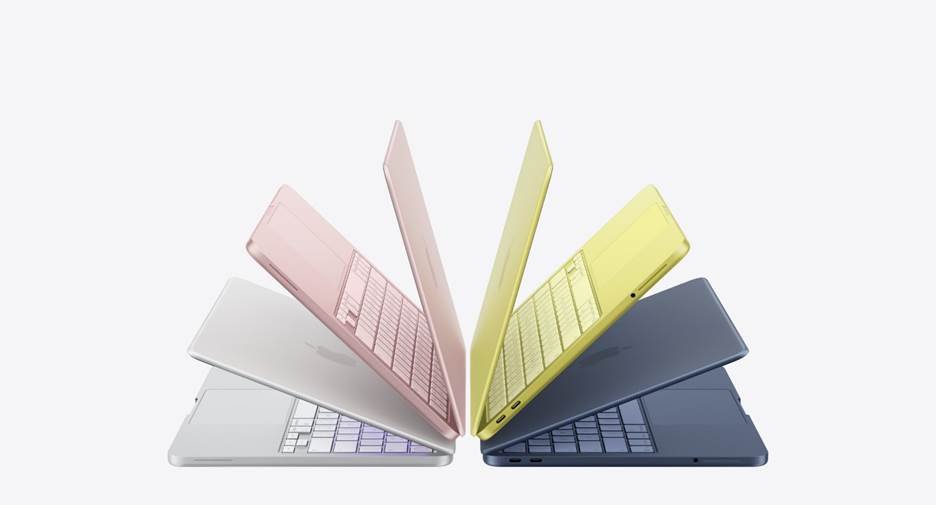
However, the M2 still has a 13.6-inch Liquid Retina display, 500-nit brightness, MagSafe 3, two Thunderbolt/USB 4 ports, and Apple’s claimed battery life of up to 18 hours of video playback.
For basic computing, those specifications are still very respectable in 2026.
What About MacBook M2 Performance in 2026?
For normal workloads, performance is not the main concern.
The M2 can comfortably handle dozens of browser tabs, documents, spreadsheets, video calls, music streaming, and other everyday applications.
It can also handle more demanding tasks such as photo editing and moderate video editing.
Where newer Apple silicon chips begin to pull ahead is in heavier workloads.
If you’re regularly doing:
- Professional video editing
- Large 3D projects
- Complex software development
- Heavy machine-learning workloads
- Large photo libraries
- Advanced music production
- Demanding multitasking
then a newer Mac may be a better long-term purchase.
For ordinary productivity, however, the M2 still has plenty of performance.
Should You Buy an 8GB or 16GB M2 MacBook?
This is one of the most important decisions.
If you’re buying an M2 MacBook in 2026, 16GB of unified memory is the configuration I’d look for first.
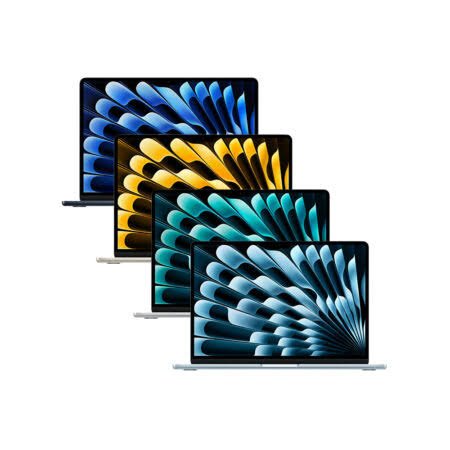
The M2 MacBook Air was originally available with 8GB, 16GB, or 24GB of unified memory. Storage started at 256GB and could be configured up to 2TB.
An 8GB model can still work for basic tasks.
But if you want to keep the MacBook for several more years, 16GB gives you more breathing room.
It’s especially useful if you regularly keep many browser tabs and applications open.
Is 256GB Enough?
It can be.
If you mainly use cloud storage, stream media, browse the web, and work with documents, 256GB may be enough.
However, 512GB is a much safer choice if you’re buying an M2 MacBook in 2026.
You get more room for applications, photos, videos, projects, and future macOS updates.
How Long Will an M2 MacBook Last?
There’s no exact expiration date for an M2 MacBook.
The strongest evidence that it still has life left is Apple’s current software support.
Apple’s September 2026 compatibility list includes both the MacBook Air M2 from 2022 and the 15-inch MacBook Air M2 from 2023 for macOS 27.
That doesn’t tell us exactly how many more major macOS versions Apple will support.
But it does show that the M2 has not been abandoned by Apple in 2026.
A well-maintained M2 with 16GB RAM and 512GB storage can still be a practical computer for years.
Is the MacBook Air M2 Good for Students?
Yes.
The M2 MacBook Air is particularly suitable for students because it combines good performance with a thin and lightweight design.
It is useful for:
- Research
- Essays
- Microsoft Office
- Google Workspace
- Zoom and video calls
- Coding
- Online classes
- Presentations
- Browsing
- Entertainment
The 13.6-inch display is also large enough for everyday schoolwork while remaining portable.
If you find a 16GB/512GB M2 at a good price, it can be a sensible student laptop in 2026.
Is the M2 MacBook Good for Video Editing?
Yes, with some limitations.
The M2 includes hardware acceleration for H.264, HEVC, ProRes, and ProRes RAW, which helps with supported video workflows.
For editing YouTube videos, social media content, short projects, and 1080p or moderate 4K work, an M2 MacBook Air can still be useful.
For professional editors working with large projects every day, a newer MacBook Pro with a more powerful chip is worth considering.
The difference becomes more noticeable when projects become complex and workloads stay heavy for long periods.
Should You Buy a Used MacBook M2 in 2026?
A used M2 can be one of the more interesting options.
But don’t buy one simply because the price looks cheap.
Check:
- Battery health
- Battery cycle count
- Screen condition
- Keyboard
- Trackpad
- Charging
- USB-C ports
- Speakers
- Camera
- Wi-Fi and Bluetooth
- SSD capacity
- RAM
- Apple Account status
- Activation Lock
- Physical or liquid damage
Also verify the exact model before paying.
A cheap 8GB/256GB M2 may not be as attractive as a slightly more expensive 16GB/512GB model.
When You Should NOT Buy the M2
There are situations where buying an M2 in 2026 doesn’t make much sense.
Avoid it if the price is close to a newer MacBook Air.
You should also think twice if you’re buying an 8GB model for demanding work.
And if you’re a professional who needs maximum performance, newer MacBook Pro models are designed for workloads that go beyond what the fanless M2 Air is intended to handle.
The M2 is also not the right choice simply because it’s a MacBook.
Compare the actual price, configuration, condition, and your workload.
MacBook M2: New vs Used
If you’re deciding between a new M2 and a used M2, consider the following:
| Option | Best For |
| New M2 | Buyers who find remaining stock at a major discount |
| Used M2 16GB/512GB | Buyers focused on value |
| Used M2 8GB/256GB | Basic users on a very tight budget |
| Newer MacBook Air | Buyers who want longer-term value |
| MacBook Pro | Heavy professional workloads |
In 2026, the M2 makes the most sense when its lower price compensates for its age.
So, Is the MacBook M2 Still Worth Buying in 2026?
Yes, the MacBook M2 is still worth buying in 2026 — but don’t overpay for it.
The M2 MacBook Air remains fast enough for students, writers, office workers, programmers, researchers, and many everyday users.
It also continues to support Apple’s latest macOS 27 release, which confirms that the platform remains supported in 2026.
However, newer MacBooks offer newer processors, more standard memory and storage, and longer-term hardware value.
For that reason, I’d look for an M2 MacBook with 16GB RAM and preferably 512GB storage.
If the price difference between that M2 and a newer MacBook is small, the newer machine becomes much easier to justify.
If the M2 is substantially cheaper, however, it can still be an excellent MacBook for the money.
Frequently Asked Questions
Is the MacBook M2 still good in 2026?
Yes. The M2 remains capable for everyday computing, school, office work, programming, photo editing, and moderate video editing. Apple also supports M2 MacBook Air models with macOS 27.
Is MacBook Air M2 still worth buying in 2026?
Yes, especially when you can find a 16GB model at a significantly lower price than a newer MacBook Air.
Is 8GB RAM enough on the M2 MacBook?
It can be enough for basic use, but 16GB is preferable if you’re buying an M2 MacBook in 2026 and plan to keep it for several years.
Is the M2 MacBook good for students?
Yes. It has enough performance for research, writing, online classes, office applications, browsing, programming, and entertainment.
Should I buy an M2 or M5 MacBook?
The M5 is the newer platform and starts with 16GB memory and 512GB storage, while the M2 can be attractive when heavily discounted.
How many years will an M2 MacBook last?
There is no guaranteed number of years. Its useful life depends on battery condition, configuration, workload, and future software support. As of September 2026, Apple still supports the M2 MacBook Air with macOS 27.
Final Takeaway
The MacBook M2 is not obsolete in 2026.
It’s still a capable laptop with a sharp display, strong battery life, MagSafe charging, Apple silicon performance, and current macOS support.
The real question is price.
Buy the M2 when you can get a good discount, preferably with 16GB RAM and 512GB storage.
If the M2 costs almost as much as a newer MacBook, go with the newer model instead.
That simple price-to-performance comparison is what determines whether an M2 MacBook is a smart purchase in 2026.
[…] MacBook M2 Still Worth Buying in 2026? […]