

As an Amazon Associate, I earn from qualifying purchases
The MacBook Pro gives you power and portability in one device.
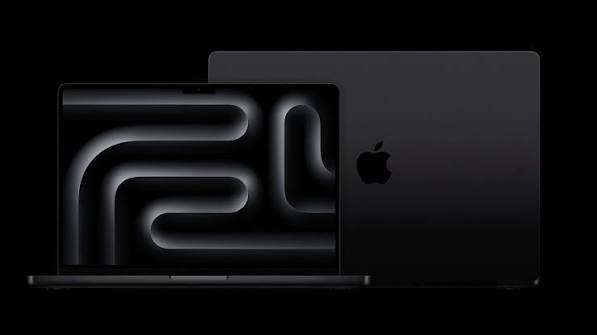
If you’re a creator choosing between a MacBook Pro and Mac Studio, the decision is not as simple as picking the more powerful Mac.
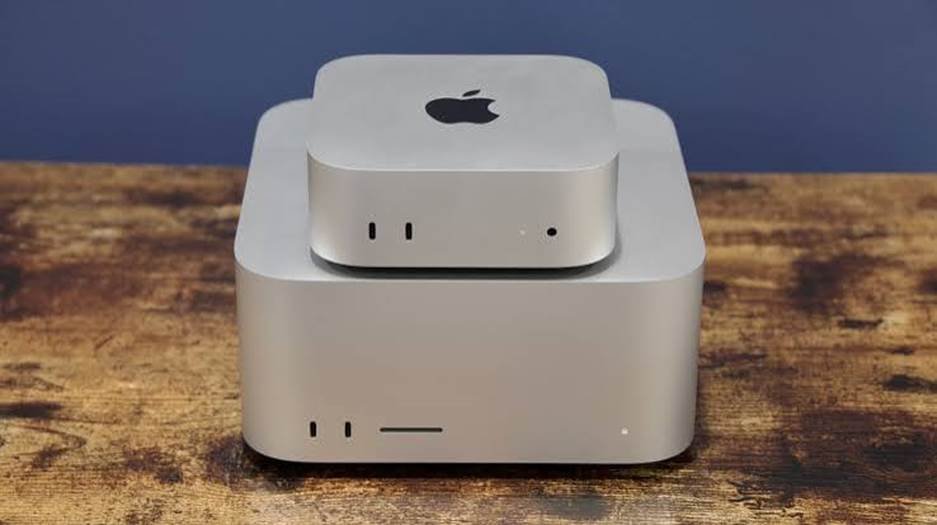
Both are designed for demanding work. Both can handle professional creative applications. Both are excellent for video editing, photo editing, music production, graphic design, and other creative tasks.
The biggest difference is how you work.
The MacBook Pro gives you power and portability in one device.
The Mac Studio gives you a powerful desktop workstation that is designed to stay on a desk.
So which one is better for creators?
For creators who travel or work from different locations, the MacBook Pro is usually the better choice.
For creators who work mainly at a desk and want maximum performance, connectivity, and multiple-display support, the Mac Studio can be the better option.
Let’s compare them.
MacBook Pro vs Mac Studio: Quick Comparison
| Feature | MacBook Pro | Mac Studio |
| Type | Laptop | Desktop |
| Current high-end chips | M5 Pro / M5 Max | M4 Max / M3 Ultra |
| Built-in display | Yes | No |
| Built-in keyboard | Yes | No |
| Built-in trackpad | Yes | No |
| Portability | Excellent | Desk-focused |
| External displays | Multiple, depending on configuration | Up to 8 with M3 Ultra |
| Memory | Up to 128GB | Up to 512GB |
| Storage | Up to 8TB | Up to 16TB |
| Battery | Yes | No |
| Best for | Mobile creators | Studio creators |
| Main advantage | Power + portability | Desktop performance + expansion |
Apple’s current MacBook Pro uses M5 Pro and M5 Max chips, while the current Mac Studio is available with M4 Max and M3 Ultra configurations.
MacBook Pro vs Mac Studio: Performance
Performance is one of the main reasons creators consider the Mac Studio.
The current Mac Studio can be configured with Apple’s M4 Max or M3 Ultra.
The M4 Max configuration offers up to a 16-core CPU and 40-core GPU. The M3 Ultra goes much further, with up to a 32-core CPU and 80-core GPU.
The M3 Ultra also offers up to 819GB/s of memory bandwidth.
The MacBook Pro is no slouch either.
The 2026 MacBook Pro can be configured with M5 Pro or M5 Max. The M5 Max can have up to a 40-core GPU and 128GB of unified memory, depending on configuration.
For everyday creative work, both machines are extremely fast.
The Mac Studio pulls ahead when you build a very high-end configuration and keep demanding workloads running for long periods.
For example, professional creators working with complex 3D scenes, large video projects, visual effects, or heavy AI workloads may benefit from the Studio’s desktop-class configurations.
Winner for maximum performance: Mac Studio
MacBook Pro vs Mac Studio for Video Editing
Both Macs are excellent video-editing machines.
Applications such as Final Cut Pro and Adobe Premiere Pro can take advantage of Apple’s hardware video acceleration.
The MacBook Pro’s M5 Pro and M5 Max chips include dedicated media engines for H.264, HEVC, ProRes, ProRes RAW, and AV1 workflows. The M5 Max also has two video encode engines and two ProRes encode/decode engines.
The Mac Studio is built for even heavier workloads.
The M3 Ultra Mac Studio has two video decode engines, four video encode engines, and four ProRes encode/decode engines.
That makes the Mac Studio particularly attractive for professional video editors.
It is a great fit for:
- 4K video editing
- 8K video editing
- Multi-camera projects
- ProRes workflows
- Motion graphics
- Color grading
- Visual effects
- Long video exports
But there’s an important question.
Do you need that level of power?
If you’re a YouTuber editing regular 4K videos, a high-end MacBook Pro may already be more than enough.
If you’re working on professional productions every day, the Mac Studio becomes more compelling.
MacBook Pro vs Mac Studio for YouTubers
For YouTubers, I’d choose the MacBook Pro in most cases.
Why?
Because YouTubers don’t always work in the same place.
You may record footage at home, edit at a studio, travel for a project, or work from a hotel or coffee shop.
A MacBook Pro gives you the computer, display, keyboard, trackpad, microphone, camera, and battery in one package.
The Mac Studio requires a separate display, keyboard, mouse or trackpad, webcam, speakers, and other accessories.
That can increase the total cost.
For a full-time video production studio, however, the Mac Studio can make more sense.
Winner for most YouTubers: MacBook Pro
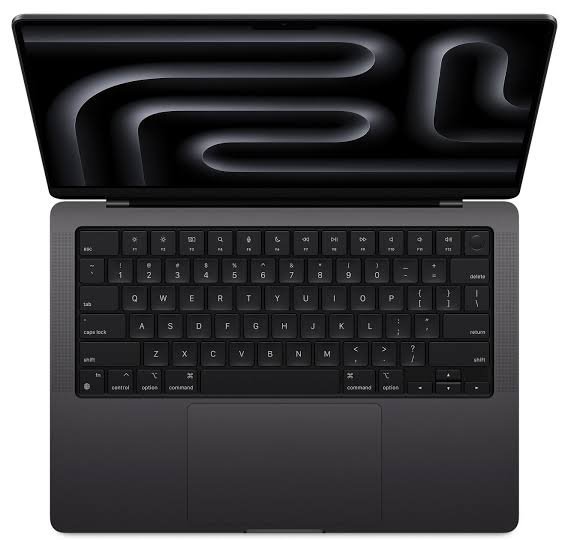
Mac Studio vs MacBook Pro for Photo Editing
Both machines are excellent for photo editing.
Adobe Lightroom, Photoshop, Capture One, and other professional applications can run comfortably on Apple silicon Macs.
The MacBook Pro has one major advantage here.
It includes an excellent built-in Liquid Retina XDR display.
The current 16-inch MacBook Pro has a 16.2-inch display with a 3456 × 2234 resolution, P3 wide color, a 1,000,000:1 contrast ratio, and ProMotion refresh rates up to 120Hz.
The Mac Studio does not include a display.
You have to choose your own monitor.
That’s not necessarily a disadvantage.
In fact, professional photographers may prefer using a dedicated color-accurate monitor.
But you need to include that monitor in your budget.
Winner for convenience: MacBook Pro
Winner for a dedicated studio setup: Mac Studio
MacBook Pro vs Mac Studio: Displays
This is one of the biggest differences between the two.
The MacBook Pro comes with its own high-quality display.
The Mac Studio does not.
With the Mac Studio, you can pair it with almost any suitable external display.
That gives you more flexibility.
You could use:
- One large 4K monitor
- A 5K display
- Multiple displays
- An ultrawide monitor
- A color-accurate professional display
- A high-refresh-rate gaming monitor
The Mac Studio is particularly impressive when you need several displays.
The M4 Max model can support up to five displays in supported configurations. The M3 Ultra can support up to eight displays.
That’s difficult to match with a laptop-based setup.
Winner for built-in display: MacBook Pro
Winner for multi-monitor setups: Mac Studio
Mac Studio Has More Connectivity
If you’re building a serious creator workstation, ports matter.
The Mac Studio is designed to connect to lots of external equipment.
Its connections include Thunderbolt 5, USB-A, HDMI 2.1, 10Gb Ethernet, a headphone jack, and an SDXC card slot on the front.
This is useful if you work with:
- External SSDs
- Camera cards
- Audio interfaces
- Studio monitors
- Multiple displays
- Ethernet
- Capture devices
- Professional video equipment
The MacBook Pro also has a strong selection of ports, including Thunderbolt, HDMI, MagSafe, and an SDXC card slot.
However, a desktop workstation gives you more flexibility when everything stays connected.
Winner: Mac Studio
MacBook Pro vs Mac Studio for Music Production
Both machines are excellent for music production.
You can run Logic Pro, Ableton Live, Pro Tools, FL Studio, and other professional audio software.
The MacBook Pro is better if you travel with your music setup.
You can take your projects with you and work almost anywhere.
The Mac Studio is better if you have a permanent studio.
You can connect multiple audio interfaces, MIDI devices, monitors, external drives, and other equipment without worrying about battery life.
For a home studio or professional recording environment, the Mac Studio is an excellent choice.
Winner for mobile music production: MacBook Pro
Winner for a permanent studio: Mac Studio
Which Is Better for 3D and Motion Graphics?
This is where the Mac Studio becomes especially interesting.
Creators working with Blender, Cinema 4D, 3D rendering, motion graphics, and visual effects can benefit from higher-end GPU configurations and large amounts of unified memory.
The M3 Ultra Mac Studio can be configured with up to an 80-core GPU and 512GB of unified memory.
That’s an enormous amount of memory for a Mac.
Most creators don’t need anywhere near that much.
But professionals working with large scenes and complex projects may appreciate the additional headroom.
For serious 3D work, the Mac Studio is the stronger workstation choice.
Portability: MacBook Pro Wins Easily
There’s no real competition here.
The MacBook Pro is a laptop.
You can close the lid, put it in a bag, and take your entire workstation with you.
The Mac Studio is a desktop.
It is compact compared with many traditional desktop PCs, but you still need a monitor and other accessories to use it.
If your work involves travel, client meetings, events, filming locations, or working from multiple offices, the MacBook Pro makes much more sense.
Winner: MacBook Pro
MacBook Pro vs Mac Studio: Which Is Better Value?
Value depends on how you build your setup.
The MacBook Pro includes:
- Display
- Battery
- Keyboard
- Trackpad
- Speakers
- Camera
- Microphones
With the Mac Studio, you need to buy those accessories separately.
That can make the Mac Studio setup considerably more expensive.
However, if you already own a good monitor, keyboard, mouse, speakers, and other equipment, the Mac Studio becomes much more attractive.
You may already have everything you need.
So don’t compare only the price of the computer.
Compare the total cost of your complete setup.
Should Creators Buy MacBook Pro or Mac Studio?
Choose the MacBook Pro if you:
- Travel frequently
- Edit videos in different locations
- Work with clients
- Create YouTube content
- Need a built-in display
- Want one computer for work and travel
- Prefer an all-in-one setup
- Need strong performance without a desktop
Choose the Mac Studio if you:
- Work mainly at a desk
- Need maximum sustained performance
- Use multiple displays
- Work with large video projects
- Do professional 3D rendering
- Need lots of ports
- Have a permanent studio
- Already own a monitor and peripherals
MacBook Pro vs Mac Studio: Which Should You Buy?
For most independent creators, I recommend the MacBook Pro.
It gives you an excellent combination of performance, portability, battery life, display quality, and connectivity.
You can use it as your main computer at home and take it with you when needed.
For professional studios, production companies, 3D artists, and creators who need maximum desktop performance, the Mac Studio is the better choice.
The biggest advantage is the ability to configure it with extremely powerful chips, large amounts of unified memory, and multiple displays.
The key is not to buy more power than you need.
A powerful Mac Studio may look impressive on paper, but if you mainly edit YouTube videos and photos, a MacBook Pro could give you everything you need while being much easier to live with.
Frequently Asked Questions
Is Mac Studio better than MacBook Pro for creators?
Mac Studio is better for creators who need maximum desktop performance, multiple displays, and extensive connectivity. MacBook Pro is better for creators who need portability and an integrated display.
Is MacBook Pro good enough for professional video editing?
Yes. High-end MacBook Pro models with M5 Pro or M5 Max provide strong performance for professional video editing, including demanding ProRes workflows and high-resolution projects.
Is Mac Studio good for YouTube video editing?
Yes. Mac Studio is an excellent choice for YouTube editing, especially if you work at a permanent desk and edit large or complex projects.
Which is better for 4K video editing, MacBook Pro or Mac Studio?
Both can handle 4K editing very well. The Mac Studio is the better choice for heavier professional workflows, while the MacBook Pro is better if you need to edit while traveling.
Which Mac is better for photographers?
Both are excellent. MacBook Pro is more convenient because it includes a high-quality display. Mac Studio is better if you already have a professional color-accurate monitor.
Is Mac Studio worth it for content creators?
It can be, but not for everyone. If your work is mostly YouTube, social media, photography, or light video editing, a MacBook Pro may offer a better balance. Mac Studio makes more sense for demanding professional workflows.
Can Mac Studio replace a MacBook Pro?
It can replace a MacBook Pro as your main workstation if you don’t need portability. However, you’ll need a separate display, keyboard, mouse or trackpad, and other peripherals.
Final Verdict
The MacBook Pro and Mac Studio are both excellent Macs for creators, but they are designed for different workflows.
The MacBook Pro is the better all-around choice.
It combines powerful Apple silicon performance with a beautiful built-in display, battery power, speakers, keyboard, trackpad, and portability.
The Mac Studio is the better choice for a dedicated creative workstation.
It offers high-end desktop performance, extensive connectivity, large memory configurations, and support for multiple external displays.
If you travel, create YouTube videos, work with clients, or want one computer that can do everything, get the MacBook Pro.
If you have a permanent studio and need maximum performance for demanding video, 3D, audio, or graphics work, choose the Mac Studio.
For most creators, portability is hard to give up. That’s why the MacBook Pro is the safer choice. But for a serious studio setup, the Mac Studio can be the more powerful creative machine.