

As an Amazon Associate, I earn from qualifying purchases
For most students, buy the MacBook Air M4 if the price difference is small.
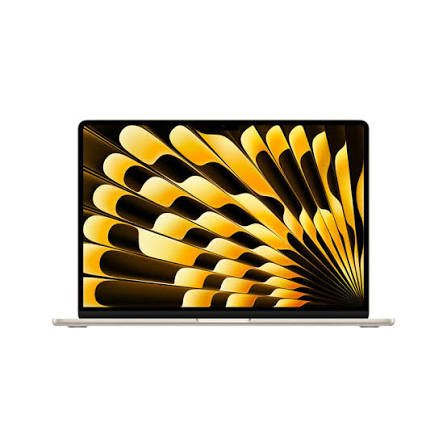
Choose the MacBook Air M3 if you find a good discount and want to save money. Both are capable laptops for writing essays, researching assignments, attending online classes, creating presentations, and managing everyday college work. The M4 is faster, has a more advanced webcam, and offers more flexible external-display support. However, the M3 is still powerful enough for most school and university tasks.
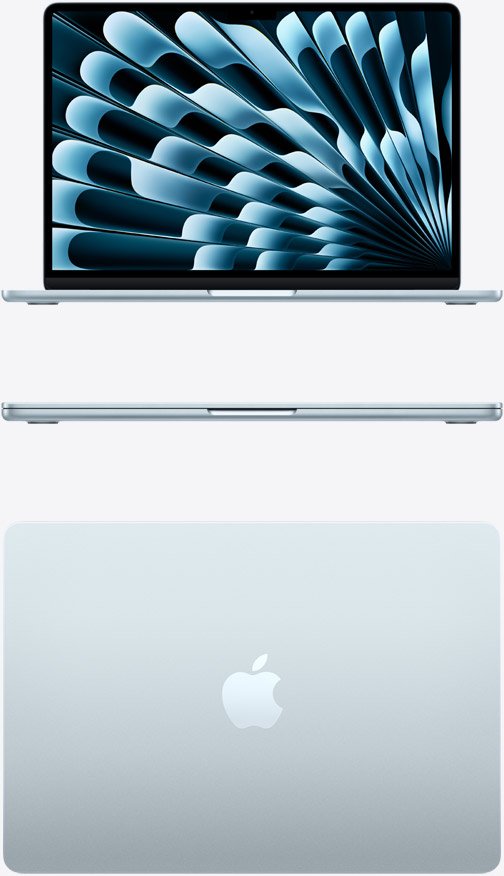
One important point for 2026: Apple has since introduced newer MacBook Air models, including the M5 generation. Therefore, compare the actual prices of the M3, M4, and newer alternatives before buying. An older model is a good deal only when its lower price makes sense for the performance and support you receive.
MacBook Air M3 vs M4: Quick Comparison
| Feature | MacBook Air M3 | MacBook Air M4 |
| Release year | 2024 | 2025 |
| Processor | Apple M3 | Apple M4 |
| CPU | 8-core | 10-core |
| GPU | 8-core or 10-core, depending on configuration | 8-core or 10-core, depending on configuration |
| Starting unified memory | 8GB on some original configurations; also available with 16GB or 24GB | 16GB, configurable to 24GB or 32GB |
| Starting storage | 256GB on standard configurations | 256GB on standard configurations |
| Display sizes | 13.6-inch and 15.3-inch | 13.6-inch and 15.3-inch |
| Webcam | 1080p FaceTime HD | 12MP Center Stage camera |
| External displays | Two supported with the laptop lid closed, under supported configurations | Two external displays supported while keeping the built-in screen active |
| Battery life | Up to 18 hours of video streaming on Apple’s published specifications for the M3 Air generation | Up to 18 hours of video streaming |
| Cooling | Fanless | Fanless |
| Best for | Students seeking a discounted laptop | Students wanting newer hardware and more flexibility |
Specifications can differ between the 13-inch and 15-inch models and between configurations. Check the exact model before buying.
1. Performance: Is the MacBook Air M4 Faster Than the M3?
Yes. The MacBook Air M4 is faster than the MacBook Air M3, particularly in CPU-heavy tasks. However, the difference is not large enough to make the M3 a poor choice for ordinary student work.
The M3 has an 8-core CPU, while the M4 has a 10-core CPU. The M4 also has higher memory bandwidth, which can help in workloads that benefit from moving data between the processor, graphics hardware, and unified memory.
Independent benchmark testing has found that the M4 can deliver meaningful improvements over the M3, although the exact difference depends on the test and application. In everyday activities, both machines feel responsive.
What does this mean for students?
Imagine using your MacBook for a typical university day. You might have a web browser open for research, a document editor for an essay, a PDF reader for lecture notes, and a video call running in the background.
Both laptops can manage this type of workload comfortably when configured with sufficient memory.
The M4 becomes more attractive when you use demanding applications, edit videos, work with larger datasets, compile code, or run several resource-heavy programs at once.
For basic assignments, the M4’s additional performance is useful but not essential. You do not need to buy the newest chip simply to write essays or attend online classes.
Winner: MacBook Air M4. It offers more processing headroom, but the M3 remains fast enough for most students.
2. Which MacBook Air Is Better for College Students?
Both models are suitable for college, but the right choice depends on your course, budget, and daily routine.
MacBook Air M3 for college
The M3 is an excellent option for students who want a capable laptop without paying more for features they may rarely use.
It handles common academic tasks such as:
- Writing essays and reports.
- Preparing presentations.
- Researching online.
- Reading digital textbooks and PDFs.
- Joining online lectures.
- Managing email and class schedules.
- Working with spreadsheets.
- Watching recorded lectures.
- Using productivity and note-taking applications.
If your course mainly involves writing, reading, browsing, and presentations, the M3 already provides more than enough performance.
A discounted M3 with 16GB of unified memory is particularly worth considering. It can offer a good balance of performance and value for a student who does not need the latest features.
MacBook Air M4 for college
The M4 is the better choice if you want a newer laptop that can handle more demanding work as your studies progress.
It is particularly appealing for students studying:
- Computer science.
- Software engineering.
- Data analysis.
- Graphic design.
- Photography.
- Video production.
- Business analytics.
- Digital marketing.
The M4 is also a good option if you expect to keep your laptop throughout several years of university and want extra performance headroom.
However, your memory and storage choices can matter just as much as the processor. An M4 with insufficient storage may be less convenient than an M3 with a better configuration for your needs.
Our recommendation: Choose the M3 if it is significantly cheaper and your course has ordinary computing requirements. Choose the M4 if the price difference is modest or your studies involve more demanding software.
3. Battery Life: Which Model Lasts Longer During Classes?
Battery life is important for students who move between lectures, libraries, study groups, and campus cafés.
Apple lists up to 18 hours of video streaming for the M4 MacBook Air. The M3 generation also has configurations advertised for up to 18 hours of video streaming. Actual results depend on the workload and settings.
Neither laptop guarantees that you will get the same number of hours during a normal school day. Video streaming, browsing, video calls, brightness, and demanding applications use power differently.
Battery life during a typical school day
For writing assignments, reading notes, and browsing, either model should be capable of handling many hours of work between charges when the battery is in good condition.
If you attend long lectures and do not want to carry your charger, both are attractive choices.
The M4 benefits from newer processor architecture and efficiency improvements, but you should not assume it will always last dramatically longer than the M3. Independent testing and real-world results vary with the task.
What if you buy a refurbished M3?
Battery condition becomes especially important when buying a used or refurbished laptop.
Check the battery health, cycle count, seller’s return policy, and warranty terms. A newer M4 with a healthy battery is not directly comparable to a heavily used M3 with reduced battery capacity.
Winner: Close comparison. Both offer strong battery life for student use. Consider the condition of the individual device and your workload rather than choosing by generation alone.
4. RAM: Is 16GB Enough for Students?
For most students in 2026, 16GB of unified memory is a sensible starting point.
The MacBook Air M3 was sold in configurations starting at 8GB, with options for 16GB and 24GB. The M4 starts at 16GB and can be configured with 24GB or 32GB.
Unified memory is shared by the CPU and GPU. It helps determine how comfortably your laptop can handle multiple applications, large files, and demanding workloads.
Is 8GB enough?
An 8GB M3 can handle basic school tasks, including document editing, browsing, and online classes.
However, it leaves less room for multitasking. If you frequently keep many browser tabs open while running a video call and several applications, you may find the limits more noticeable.
For a student buying a laptop to use for several years, I would prefer 16GB whenever the budget allows.
Is 16GB enough for university?
Yes, for most students.
With 16GB, you can comfortably handle everyday academic work and many more demanding tasks, including moderate programming, photo editing, and light video editing.
Students studying data science or engineering should also consider the memory requirements of their actual software. Some specialist applications and large datasets may need more memory.
Should you choose 24GB or 32GB?
Additional memory is worth considering if you work with virtual machines, large datasets, complex creative projects, or several demanding applications at once.
For ordinary coursework, paying extra for 32GB is usually unnecessary.
Buying tip: A MacBook Air M3 with 16GB memory may be a better purchase than a more expensive M4 if you mainly need a laptop for general schoolwork and the price difference is substantial.
5. Storage: Is 256GB Enough for College?
Both models offer configurations with 256GB of SSD storage, and both can be configured with more. Storage needs depend on how you use your laptop and whether you keep large files locally.
When 256GB is enough
A 256GB SSD may work if you mainly:
- Write documents and presentations.
- Store lecture notes and PDFs.
- Use cloud storage.
- Stream videos rather than downloading them.
- Install only a few large applications.
- Move finished projects to an external drive.
However, the operating system, applications, downloads, and caches also use space. You will not have the entire advertised capacity available for personal files.
When should students choose 512GB?
A 512GB SSD is a more comfortable choice if you expect to store many files locally.
It is particularly useful for students who work with photography, video editing, programming tools, design applications, or large research datasets.
If you download lectures, keep several years of coursework, or store creative projects, extra storage can reduce the need to manage space constantly.
Can you upgrade storage later?
You should choose your internal storage carefully when buying. These MacBook Air models do not offer a conventional user-upgradeable SSD, so increasing internal capacity later is not a simple upgrade.
You can use external SSDs or cloud storage, but those options are not always as convenient as having sufficient internal space.
Recommendation: If your budget allows, choose 512GB for greater flexibility. If you mainly work with documents and cloud files, 256GB may be enough.
6. Display and Portability: Which Is Better for Taking Notes?
The M3 and M4 MacBook Air generations are available in 13-inch and 15-inch sizes. Their screen technology and general design are similar, so the choice is more about the size you want than a major display-generation difference.
The 13-inch MacBook Air
The 13.6-inch model is ideal if portability is your priority.
It is easy to carry between lectures and fits more comfortably into many backpacks. It also takes up less desk space in a library or classroom.
Choose the 13-inch version if you frequently walk around campus, travel, or study in different locations.
The 15-inch MacBook Air
The 15.3-inch version gives you more screen space for reading documents, viewing spreadsheets, comparing research sources, and working with two windows side by side.
This can be especially helpful for business, engineering, design, and data-related courses.
The larger screen also makes it more comfortable to work without an external monitor. The trade-off is a larger laptop that takes up more room in your bag.
Is the M4 display better?
The M4 does not introduce a completely different display experience compared with the M3 Air. Both generations offer a Liquid Retina display with wide P3 color support and up to 500 nits of brightness in the corresponding models.
If screen space is your main concern, a 15-inch M3 may suit you better than a 13-inch M4.
Winner: Tie. Choose the size that best fits your daily routine.
7. Webcam and Online Classes: Is the M4 Better?
Yes. The M4 has one of the most noticeable practical upgrades for students who regularly attend online classes, group meetings, and video interviews.
The M3 MacBook Air has a 1080p FaceTime HD camera. The M4 introduces a 12MP Center Stage camera, along with features designed to improve video calls and keep the subject framed during supported calls.
Why students may appreciate Center Stage
Imagine attending an online seminar from your room or working on a group project over a video call.
Center Stage can automatically adjust the framing to keep you in view as you move. The M4 also supports Desk View, which can show a view of your desk alongside your regular camera view in supported setups.
These features may be useful when demonstrating a project, showing notes, or participating in remote presentations.
Is the M3 webcam bad?
No. Its 1080p camera is still suitable for ordinary video calls.
If you mostly attend classes with your camera off or rarely participate in video meetings, the M4 camera may not justify paying significantly more.
However, if online learning, interviews, and remote teamwork are a regular part of your life, the M4 offers a useful advantage.
Winner: MacBook Air M4.
8. External Monitors: Which MacBook Is Better for Studying at a Desk?
Students who use an external monitor at home or in a dorm should pay attention to display support.
The M3 MacBook Air can support two external displays under supported conditions, but using two external displays requires the laptop lid to be closed. The M4 supports two external displays while keeping its built-in screen active.
Why this matters
An external monitor can make it easier to compare lecture slides with notes, work on spreadsheets, code while viewing documentation, or keep research materials visible beside an assignment.
With the M4, you can use the laptop’s screen alongside two supported external displays. This gives you more flexibility if you plan to build a multi-monitor study setup.
With the M3, the need to close the lid when using two external displays may be less convenient if you want to keep the laptop’s built-in screen available.
If you only use one external monitor, the difference may not matter much.
Winner: MacBook Air M4.
9. Which MacBook Is Better for Different University Courses?
Your course can influence which MacBook makes the most sense.
Business and accounting students
Both models are suitable for reports, presentations, spreadsheets, research, and online meetings.
The M4 is appealing if you frequently use video calls or want more external-display flexibility. However, a discounted M3 with 16GB memory and adequate storage may be the better value.
Computer science and software engineering students
Both laptops can handle many programming environments, code editors, web development tasks, and introductory software projects.
The M4’s extra processing power is useful for compiling code and running demanding tools. However, students who need specialized Windows-only software or specific virtual-machine configurations should check software compatibility before buying a Mac.
Data science students
The M4 offers additional performance headroom, but memory and software compatibility are important.
For large datasets, machine-learning experiments, or multiple development environments, consider a configuration with more unified memory. Some specialist workloads may be better suited to a workstation or a remote computing environment.
Graphic design and media students
The M4 is the more flexible choice for students who expect to work with larger creative projects.
Both Air models are capable of handling many photo-editing and design tasks, but intensive video editing and complex effects can benefit from higher-tier hardware.
If your degree focuses heavily on professional video production or demanding 3D work, also compare suitable MacBook Pro models.
Humanities and social science students
The M3 is usually enough for essays, research, reading, presentations, and online learning.
Unless the M4 is close in price, spending extra on the newer chip may offer little practical benefit for these workloads.
10. Price and Value: Is the MacBook Air M3 Worth Buying in 2026?
The M3 and M4 are previous-generation models in 2026, so their value depends heavily on the deals available.
The M4 originally launched at a lower starting price than the M3’s original launch price in the United States. That helped make the newer generation more attractive, although current retail prices and refurbished offers can differ substantially.
Since Apple has moved on to newer MacBook Air models, do not assume that the M4 is automatically the best new purchase simply because it is newer than the M3. Compare it with current-generation alternatives before deciding.
When the M3 is the better deal
Consider the M3 if:
- It costs noticeably less than a comparable M4.
- It has at least 16GB of memory for your intended workload.
- Its battery is in good condition if buying used.
- It comes from a reputable seller.
- It includes a reasonable warranty or return policy.
- You mainly need it for standard student tasks.
The M3 is especially appealing when a retailer offers a substantial discount on a new, unused unit.
When the M4 is worth the extra money
Choose the M4 if:
- The price difference is small.
- You want the improved camera.
- You plan to use two external monitors while keeping the laptop screen open.
- You expect to use demanding applications.
- You want the newer chip for additional performance headroom.
- You can afford the configuration you need without sacrificing essential storage or memory.
What about the newer MacBook Air generation?
In 2026, students should also compare newer models such as the M5 MacBook Air. If the price difference between an M4 and an M5 is small, a newer model may offer better long-term value.
On the other hand, a heavily discounted M3 or M4 may still be a smarter purchase if your academic needs are modest.
The best deal is the laptop that meets your requirements at the lowest sensible total cost—not automatically the newest model.
11. How Long Will Each MacBook Air Last a Student?
Both the M3 and M4 are capable computers for long-term student use. How long they remain suitable depends on your software requirements, battery condition, storage, memory, and how carefully you maintain the laptop.
A student who mainly writes essays, browses the web, and attends online classes may be satisfied with either model for several years.
Someone studying software engineering, creative media, or data science may outgrow a basic configuration sooner if their workload becomes more demanding.
How to make your MacBook last longer
- Use a protective sleeve when carrying it.
- Avoid liquids around the keyboard and ports.
- Keep macOS and your applications updated.
- Maintain enough free storage space.
- Back up important assignments and projects.
- Avoid unnecessary physical damage.
- Check battery condition if buying a used model.
- Choose enough memory and storage at purchase.
Remember that no laptop is guaranteed to meet every future software requirement. Buying the right configuration now is more useful than paying extra for a feature you may never need.
12. MacBook Air M3 vs M4: Pros and Cons
MacBook Air M3
Pros
- Fast enough for most student workloads.
- Lightweight and fanless.
- Good battery life.
- Available in 13-inch and 15-inch sizes.
- Can be an excellent value when discounted.
- Supports a wide range of productivity and creative applications.
Cons
- Older processor than the M4.
- Base configurations may have less memory, depending on the unit.
- Older 1080p webcam lacks the M4’s Center Stage features.
- Two external displays require the lid to be closed.
- May be less attractive if its price is close to a newer model.
MacBook Air M4
Pros
- Faster 10-core CPU.
- Starts with 16GB of unified memory.
- Improved 12MP Center Stage webcam.
- Supports two external displays while keeping the built-in screen active.
- Strong choice for multitasking and creative student work.
- Better long-term flexibility if the price difference is modest.
Cons
- May cost more than a discounted M3.
- Still uses fanless cooling, so it is not ideal for every sustained professional workload.
- The standard 256GB storage configuration may be restrictive for some students.
- Newer MacBook Air generations may be worth comparing in 2026.
Frequently Asked Questions
1. Is the MacBook Air M3 still good for students in 2026?
Yes. It remains capable of handling essays, research, presentations, online classes, browsing, and many programming or creative tasks. Its value depends on the price and configuration. A discounted M3 with 16GB memory can be a sensible student laptop.
2. Is the MacBook Air M4 worth buying over the M3?
Yes, if the price difference is small. The M4 offers a faster processor, a 12MP Center Stage camera, a 16GB starting memory configuration, and more flexible external-display support. If the M3 is substantially cheaper and meets your needs, it may offer better value.
3. Which MacBook Air is better for university: M3 or M4?
The M4 is the better all-round choice if both have similar prices and configurations. The M3 is a strong alternative for students who want to save money on everyday academic work.
4. Is 8GB RAM enough for a MacBook Air M3 student laptop?
It can be enough for basic coursework, but 16GB is preferable for multitasking and longer-term use. Students who run demanding software should consider their course requirements before buying.
5. Is 256GB storage enough for college?
It can work if you mainly store documents and use cloud storage. If you keep large downloads, creative projects, videos, or datasets on your laptop, 512GB offers more flexibility.
6. Which model has the better webcam?
The M4 has the better camera. It features a 12MP Center Stage camera, while the M3 uses a 1080p FaceTime HD camera. The M4 is more useful for students who regularly join video calls or remote presentations.
7. Is the MacBook Air M3 good for programming?
Yes. It can handle many programming tasks, including coding, web development, and learning common development tools. More demanding projects may benefit from the M4 or a configuration with more memory. Check whether your course requires Windows-specific applications.
8. Is the MacBook Air M4 good for video editing?
Yes. It can handle many student video-editing projects and other creative work. For very demanding projects, long rendering sessions, or professional video production, a MacBook Pro may be a better fit.
9. Should I buy a refurbished MacBook Air M3?
A refurbished M3 can be a good deal if the seller is reputable, the battery is healthy, the configuration matches your needs, and a clear return policy or warranty is included. Compare the total cost with a new M4 or newer model before buying.
10. Should I wait for a newer MacBook Air?
Because newer MacBook Air models are available in 2026, compare current-generation options if you are buying new. Waiting is not always necessary, though. A substantial discount on an M3 or M4 may be better value for your budget.
Final Verdict: Which Should Students Buy in 2026?
The MacBook Air M4 is the better choice for most students when its price is close to the M3. It offers stronger processing performance, a better webcam, a higher starting memory configuration, and more convenient support for a multi-monitor desk setup.
However, the MacBook Air M3 is still an excellent laptop for school and university. It is powerful enough for most everyday assignments, research, online classes, and productivity applications. If you find an M3 with 16GB memory at a significantly lower price, you can save money without giving up the essentials.
Use these recommendations to make your decision:
- Choose the MacBook Air M3 if your budget is tight and you find a good deal on a suitable configuration.
- Choose the MacBook Air M4 if the price difference is small and you want the newer features and extra performance.
- Compare a newer MacBook Air generation if you are buying new in 2026 and its price is close to the M4.
- Prioritize 16GB or more of memory and adequate storage rather than spending your entire budget on the processor alone.
For most students, the smartest purchase is a reliable MacBook Air with enough memory and storage to last through university. The M4 is the safer choice at similar prices, while the M3 remains a worthwhile budget option when the discount is substantial.