

As an Amazon Associate, I earn from qualifying purchases
Choosing between a MacBook and Lenovo ThinkPad in 2026 is less about which laptop has better specifications and more about how you plan to use it.
MacBooks are built around Apple’s macOS and Apple silicon, with a strong focus on battery life, portability, quiet operation, and integration with other Apple devices. ThinkPads are designed around Windows and business productivity, with features such as extensive ports, strong keyboards, enterprise security, and flexible hardware configurations.
The current MacBook Air M5 comes with a 10-core CPU, up to 32GB of unified memory, and up to 18 hours of video streaming according to Apple. Lenovo’s ThinkPad T14 Gen 6, meanwhile, is available with several Intel Core Ultra configurations, Windows or Linux options, and extensive connectivity including USB-A, Thunderbolt 4, HDMI and Ethernet.
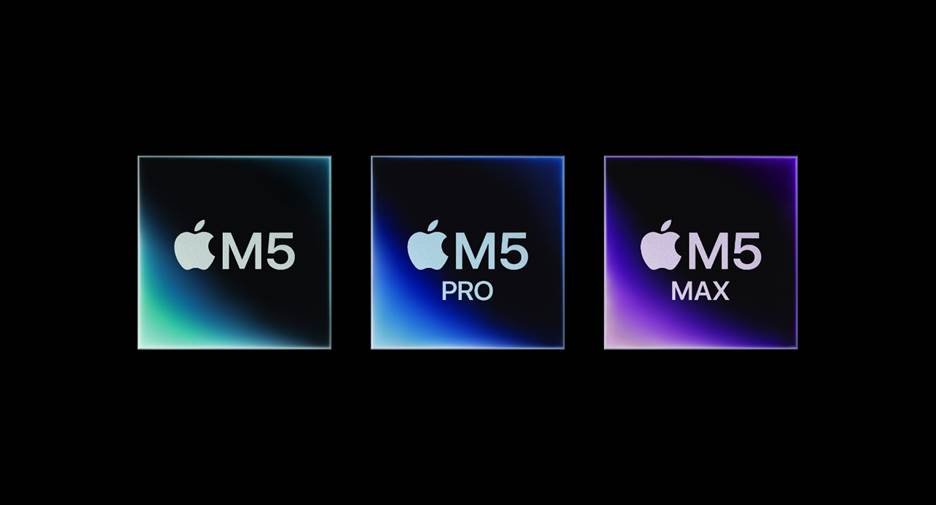
MacBook vs ThinkPad: Quick Comparison
| Feature | MacBook | Lenovo ThinkPad |
| Operating system | macOS | Windows/Linux options |
| Processor | Apple silicon | Intel/other configurations depending on model |
| Battery life | Excellent | Varies by configuration |
| Keyboard | Comfortable, minimalist | Excellent for long typing sessions |
| Ports | More limited | Usually more extensive |
| Build | Thin and premium | Business-focused and durable |
| Software | Excellent for macOS apps | Excellent Windows compatibility |
| Upgradeability | Limited | Varies by model |
| Business features | Strong | Excellent enterprise features |
| Gaming | Limited | Better Windows compatibility |
| Apple ecosystem | Excellent | Limited |
MacBook: What Makes It Different?
The biggest advantage of a MacBook is the combination of Apple’s hardware and software.
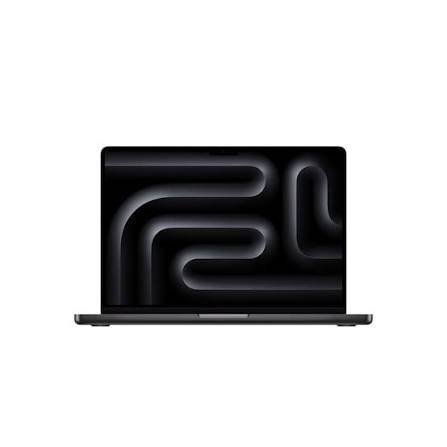
The current MacBook Air M5 uses Apple’s M5 chip and starts with 16GB of unified memory and 512GB of SSD storage. It also includes two Thunderbolt 4 ports, MagSafe charging and a headphone jack.
For everyday tasks such as browsing, writing, studying, programming, video calls and photo editing, the MacBook provides a smooth and quiet experience.
MacBook battery life
Battery life is one of the strongest reasons people choose a MacBook.
Apple rates the current 13-inch MacBook Air M5 for up to 18 hours of video streaming and up to 15 hours of wireless web use.
That makes it particularly attractive to students, travelers and people who work away from a power outlet for long periods.
macOS and Apple ecosystem
If you already use an iPhone or iPad, the MacBook becomes more useful because Apple’s ecosystem allows devices to work together easily.
Features such as AirDrop, iCloud, iMessage, Handoff and Continuity can make moving between devices more convenient.
Lenovo ThinkPad: What Makes It Different?
ThinkPad laptops take a different approach.
They are primarily designed for productivity and business users, and the lineup includes everything from relatively compact models to powerful mobile workstations.
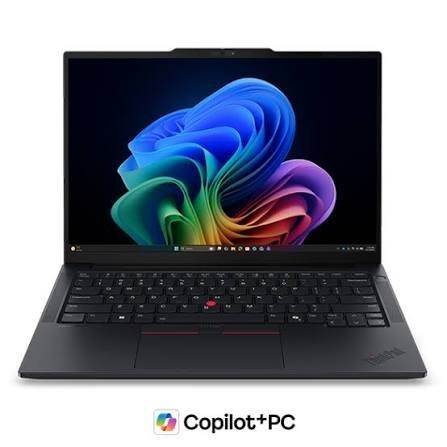
The ThinkPad T14 Gen 6, for example, can offer Windows 11 Pro or Linux, multiple USB ports, Thunderbolt 4, HDMI, Ethernet and optional cellular connectivity depending on configuration.
ThinkPad keyboard
The keyboard is one of the most recognizable features of a ThinkPad.
If you spend hours writing reports, coding, responding to emails or working with spreadsheets, the ThinkPad’s keyboard and TrackPoint can be valuable features.
ThinkPad connectivity
This is another major difference.
The MacBook Air has two Thunderbolt 4 ports plus MagSafe and a headphone jack.
A ThinkPad T14 Gen 6 can include two USB-C/Thunderbolt 4 ports, two USB-A ports, HDMI, Ethernet and a headphone/microphone connector.
If you frequently connect projectors, USB drives, wired networks, monitors or other peripherals, ThinkPad’s wider selection of ports can be useful.
MacBook vs ThinkPad for Students
Both can be excellent student laptops, but the better choice depends heavily on your course.
Choose a MacBook if you:
- Want long battery life
- Prefer macOS
- Use an iPhone
- Study writing, business, design or many creative subjects
- Want a lightweight and quiet laptop
- Use macOS-compatible programming tools
Choose a ThinkPad if you:
- Need Windows-specific software
- Study a subject that requires specialized Windows applications
- Prefer a traditional Windows environment
- Want extensive connectivity
- Type for long periods
- Need Linux compatibility
For university students, checking your department’s required software before buying is especially important.
MacBook vs ThinkPad for Programming
Both platforms are capable programming machines.
A MacBook can be particularly attractive for developers working with Unix-based development tools, web development, software development and Apple’s own development ecosystem.
ThinkPads provide excellent flexibility for Windows and Linux development. Some ThinkPad configurations also allow significantly more memory than a base MacBook Air. Lenovo’s T14 Gen 6 configurations can include up to 64GB of DDR5 memory on models with two SODIMM slots.
For programming, your choice should therefore depend on your development environment rather than processor specifications alone.
MacBook vs ThinkPad for Business
ThinkPad has a long history in business computing.
Features such as Windows 11 Pro, optional Intel vPro technology, enterprise management options, Ethernet, privacy shutters and a broad range of configurations make ThinkPads particularly suitable for corporate environments.
MacBooks can also be excellent business computers, particularly for professionals who value battery life, portability, security and integration with Apple’s ecosystem.
For an individual professional, either platform can work well. For a large organization, software compatibility and IT management requirements should play a major role.
MacBook vs ThinkPad for Video Editing
MacBooks are particularly strong for video editing because Apple silicon includes dedicated media engines for formats including H.264, HEVC, ProRes and ProRes RAW.
This makes a MacBook Air suitable for many editing workflows, while MacBook Pro models are designed for heavier professional workloads.
ThinkPads can also handle video editing, but the experience depends heavily on the specific processor, graphics hardware, display and cooling configuration.
For professional editors, comparing the exact ThinkPad model with the specific MacBook configuration is more useful than comparing the brands generally.
Which Has the Better Display?
MacBook displays are generally known for high resolution, wide color support and strong image quality.
The 13-inch MacBook Air M5 has a 13.6-inch Liquid Retina display with a 2560×1664 resolution, 500 nits brightness and P3 wide color.
ThinkPad displays vary considerably between models and configurations.
For example, one T14 Gen 6 configuration has a 14-inch 1920×1200 IPS display with 400 nits brightness, while other configurations offer different panel options.
That means you should always check the exact ThinkPad display before purchasing.
MacBook vs ThinkPad for Gaming
ThinkPad is generally the more practical choice if Windows gaming is important to you.
Windows supports a much broader range of PC games, while macOS has a smaller gaming library.
A MacBook can still run some modern games, particularly titles with native macOS support, but gaming isn’t the main focus of the MacBook lineup.
MacBook vs ThinkPad: Which Should You Choose?
The answer depends on your priorities.
MacBook makes sense if you prioritize battery life, portability, quiet performance, display quality, macOS and Apple ecosystem integration.
ThinkPad makes sense if you prioritize Windows compatibility, keyboard comfort, ports, enterprise features, Linux support and hardware flexibility.
Neither platform is universally better for every user. The right choice comes down to the software you need, the way you work and which operating system fits your workflow.
FAQs
Is MacBook better than ThinkPad?
MacBook and ThinkPad are designed around different priorities. MacBook emphasizes Apple’s ecosystem, battery life and macOS, while ThinkPad emphasizes business productivity, Windows/Linux compatibility, keyboards, connectivity and enterprise features.
Is ThinkPad good for students?
Yes. ThinkPads can be excellent student laptops, particularly for students who need Windows or Linux software, extensive ports or a strong typing experience.
Is MacBook good for business?
Yes. MacBooks are suitable for many business tasks including documents, spreadsheets, presentations, communication, programming and creative work. Software compatibility should be checked before choosing macOS.
Which is better for programming, MacBook or ThinkPad?
Both can be excellent for programming. MacBook is attractive for macOS and Unix-based development workflows, while ThinkPad offers strong Windows and Linux flexibility.
Which lasts longer, MacBook or ThinkPad?
Both brands have models designed for long-term use. Actual longevity depends on the specific model, workload, battery usage, maintenance and repairability rather than the brand alone.
MacBook Air or ThinkPad T14?
The MacBook Air is a strong option if you prioritize battery life, portability and macOS. The ThinkPad T14 is worth considering if you need Windows/Linux flexibility, more built-in ports or business-oriented features.