As an Amazon Associate, I earn from qualifying purchases
Choosing between a MacBook and an ASUS ZenBook isn’t as simple as comparing specifications.
Both are premium laptops designed for people who want something portable, powerful, and easy to carry. But they take very different approaches.
MacBooks run Apple’s macOS and use Apple silicon, while ZenBook laptops run Windows and come in configurations powered by Intel, AMD, or Qualcomm processors. ASUS also puts a strong emphasis on OLED displays, lightweight designs, and a wide selection of ports.
So, which is better: MacBook or ASUS ZenBook?
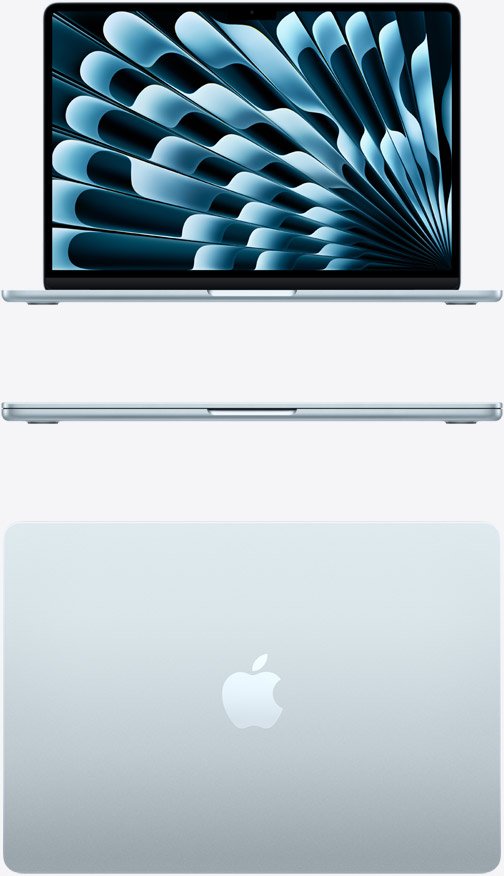
For most people who want excellent battery life, quiet performance, a polished operating system, and long-term everyday usability, the MacBook Air is the better all-around choice.
However, the ASUS ZenBook can be the better laptop if you prefer Windows, need more connectivity, want an OLED display, or depend on Windows-specific software.
MacBook vs ASUS ZenBook: Quick Comparison
| Feature | MacBook | ASUS ZenBook |
| Operating system | macOS | Windows |
| Performance | Excellent | Excellent |
| Battery life | Excellent | Varies by model |
| Display | High-quality Retina/Liquid Retina | OLED options are a major strength |
| Portability | Excellent | Excellent |
| Ports | More limited on Air | Usually more extensive |
| Gaming | Limited | Better Windows compatibility |
| Creative work | Excellent | Excellent on suitable configurations |
| Software compatibility | macOS apps | Broad Windows compatibility |
| Best for | General use, students, creators | Windows users, OLED fans, flexibility |
MacBook: What Makes It Better?
The MacBook’s biggest advantage is how well its hardware and software work together.
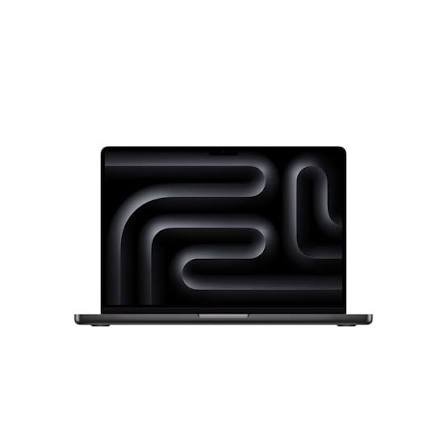
Apple’s current MacBook lineup includes the MacBook Neo, MacBook Air, and MacBook Pro. The MacBook Air remains the strongest all-around option for most users because it combines portability with strong performance and long battery life.
Apple Silicon Performance
Modern MacBooks use Apple’s own processors rather than traditional Intel or AMD chips.
For everyday activities such as browsing, office work, programming, photo editing, video calls, and multitasking, Apple silicon provides plenty of performance without requiring a large, heavy cooling system.
The MacBook Air is also fanless, which means it operates silently during normal use.
That’s a surprisingly useful advantage if you work in a library, classroom, office, or other quiet environment.
Excellent Battery Life
Battery life is another major reason people choose MacBooks.
Apple’s hardware and macOS are designed together, which allows the company to optimize power consumption across the entire system.
If you’re a student who spends hours moving between lectures and study sessions, or a professional who travels frequently, long battery life can matter more than having the fastest possible processor.
macOS Is Simple and Consistent
macOS is one of the MacBook’s biggest selling points.
The interface is relatively consistent across Macs, and Apple controls both the hardware and operating system.
If you already use an iPhone or iPad, features such as AirDrop, iCloud, iMessage, and other Apple ecosystem integrations can also make everyday tasks easier.
ASUS ZenBook: What Makes It Better?
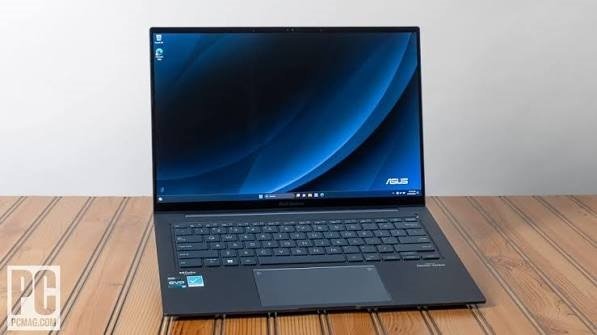
ASUS takes a different approach with the ZenBook family.
Rather than offering a single hardware configuration, ASUS produces several ZenBook models with different processors, displays, memory configurations, and form factors.
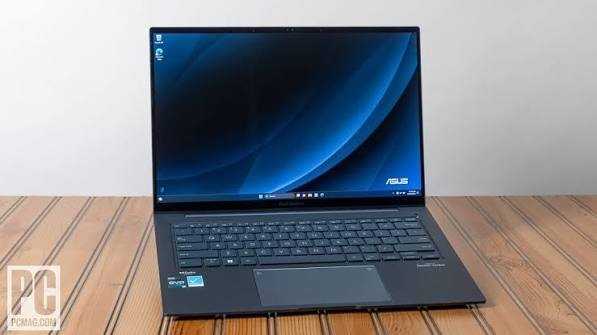
That gives Windows users more choice.
OLED Displays Are a Major Advantage
One of the biggest reasons to consider a ZenBook is the display.
ASUS offers ZenBook models with high-resolution OLED panels, including configurations with 3K resolution and high refresh rates. Some models also offer wide color coverage and HDR support.
For watching movies, editing photos, browsing the web, or simply enjoying a vibrant display, a ZenBook OLED screen can be excellent.
If display technology is your highest priority, the ZenBook deserves serious consideration.
More Ports
MacBook Air models keep connectivity relatively simple, with most accessories connecting through USB-C/Thunderbolt.
ZenBook laptops commonly provide a wider selection of ports, depending on the model.
For example, some ZenBook configurations include USB-A, USB-C, HDMI, and a headphone jack.
That can be convenient if you frequently connect older USB devices, external displays, projectors, or other accessories.
With a MacBook Air, you may need a USB-C hub or adapter more often.
Windows Compatibility
Windows remains a major reason to choose ASUS.
Some university programs and professional applications are designed specifically for Windows.
If your school, workplace, or business depends on Windows-only software, a ZenBook may be the safer choice.
This is particularly important for some engineering, business, technical, and enterprise applications.
MacBook vs ZenBook for Students
For most college students, I’d choose the MacBook Air.
It’s lightweight, quiet, powerful enough for typical academic work, and has excellent battery life.
It works well for:
- Writing assignments
- Research
- Web browsing
- Presentations
- Programming
- Video calls
- Note-taking
- Photo editing
- General productivity
However, the ZenBook can be the better student laptop if your course requires Windows software.
Before buying either laptop, check your university’s software requirements.
A powerful MacBook isn’t very useful if an important application for your degree only runs properly on Windows.
MacBook vs ZenBook for Programming
Both can be excellent programming laptops.
A MacBook is particularly attractive for developers working with Unix-based tools, web development, software development, and Apple’s development ecosystem.
The ZenBook gives you access to the huge Windows software ecosystem and can be particularly useful if you work with applications designed specifically for Windows.
For programming, the operating system you need may be more important than the processor.
If your workflow is compatible with macOS, the MacBook Air is an excellent development machine.
If you need Windows-specific development tools, choose the ZenBook.
MacBook vs ZenBook for Video Editing
Both laptops can handle video editing, but the best choice depends on the level of work.
For basic to moderate editing, a MacBook Air can be surprisingly capable.
For professional video editing, a MacBook Pro is a stronger option because of its higher-performance configurations and active cooling.
ZenBook models with powerful Intel or AMD processors can also handle creative workloads, and some offer excellent OLED displays that are useful for visual work.
However, creators should look beyond the display.
Pay attention to:
- Processor performance
- GPU capability
- RAM
- SSD capacity
- Color accuracy
- Sustained performance
- Software compatibility
MacBook vs ZenBook for Battery Life
MacBook generally has the advantage when comparing similarly positioned thin-and-light laptops.
Apple’s close integration between macOS and Apple silicon allows MacBooks to deliver strong performance without consuming excessive power.
ASUS also offers ZenBook models with large batteries and efficient processors. Some current ZenBook models advertise very long battery-life figures under specific testing conditions.
However, battery life varies considerably between ZenBook models.
A ZenBook with an OLED display and high-performance processor may behave differently from a lower-power configuration.
Therefore, don’t judge the entire ZenBook lineup by one model.
Which Has the Better Display?
This one is closer than you might expect.
MacBooks offer excellent displays with sharp text, strong brightness, and accurate colors.
But ASUS has made OLED one of the defining features of the ZenBook range.
A ZenBook OLED can provide:
- Deep blacks
- Strong contrast
- Vibrant colors
- Fast response times
- High-resolution options
- High refresh rates on selected models
If you mainly care about display quality and OLED technology, ZenBook has a compelling advantage.
If you prefer Apple’s display tuning and macOS scaling, the MacBook remains an excellent choice.
Which Is Better for Gaming?
The ASUS ZenBook is generally the better choice for gaming, although it isn’t primarily a gaming laptop either.
Windows has a much larger PC gaming ecosystem, while Mac gaming remains more limited because many major PC games and gaming technologies are designed around Windows.
If gaming is a major priority, you should probably look beyond both the MacBook Air and ZenBook and consider a dedicated Windows gaming laptop.
For occasional gaming, however, the ZenBook gives you more flexibility.
MacBook vs ASUS ZenBook: Which Should You Buy?
Choose a MacBook if you want:
- Excellent battery life
- A quiet laptop
- Strong everyday performance
- A polished operating system
- Excellent build quality
- Easy integration with Apple devices
- A great laptop for school and productivity
- Strong creative software support
Choose an ASUS ZenBook if you want:
- Windows
- OLED display options
- More physical ports
- Greater hardware variety
- Better Windows software compatibility
- More flexibility for peripherals
- Occasional gaming
Final Verdict
So, MacBook vs ASUS ZenBook — which is better?
For most people, the MacBook Air is the better overall laptop.
It combines excellent performance, long battery life, portability, silent operation, and a mature software ecosystem in a very polished package.
But the ASUS ZenBook isn’t simply a cheaper alternative. It has genuine advantages of its own.
Its OLED displays are excellent, connectivity is generally more flexible, and Windows compatibility makes it a better option for people who rely on Windows-specific applications.
Ultimately, the decision comes down to what you value most.
If you want simplicity, battery life, portability, and the Apple ecosystem, choose a MacBook.
If you want Windows, OLED displays, more ports, and broader software compatibility, choose an ASUS ZenBook.
For most students, professionals, writers, programmers, and everyday users, the MacBook Air is the safer all-around recommendation. For Windows users who want a premium, lightweight laptop with an excellent display, ASUS ZenBook is one of the strongest alternatives.
Frequently Asked Questions
Is MacBook better than ASUS ZenBook?
For overall battery life, software integration, portability, and everyday performance, MacBook is usually the better choice. ZenBook can be better for Windows compatibility, OLED displays, and connectivity.
Is ASUS ZenBook a good alternative to MacBook?
Yes. ZenBook laptops offer premium designs, excellent displays, lightweight construction, and a wide range of Windows hardware configurations.
Which is better for students, MacBook or ZenBook?
The MacBook Air is generally better for students because of its portability, battery life, and performance. However, a ZenBook may be better if your course requires Windows-only software.
Which has better battery life, MacBook or ZenBook?
MacBooks generally have excellent battery life, although some ZenBook models can also last a long time. Actual battery life depends on the specific processor, display, battery, and workload.
Is ZenBook better than MacBook for gaming?
Generally, yes. Windows offers broader gaming compatibility, although the ZenBook range itself isn’t designed primarily as a gaming lineup.
Which is better for programming, MacBook or ZenBook?
Both are excellent. MacBook is particularly attractive for developers who prefer macOS and Unix-based development tools, while ZenBook is better if you need Windows-specific software.
Should I buy a MacBook or ASUS ZenBook in 2026?
Choose the MacBook if you prioritize battery life, portability, macOS, and Apple ecosystem features. Choose the ZenBook if you prefer Windows, OLED displays, more ports, or Windows-specific applications