

As an Amazon Associate, I earn from qualifying purchases
If you’re deciding between a MacBook vs Dell, you’re looking at two very different approaches to laptops.
MacBooks run macOS and use Apple’s own processors.
Dell offers Windows laptops across a much wider range of prices and designs.
Both brands make excellent laptops. But the better choice depends on what you need.
A MacBook can be a great option for students, professionals, programmers, writers, and creative users.
Dell can be the better choice if you want more hardware options, Windows software, gaming, touchscreen models, or a lower starting price.
So, should you buy a MacBook or Dell laptop in 2026?
Let’s compare them.
MacBook vs Dell: Quick Comparison
| Category | MacBook | Dell |
| Operating system | macOS | Windows |
| Performance | Excellent | Excellent, depending on model |
| Battery life | Excellent on Apple silicon | Varies by model |
| Build quality | Premium | Budget to premium |
| Display | Excellent | Varies widely |
| Gaming | Limited compared with Windows | Better selection |
| Touchscreen | No MacBook touchscreen | Available on some models |
| Hardware choices | Limited | Very wide |
| Port selection | Depends on model | Depends on model |
| Upgrades | Limited | More options on some models |
| Price range | Mostly mid-range to premium | Budget to premium |
| Best for | Productivity and Apple ecosystem | Choice, Windows, gaming, flexibility |
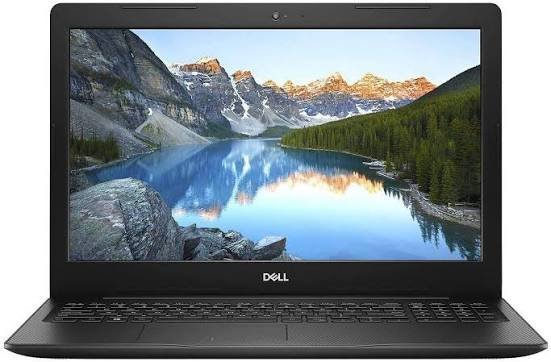
The biggest thing to remember is that Dell is a brand, not one laptop.
A basic Dell laptop and a premium Dell XPS are very different machines.
Dell’s current lineup includes models aimed at everyday users, students, creators, and professionals. Its 2026 XPS range includes the XPS 13, XPS 14, and XPS 16.
MacBook vs Dell: Performance
Performance depends on the specific models you’re comparing.
A current MacBook Air with Apple’s M5 chip is already a powerful everyday laptop. The 13-inch M5 MacBook Air has a 10-core CPU, up to a 10-core GPU, 16GB of unified memory as standard, and 512GB of SSD storage.
Dell offers a much wider selection of processors and graphics options.
For example, the 2026 XPS lineup uses Intel Core processors and can be configured with up to 64GB of memory and 4TB of SSD storage, depending on the model.
For everyday tasks, both can be very fast.
You can browse the web, work on documents, attend video meetings, edit photos, program, and stream video on either platform.
The difference becomes more important when you have a specific workload.
MacBook vs Dell for Everyday Use
For normal everyday use, both are excellent.
A MacBook is especially attractive if you want:
- A simple operating system
- Long battery life
- A premium design
- Quiet operation
- Strong performance
- Good portability
- Integration with an iPhone
Dell is attractive if you want:
- More laptop choices
- Windows
- Touchscreen options
- More ports on certain models
- More price options
- More hardware flexibility
For basic tasks, don’t expect a huge difference in speed between a good MacBook and a good Dell.
The overall experience matters more.
MacBook vs Dell: Battery Life
Battery life is one of the strongest reasons to consider a MacBook.
The 13-inch MacBook Air M5 is rated for up to 18 hours of video streaming and up to 15 hours of wireless web use.
The 15-inch M5 MacBook Air also offers up to 18 hours of video streaming.
Dell’s current XPS laptops also offer strong battery life.
For example, Dell rates the XPS 13 for up to 17 hours of streaming. Its XPS 14 and XPS 16 can reach up to 31 hours under Dell’s stated testing conditions, depending on configuration.
This is an important point:
Don’t assume every MacBook automatically has better battery life than every Dell.
The exact processor, display, battery, and configuration matter.
If battery life is important, compare the specific two models you’re considering.
MacBook vs Dell: Display Quality
Both brands offer excellent displays.
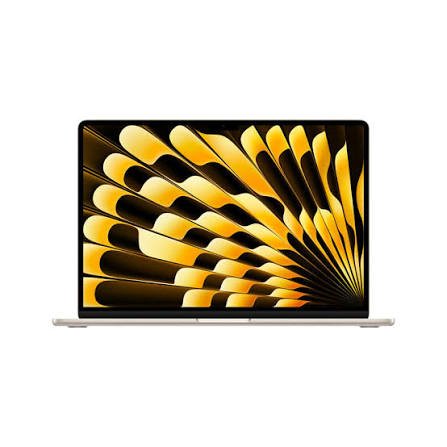
MacBook Air models have Liquid Retina displays with wide P3 color support and 500 nits of brightness. The 13-inch model has a 2560×1664 resolution, while the 15-inch model has a 2880×1864 resolution.
Dell gives you more display choices.
Some current XPS models offer LCD displays, while higher-end configurations can include OLED panels and high refresh rates. Dell’s XPS 14 and XPS 16, for example, offer OLED options with up to 120Hz refresh rates.
This gives Dell an advantage if you specifically want:
- A touchscreen
- OLED
- A high refresh rate
- More display configurations
MacBook, however, offers a consistently strong display experience across its lineup.
MacBook vs Dell for Students
Both can be excellent student laptops.
A MacBook Air is a particularly good choice if your work involves:
- Writing
- Research
- Web browsing
- Presentations
- Programming
- Online classes
- Video calls
- Photo editing
Its portability and battery life are useful when you’re moving between classes and study locations.
Dell has an important advantage, though.
You can find Dell laptops at many different price points.
If you’re on a tight budget, Dell gives you more options.
Choose MacBook for school if:
You want a premium, portable laptop and already use an iPhone or other Apple devices.
Choose Dell if:
You need Windows software or want more choices at different prices.
Before buying either one, check your school’s software requirements.
Some courses use specialized Windows applications that may not work natively on macOS.
MacBook vs Dell for Programming
Both can be excellent programming machines.
A MacBook is especially useful for developers who work with Apple’s software ecosystem.
If you want to build native iPhone, iPad, or macOS applications, you’ll need a Mac for Apple’s development tools.
Dell gives you the flexibility of Windows.
Windows is widely used for software development, enterprise applications, game development, and many other programming environments.
Your programming workload should determine the choice.
For general web development, Python, JavaScript, Java, Git, and similar tools, both platforms can work very well.
MacBook vs Dell for Gaming
This is one area where Dell has a clear advantage.
Windows has a much larger PC gaming ecosystem.
Dell also offers gaming-focused hardware through its gaming portfolio, giving Windows users access to dedicated graphics hardware and a broader range of gaming configurations.
MacBooks can run some modern games, and gaming support on macOS has improved.
But if gaming is one of the main reasons you’re buying a laptop, a Windows Dell is usually the safer choice.
You get broader game compatibility and more hardware options.
For gaming, I would choose Dell or another Windows gaming laptop over a MacBook.
MacBook vs Dell for Video Editing
Both can handle video editing.
Modern MacBooks have dedicated media engines for formats such as H.264, HEVC, ProRes, and ProRes RAW. The M5 MacBook Air also includes hardware video encode and decode engines.
That makes a MacBook a strong choice for creators.
Dell can also be excellent for video editing, especially when you choose a model with a powerful processor, plenty of RAM, and a dedicated GPU.
For professional video editing, don’t compare brands alone.
Compare the actual processor, GPU, RAM, storage, display, and cooling system.
MacBook vs Dell for Business
For general business work, both are capable.
You can use either for:
- Microsoft Office
- Video meetings
- Web applications
- Spreadsheets
- Presentations
- Cloud storage
- Project management
The deciding factor is often company software.
If your workplace depends heavily on Windows-only applications, Dell is the easier choice.
If your work is mostly browser-based and uses software available on macOS, a MacBook can work extremely well.
MacBook vs Dell: Portability
MacBooks are known for being thin and easy to carry.
The 13-inch MacBook Air M5 is a particularly portable option.
Dell also has very lightweight laptops.
The current XPS 13 starts at just 2.2 pounds and is 0.50 inches thick, according to Dell.
So Dell can compete strongly here.
If portability is your priority, compare the weight and dimensions of the exact models.
Don’t assume that a Dell must be heavier than a MacBook.
MacBook vs Dell: Ports and Connectivity
This is another area where Dell can offer more variety.
MacBook Air has two Thunderbolt 4/USB-C ports, a MagSafe charging port, and a headphone jack.
That is enough for many users.
But if you regularly connect:
- USB drives
- SD cards
- HDMI displays
- Ethernet
- Multiple accessories
you may need a hub or dock.
Dell’s selection varies by model, so check the ports before buying.
If connectivity is important to you, don’t judge by brand alone.
MacBook vs Dell: Which Has Better Build Quality?
Both brands make premium laptops.
Apple’s MacBook Air uses a premium aluminum design.
Dell’s XPS line also uses premium materials, including CNC-machined aluminum and Gorilla Glass on current models.
At the premium end, both can feel excellent.
The bigger difference appears when comparing a premium MacBook with an inexpensive Dell.
Dell makes laptops across a much broader price range.
Therefore, model matters more than brand.
MacBook vs Dell: Price
Dell wins when it comes to variety.
You can find Dell laptops at lower prices than most MacBooks.
You can also spend several thousand dollars on a high-end Dell.
MacBook pricing is more concentrated in the mid-range and premium market.
This means Dell is usually the better option if your budget is limited.
However, don’t compare price alone.
Look at what you’re actually getting for the money.
A cheaper laptop may have less RAM, a weaker display, shorter battery life, or a lower-quality build.
MacBook vs Dell: Upgradeability
This is another important difference.
Modern MacBooks have limited upgrade options after purchase.
That’s why it’s important to choose enough RAM and storage when you buy one.
Dell varies by model.
Some Dell laptops provide more upgrade options than MacBooks, while thin premium models may also have limited upgradeability.
If you want to upgrade RAM or storage later, check the exact model before buying.
Should You Buy a MacBook or Dell in 2026?
The answer depends on what matters most to you.
Buy a MacBook if you want:
- Excellent battery life
- A premium design
- macOS
- Strong everyday performance
- Good portability
- A great display
- Easy integration with Apple devices
- A strong laptop for programming and creative work
Buy a Dell if you want:
- Windows
- More hardware choices
- Budget-friendly options
- Gaming
- Touchscreen choices
- More display configurations
- More hardware flexibility
- A wider range of laptop sizes and designs
MacBook vs Dell: Which Is Better?
For many everyday users, I’d lean toward the MacBook Air.
The current M5 MacBook Air combines strong performance, 16GB of standard memory, 512GB of storage, a high-quality display, and up to 18 hours of video streaming.
It’s an excellent all-around laptop.
But that doesn’t make Dell a bad choice.
Dell is better for buyers who want Windows, gaming, touchscreen options, a wider range of prices, or more hardware choices.
The best decision depends on your needs.
Frequently Asked Questions
Is MacBook better than Dell?
Not for everyone. MacBooks offer a strong combination of performance, battery life, build quality, and macOS. Dell offers more laptop choices, Windows, gaming options, and a wider range of prices.
Is Dell better than MacBook?
Dell can be better if you want Windows, gaming, touchscreen options, or more hardware choices. It depends on the specific Dell model.
Which is better for students, MacBook or Dell?
Both are good. Choose MacBook for portability, battery life, and the Apple ecosystem. Choose Dell if you need Windows software or want a lower-cost option.
Which is better for gaming, MacBook or Dell?
Dell is generally the better choice for gaming because Windows has broader game compatibility and Dell offers more gaming hardware options.
Which lasts longer, MacBook or Dell?
The lifespan depends on the specific model, how you use it, and how well you maintain it. A good MacBook or Dell can last for years.
Is MacBook good for programming?
Yes. MacBooks are excellent for many programming tasks, including web development, software development, and Apple’s own app-development ecosystem.
Is Dell good for programming?
Yes. Dell offers many Windows laptops that work well for programming, from affordable models to powerful professional machines.
MacBook Air or Dell XPS?
Choose the MacBook Air if you prefer macOS, Apple silicon, and the Apple ecosystem. Choose the Dell XPS if you prefer Windows, touchscreen options, or more hardware configurations.
Final Verdict
So, MacBook vs Dell: which should you buy?
For most people who want a premium laptop for school, work, programming, writing, browsing, and creative tasks, the MacBook Air is an excellent choice.
For gamers, Windows users, and buyers who want more hardware choices, Dell is often the better option.
The most important thing is not the brand.
It’s the specific laptop.
A good Dell can be better than a MacBook for one person. A MacBook can be better than a Dell for another.
Before you buy, consider your budget, software, workload, battery needs, and whether you want Windows or macOS.
That will lead you to the right laptop much faster than simply asking which brand is better.
[…] MacBook vs Dell […]