

As an Amazon Associate, I earn from qualifying purchases
The MacBook Air M1 and MacBook Pro M1 were released in 2020 and helped establish Apple’s transition from Intel processors to Apple silicon.
Even in 2026, these two Macs can still be found on the used and refurbished market. They share the same basic M1 chip architecture, but there are important differences in cooling, battery life, display brightness, speakers, microphone setup, and sustained performance.
For most everyday users, the MacBook Air M1 is the simpler choice. The 13-inch MacBook Pro M1 makes more sense if you regularly perform demanding tasks for long periods and want better sustained performance and longer battery life.
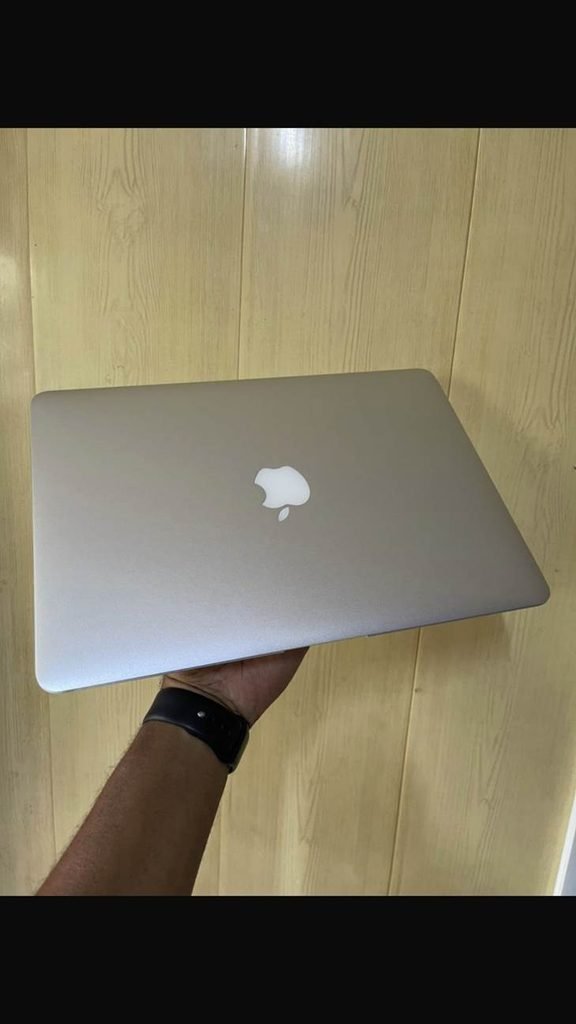
MacBook Air M1 vs MacBook Pro M1: Quick Comparison
| Feature | MacBook Air M1 | MacBook Pro M1 |
| Display | 13.3-inch Retina | 13.3-inch Retina |
| Resolution | 2560 × 1600 | 2560 × 1600 |
| Brightness | 400 nits | 500 nits |
| Chip | M1 | M1 |
| GPU | 7-core or 8-core | 8-core |
| Memory | Up to 16GB | Up to 16GB |
| Storage | Up to 2TB | Up to 2TB |
| Battery rating | Up to 18h video | Up to 20h video |
| Cooling | Fanless | Active cooling fan |
| Touch Bar | No | Yes |
| Weight | 1.29kg | 1.4kg |
| Ports | 2 × Thunderbolt/USB 4 | 2 × Thunderbolt/USB 4 |
Apple’s original specifications confirm that both models use the M1 chip, while the Pro has an 8-core GPU and active cooling.
M1 Chip: Are They Actually the Same?
At first glance, it might seem like the two laptops should perform almost identically because both use Apple’s M1 chip.
For many everyday tasks, they are indeed very similar.
Both have an 8-core CPU with four performance cores and four efficiency cores, along with a 16-core Neural Engine.
However, the MacBook Air M1 was available with either a 7-core or 8-core GPU, depending on configuration, while the 13-inch MacBook Pro M1 comes with an 8-core GPU.
The bigger difference appears during long, demanding workloads.
MacBook Air M1 vs Pro M1: Cooling
The M1 MacBook Air uses a fanless design.
That means it is completely silent during normal operation, which is one of its most enjoyable features.
The M1 MacBook Pro has an active cooling system with a fan. When the processor is under sustained load, the cooling system can help the Pro maintain high performance for longer periods.
This matters if you’re doing things like:
- Long video exports
- Large photo-processing jobs
- Software compilation
- Extended coding workloads
- 3D work
- Heavy multitasking
For browsing, writing, streaming, email and ordinary office work, the difference is much less noticeable.
Display: MacBook Air M1 vs MacBook Pro M1
Both laptops have a 13.3-inch Retina display with a 2560 × 1600 resolution, P3 wide color and True Tone.
The main difference is brightness.
The MacBook Air M1 is rated at 400 nits, while the MacBook Pro M1 reaches 500 nits.
That extra brightness can be useful if you regularly work in bright environments.
For most indoor use, however, both displays remain very good.
Battery Life
Battery life is one area where the Pro has a clear specification advantage.
Apple originally rated the M1 MacBook Air for up to 15 hours of wireless web browsing and 18 hours of Apple TV video playback. The M1 MacBook Pro was rated for up to 17 hours of wireless web browsing and 20 hours of video playback.
Actual battery life depends on brightness, applications, wireless activity and battery condition.
If you’re buying one of these machines used in 2026, remember that battery health matters considerably. A five- or six-year-old battery may not deliver the same runtime as it did when the Mac was new.
MacBook Air M1 vs Pro M1: Design and Portability
The MacBook Air M1 weighs about 1.29kg, while the 13-inch MacBook Pro M1 weighs about 1.4kg.
The difference isn’t huge, but the Air is slightly easier to carry.
The Air also has the distinctive wedge-shaped design used by older MacBook Air models, while the Pro has a more uniform thickness.
Both are compact enough for students, commuters and people who work from different locations.
Keyboard and Touch Bar
This is another obvious difference.
The M1 MacBook Air has a traditional row of physical function keys.
The M1 MacBook Pro has Apple’s Touch Bar, a narrow touchscreen strip above the keyboard, along with Touch ID.
The Touch Bar can change depending on the application, although Apple later moved away from the feature in newer MacBook Pro designs.
If you prefer physical function keys, the Air has the simpler layout.
Speakers and Microphones
The MacBook Pro M1 has a stronger audio system than the Air.
Apple lists the Pro with high-fidelity six-speaker sound with force-cancelling woofers, while the Air has stereo speakers with wide stereo sound.
The Pro also has a studio-quality three-microphone array, while the Air has a three-mic array with directional beamforming.
For video calls, both can work well, but the Pro has an advantage for people who care more about built-in audio quality.
MacBook Air M1 vs Pro M1 for Students
For students, both are capable machines.
The Air is particularly suitable for:
- Writing assignments
- Research
- Web browsing
- Microsoft Office
- Video calls
- Programming
- Online classes
- Entertainment
The Pro becomes more interesting if your studies involve sustained creative or technical workloads.
However, the difference in everyday student tasks isn’t large enough to assume that the Pro is necessary.
MacBook Air M1 vs Pro M1 for Programming
Both are capable programming laptops.
The M1 platform works well for many development environments, web development and software engineering tasks.
The Pro’s cooling system can become useful during long compilation jobs or other sustained workloads.
One important consideration in 2026 is software compatibility. The M1 platform is several years old, so anyone buying one today should check that the development tools and applications they need continue to support their preferred macOS version and Apple silicon.
MacBook Air M1 vs Pro M1 for Video Editing
This is where the Pro’s cooling system becomes more relevant.
Both M1 machines have hardware acceleration for video formats such as H.264 and HEVC. The Pro’s active cooling can help maintain performance during long exports and other sustained workloads.
The Air can still handle many video-editing tasks, particularly lighter 1080p and moderate 4K projects.
For heavier professional workflows, however, newer MacBook Pro models are considerably more appropriate than either M1 machine.
Is the M1 MacBook Air Still Worth Buying in 2026?
This depends heavily on condition, battery health, memory and software requirements.
The M1 MacBook Air remains capable for basic productivity, browsing, studying and many creative tasks.
However, it is important to remember that the M1 MacBook Air was introduced in 2020.
If you’re buying used, pay close attention to:
- Battery health
- SSD capacity
- Whether it has 8GB or 16GB memory
- Physical condition
- Keyboard and display condition
- Charger quality
- macOS compatibility
- Your expected workload
A 16GB model can be much more useful for demanding multitasking than an 8GB configuration.
Should You Buy the M1 MacBook Pro in 2026?
The 13-inch M1 MacBook Pro can still make sense for someone who specifically wants its longer rated battery life, brighter display, Touch Bar, better speakers and active cooling.
However, it is also an older design.
If you’re choosing between an M1 Air and M1 Pro today, the condition and configuration of the individual machine matter enormously.
Don’t buy the Pro simply because it has the word “Pro” in its name.
MacBook Air M1 vs MacBook Pro M1: Which Should You Choose?
Choose the MacBook Air M1 if you:
- Want a lightweight laptop
- Prefer a fanless, silent design
- Mostly browse, study or work with documents
- Want physical function keys
- Don’t regularly perform long demanding workloads
Choose the MacBook Pro M1 if you:
- Perform sustained CPU-intensive work
- Want a brighter display
- Prefer the Touch Bar
- Want longer rated battery life
- Care about stronger built-in speakers
- Frequently export or process demanding projects
Final Verdict
The MacBook Air M1 and MacBook Pro M1 are surprisingly close in everyday performance because they share the same M1 architecture.
The Air’s biggest strengths are its silent fanless design, lighter weight and straightforward experience. The Pro adds active cooling, a brighter display, longer rated battery life, better speakers and the Touch Bar.
For a used Mac in 2026, don’t focus only on Air versus Pro. RAM, battery health, storage, physical condition and software compatibility can be just as important.
If your work is mostly everyday computing, the M1 Air remains a capable machine. If you regularly push the computer for long periods, the M1 Pro’s cooling and additional features can make the difference.
FAQs
Is MacBook Air M1 better than MacBook Pro M1?
They target slightly different users. The Air is lighter and fanless, while the Pro has active cooling, a brighter display, longer rated battery life and stronger speakers.
Is M1 MacBook Air still good in 2026?
It can still be useful for everyday tasks and many creative workloads, but its age means buyers should carefully check battery health, memory, storage and software compatibility.
Does MacBook Pro M1 have better performance than MacBook Air M1?
For short everyday tasks, the difference can be small. During sustained workloads, the Pro’s active cooling can allow it to maintain performance for longer.
Does the M1 MacBook Air have a fan?
No. The M1 MacBook Air uses a fanless design, which makes it silent during operation.
Is 8GB RAM enough on an M1 MacBook?
8GB can handle everyday tasks, but 16GB is more suitable for heavier multitasking, creative applications and longer-term use.
Does the M1 MacBook Pro have a Touch Bar?
Yes. The 13-inch MacBook Pro M1 introduced in 2020 has a Touch Bar and Touch ID.