

As an Amazon Associate, I earn from qualifying purchases
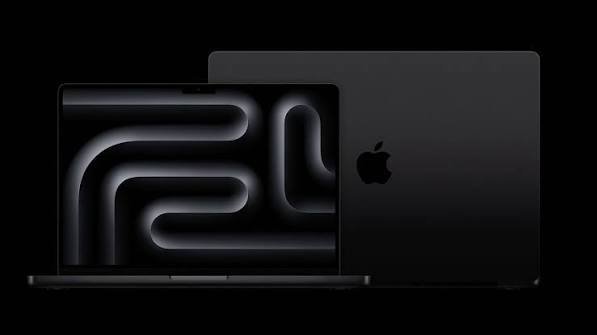
Choosing between the 14-inch MacBook Pro and 16-inch MacBook Pro in 2026 comes down to more than screen size.
Both are powerful professional laptops with Apple’s latest M5 Pro and M5 Max chips, Liquid Retina XDR displays, ProMotion up to 120Hz, Thunderbolt connectivity, and excellent battery life. The biggest differences are screen size, weight, battery capacity, portability, and the configurations available.
For people who travel frequently, the 14-inch MacBook Pro is easier to carry. For users who spend most of their time editing video, working with large creative projects, coding, or multitasking on the laptop itself, the 16-inch MacBook Pro provides a larger workspace and battery.
MacBook Pro 14 vs 16: Quick Comparison
| Feature | MacBook Pro 14-inch | MacBook Pro 16-inch |
| Display | 14.2-inch Liquid Retina XDR | 16.2-inch Liquid Retina XDR |
| Resolution | 3024 × 1964 | 3456 × 2234 |
| Refresh rate | Up to 120Hz ProMotion | Up to 120Hz ProMotion |
| Chip options | M5, M5 Pro, M5 Max | M5 Pro, M5 Max |
| Maximum memory | Up to 128GB | Up to 128GB |
| Maximum storage | Up to 8TB | Up to 8TB |
| Battery | Up to 24 hours depending on chip | Up to 24 hours depending on chip |
| Ports | Thunderbolt, HDMI, SDXC, MagSafe | Thunderbolt, HDMI, SDXC, MagSafe |
| Portability | Easier to carry | Larger and heavier |
| Best suited for | Mobile professionals | Desk-based power users |
MacBook Pro 14: Better for Portability
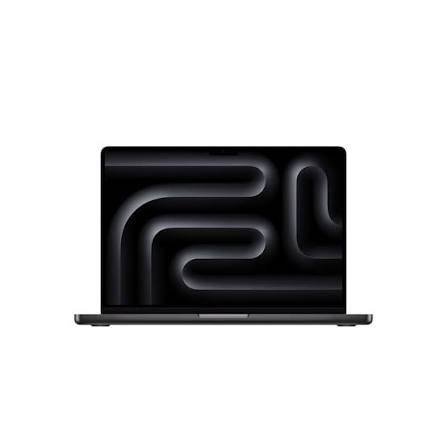
The 14-inch MacBook Pro is the more compact option.
The current 14-inch model measures 14.2 inches diagonally and has a 3024 × 1964 Liquid Retina XDR display. It supports ProMotion with refresh rates up to 120Hz.
Despite its smaller size, it doesn’t sacrifice the professional features that make the MacBook Pro different from the MacBook Air.
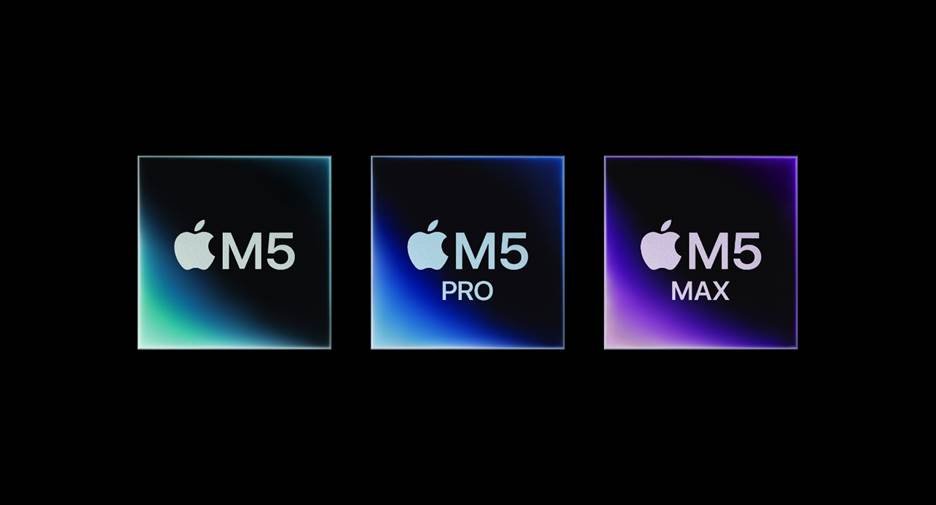
Depending on the configuration, the 14-inch model can use the M5, M5 Pro, or M5 Max. The M5 Pro and M5 Max versions support Thunderbolt 5, while the standard M5 uses Thunderbolt 4.
Why choose the 14-inch MacBook Pro?
- Easier to carry
- Smaller footprint
- Excellent display
- Powerful M5 Pro and M5 Max configurations
- Strong battery life
- Excellent for travel
- Easier to use in smaller workspaces
If you regularly move between home, school, an office, and client locations, the 14-inch design can make more sense.
MacBook Pro 16: Better for a Large Workspace
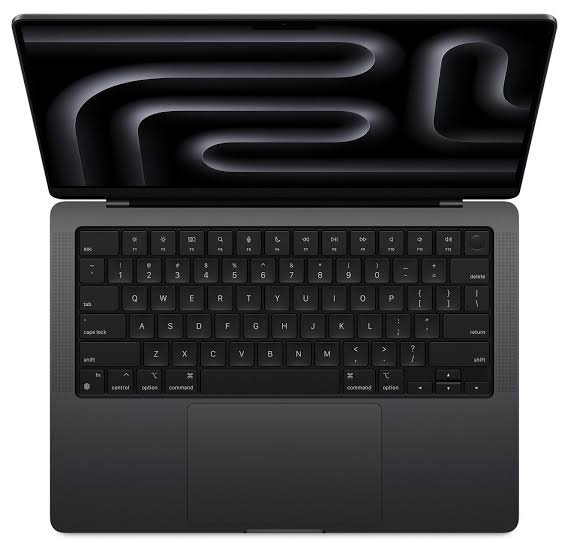
The 16-inch MacBook Pro is designed for users who want a larger working area.
Its 16.2-inch Liquid Retina XDR display has a 3456 × 2234 resolution, 1,000,000:1 contrast ratio, P3 wide color, and ProMotion up to 120Hz. It also supports up to 1,600 nits peak brightness for HDR content.
That extra screen real estate can be useful when working with:
- Video editing timelines
- Large Photoshop projects
- Music production software
- Multiple windows
- Programming environments
- Spreadsheets
- Large creative applications
Instead of constantly switching between windows, you can fit more information on the screen at once.
Why choose the 16-inch MacBook Pro?
- Larger display
- More comfortable for extended desktop-style work
- Large battery
- M5 Pro and M5 Max performance
- Excellent for professional creative workflows
- Useful for multitasking
The trade-off is portability. It is a larger machine to carry and takes up more space on a desk or table.
MacBook Pro 14 vs 16: Performance
Performance is more similar than the different sizes might suggest.
The important point is that chip configuration matters more than screen size.
The 14-inch MacBook Pro can be configured with M5 Pro or M5 Max chips, including configurations with up to 128GB of unified memory. The 16-inch MacBook Pro also supports M5 Pro and M5 Max, with up to 128GB unified memory.
This means a high-end 14-inch MacBook Pro can be a very powerful workstation.
If you are comparing an M5 Pro 14-inch with an M5 Pro 16-inch using otherwise similar configurations, don’t assume the larger screen automatically means dramatically more processing power.
Your choice should instead focus on screen size, portability, battery capacity and your preferred configuration.
MacBook Pro 14 vs 16 for Video Editing
Both models are excellent for video editing.
Apple’s M5 Pro and M5 Max chips include hardware-accelerated support for H.264, HEVC, ProRes and ProRes RAW. The M5 Max also adds additional media engines for demanding video workflows.
The main advantage of the 16-inch model is the larger display.
Video editors can see more of their timeline, effects panels and preview window without connecting an external monitor.
The 14-inch model makes more sense if you frequently edit while traveling.
MacBook Pro 14 vs 16 for Photo Editing
Photographers can benefit from either model because both have Liquid Retina XDR displays with P3 wide color and support for one billion colors.
The 16-inch model gives you more physical screen space, which can make Lightroom and Photoshop interfaces easier to manage.
The 14-inch model is more convenient when editing on the road.
If you primarily connect your MacBook to an external monitor, the larger built-in display becomes less important.
MacBook Pro 14 vs 16 for Students
For students, the decision depends heavily on how the MacBook will be used.
The 14-inch MacBook Pro is easier to carry between lectures, libraries and study locations.
The 16-inch model can be useful for students studying subjects involving:
- Video production
- Photography
- 3D design
- Engineering
- Music production
- Computer science
- Other demanding creative workloads
For ordinary university tasks such as writing, research, web browsing and presentations, either model provides substantially more capability than necessary.
Battery Life
Battery life is excellent on both models, but the exact rating depends on the chip.
Apple rates the 14-inch M5 model for up to 24 hours of video streaming, while M5 Pro and M5 Max versions have lower maximum figures depending on configuration.
The 16-inch MacBook Pro has a larger 100-watt-hour battery. Apple rates the M5 Pro version for up to 24 hours of video streaming and the M5 Max version for up to 22 hours.
Actual battery life will vary depending on applications, brightness, connectivity and workload.
MacBook Pro 14 vs 16: Ports and Connectivity
The two sizes offer broadly similar professional connectivity.
Depending on configuration, you get:
- Thunderbolt
- HDMI
- SDXC card slot
- MagSafe 3
- 3.5mm headphone jack
The M5 Pro and M5 Max models use Thunderbolt 5, supporting transfer speeds of up to 120Gb/s.
For photographers and videographers, having an SDXC card slot built into the MacBook can also make transferring media more convenient.
Which MacBook Pro Is Better for You?
Choose the 14-inch MacBook Pro if:
- You travel frequently
- You want a smaller laptop
- You work in different locations
- You want professional performance without the larger chassis
- You regularly carry your laptop in a backpack
- You use an external monitor at your desk
Choose the 16-inch MacBook Pro if:
- You want the largest built-in display
- You spend long hours editing
- You work with large creative applications
- You want more screen space without an external monitor
- You prefer a desktop-like laptop experience
- Portability isn’t your biggest concern
MacBook Pro 14 vs 16: Final Verdict
The 14-inch MacBook Pro and 16-inch MacBook Pro share many of the same professional features, so the decision isn’t simply about choosing the more powerful computer.
The 14-inch MacBook Pro is the more portable option and can still be configured with Apple’s highest-end M5 Pro and M5 Max chips.
The 16-inch MacBook Pro is better suited to people who value a larger built-in workspace and spend much of their time doing demanding work directly on the laptop.
If you frequently travel, the 14-inch model is easier to live with. If your MacBook is essentially your portable desktop, the 16-inch model’s larger display can be more useful.
FAQs
Is the 14-inch MacBook Pro as powerful as the 16-inch?
The two sizes can use the same M5 Pro and M5 Max chip families. Performance therefore depends heavily on the configuration rather than simply the screen size.
Is the 16-inch MacBook Pro better for video editing?
The 16-inch model gives video editors a larger built-in workspace, which can be useful for timelines and multiple editing panels. Both sizes can provide powerful M5 Pro and M5 Max configurations.
Is the 14-inch MacBook Pro easier to carry?
Yes. Its smaller physical footprint makes it more convenient for frequent travel and mobile work.
Does the 16-inch MacBook Pro have a better display?
Both use Liquid Retina XDR technology and ProMotion up to 120Hz. The major difference is physical size and resolution rather than a fundamentally different display technology.
Can the 14-inch MacBook Pro have 128GB of RAM?
Yes. Configurations using the appropriate M5 Max option can reach up to 128GB of unified memory.
Which MacBook Pro is better for students?
The 14-inch model is more convenient for students who carry their laptop frequently. The 16-inch model can be useful for students whose courses involve demanding creative or technical applications and who want a larger built-in workspace.