

As an Amazon Associate, I earn from qualifying purchases
If you’re deciding between a MacBook Air and Lenovo Yoga, you’re choosing between two very different approaches to a modern laptop.
The MacBook Air focuses on Apple’s macOS experience, long battery life, quiet performance, portability, and integration with other Apple devices. Lenovo’s Yoga family focuses on Windows flexibility, touchscreen displays, 2-in-1 designs on many models, and features aimed at productivity and entertainment.
In 2026, the MacBook Air M5 is available in 13-inch and 15-inch versions, with 16GB unified memory as standard and up to 32GB available. Lenovo’s Yoga range includes models such as the Yoga 9 2-in-1, which combines a touchscreen OLED display with a 360-degree hinge and Windows.
So which one should you choose? It depends mainly on whether you prefer macOS and battery efficiency or Windows, touchscreen flexibility, and the 2-in-1 experience.
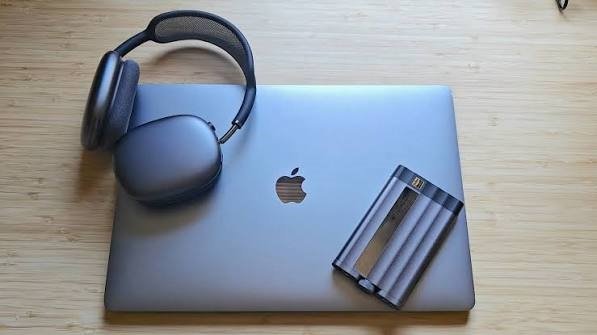
MacBook Air vs Lenovo Yoga: Quick Comparison
| Feature | MacBook Air M5 | Lenovo Yoga |
| Operating system | macOS | Windows |
| Form factor | Traditional laptop | Many models are 2-in-1 |
| Touchscreen | No | Available on many Yoga models |
| Processor | Apple M5 | Intel Core Ultra and other options |
| Display | Liquid Retina | OLED options available |
| Battery life | Excellent | Varies by model |
| Stylus support | No | Available on supported models |
| Ports | Limited but fast | Usually more varied |
| Apple ecosystem | Excellent | Limited |
| Windows software | Not native | Excellent |
| Best for | Battery life and portability | Flexibility and touch |
MacBook Air: What Makes It Different?
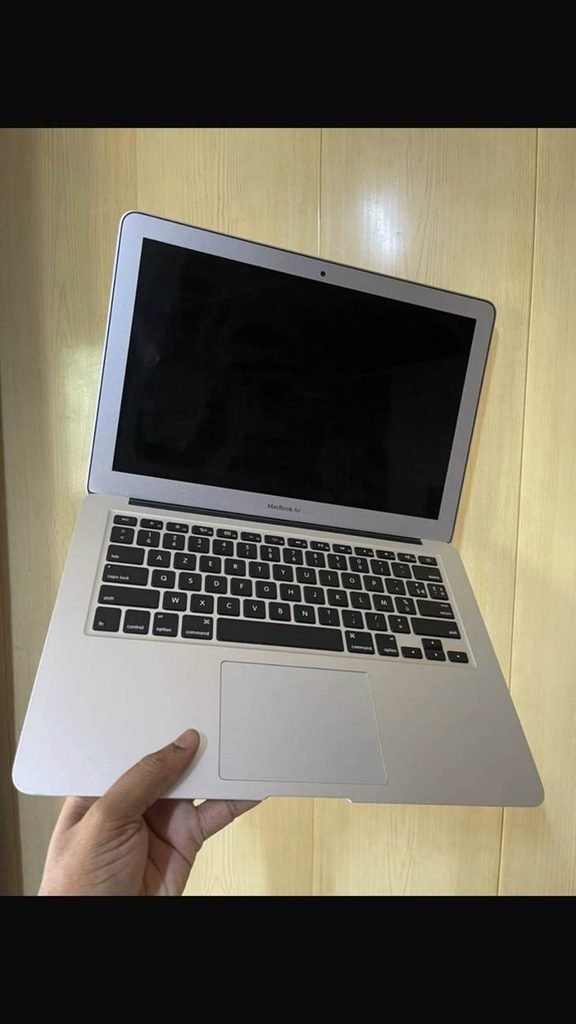
The current MacBook Air M5 is built around Apple’s M5 chip and comes with a 10-core CPU. The 13-inch version can be configured with an 8-core or 10-core GPU, while the 15-inch version has a 10-core GPU. Both start with 16GB of unified memory and can be configured with up to 32GB.
For everyday tasks, the MacBook Air is designed to be fast without requiring a fan. That makes it particularly quiet during normal use.
It’s well suited to:
- Web browsing
- Writing and schoolwork
- Programming
- Photo editing
- Video calls
- Office applications
- Content creation
- Watching movies and streaming
- General productivity
MacBook Air battery life
Battery life is one of the biggest advantages of the MacBook Air.
Apple rates both the 13-inch and 15-inch M5 MacBook Air for up to 18 hours of video streaming and up to 15 hours of wireless web use. Actual battery life will vary depending on your workload.
For students or professionals who spend much of the day away from a charger, this can be an important advantage.
Lenovo Yoga: What Makes It Different?
Lenovo uses the Yoga name across several laptop designs, so specifications vary considerably between models.
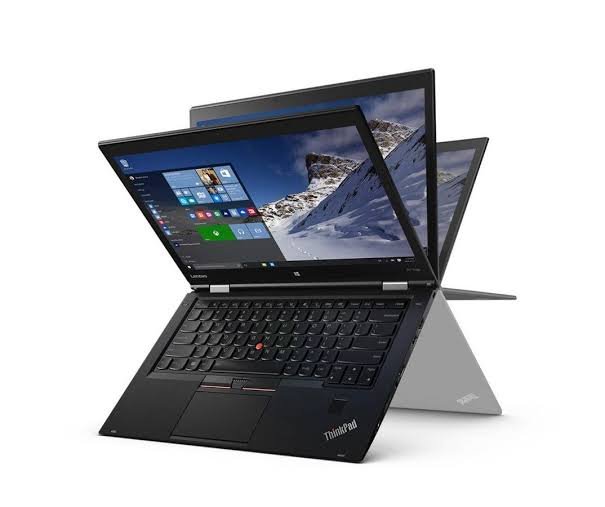
One of the most interesting current options is the Yoga 9 2-in-1, which combines a traditional laptop with a tablet-style convertible design.
The current Yoga 9 2-in-1 14-inch configuration can feature an Intel Core Ultra 7 355 processor, up to 32GB of LPDDR5X memory, a 2.8K 120Hz OLED display, and a 70Wh battery.
That flexibility is something the MacBook Air doesn’t offer.
Touchscreen and 2-in-1 design
The biggest difference is simple: many Yoga models have a touchscreen and can fold into different positions.
You can use a compatible Yoga as:
- A traditional laptop
- A tablet
- A presentation device
- A touchscreen workstation
- A drawing or note-taking device
This can be particularly useful for students, artists and people who like using a stylus.
MacBook Air vs Lenovo Yoga: Display
Both can have excellent displays, but they take different approaches.
The 13-inch MacBook Air M5 has a 13.6-inch Liquid Retina display with a 2560 × 1664 resolution, 500 nits brightness, P3 wide color and support for one billion colors. The 15-inch version increases the resolution to 2880 × 1864.
Some current Yoga models go in a different direction.
The Yoga 9 2-in-1 can have a 14-inch 2.8K OLED display with a 120Hz refresh rate, 100% DCI-P3 coverage, HDR support and touchscreen functionality.
So the choice depends on what you value.
MacBook Air: excellent color, sharpness and everyday viewing.
Yoga: OLED options, touchscreen capability and higher refresh rates on certain models.
MacBook Air vs Lenovo Yoga for Students
Both laptops can work very well for students.
The MacBook Air is particularly attractive if you want:
- Long battery life
- A lightweight laptop
- Quiet operation
- macOS
- Strong performance
- An iPhone-friendly ecosystem
The Yoga can be more appealing if you want:
- Windows
- A touchscreen
- Stylus support
- A convertible laptop
- Compatibility with Windows-only software
Before choosing, check whether your course requires a particular Windows application. Some specialized academic software may not have a native macOS version.
MacBook Air vs Lenovo Yoga for Programming
Both are capable programming machines.
The MacBook Air is a strong choice for web development, software development and Unix-based development environments. Apple’s M5 also includes hardware acceleration for several media formats, which can help if your programming work overlaps with creative tasks.
Yoga gives you access to Windows and, depending on configuration, Linux. This can be useful if your development environment requires Windows-specific tools.
For programming, the operating system you need may matter more than the processor brand.
MacBook Air vs Lenovo Yoga for Photo Editing
The MacBook Air is particularly well suited to photo editing because its Liquid Retina display supports P3 wide color and one billion colors.
Yoga models with OLED displays can also be excellent for photography and creative work. The Yoga 9 2-in-1’s current 2.8K OLED configuration supports 100% DCI-P3 and very high HDR brightness.
If color accuracy is important, compare the exact display configuration rather than simply comparing MacBook and Yoga as brands.
MacBook Air vs Lenovo Yoga for Video Editing
The MacBook Air M5 includes hardware-accelerated media engines for H.264, HEVC, ProRes and ProRes RAW.
That makes it capable of handling many video editing tasks.
A Yoga can also be suitable for video editing, but performance varies substantially between models and processors.
For demanding professional editing, you should compare the exact Yoga configuration with the MacBook model you’re considering rather than assuming every Yoga performs the same way.
Which Has Better Portability?
The 13-inch MacBook Air is extremely portable, making it convenient for students, travelers and people who move between different workplaces.
The 15-inch Air gives you a larger workspace while remaining relatively thin.
Yoga models vary considerably, but a 14-inch convertible can offer a useful compromise between portability and touchscreen functionality.
There’s also an important difference in how you use them: a Yoga can fold into tablet mode, while the MacBook Air remains a traditional laptop.
MacBook Air vs Lenovo Yoga: Software
This may be the deciding factor.
Choose MacBook Air if you prefer:
- macOS
- Apple’s ecosystem
- Unix-based development
- Final Cut Pro
- Logic Pro
- Apple’s productivity environment
Choose Lenovo Yoga if you need:
- Windows
- Microsoft-specific applications
- Windows-only academic software
- Certain business applications
- A broader selection of PC software
- Linux on supported configurations
If you already own an iPhone, iPad or Apple Watch, the MacBook can also integrate naturally into your existing setup.
MacBook Air vs Lenovo Yoga: Which Should You Choose?
Choose the MacBook Air M5 if your priorities are battery life, portability, quiet performance, macOS, Apple ecosystem features and a straightforward laptop experience.
Choose a Lenovo Yoga if you want Windows, a touchscreen, tablet functionality, stylus support or the flexibility of a 2-in-1 design.
The choice becomes particularly simple when your software requirements are clear. If the applications you need work equally well on both platforms, then focus on the way you prefer to use your computer.
Final Verdict
The MacBook Air and Lenovo Yoga are both capable modern laptops, but they are designed for different types of users.
The MacBook Air M5 is a strong choice for people who value battery life, portability, quiet operation and Apple’s software ecosystem. The 13-inch model prioritizes portability, while the 15-inch model gives you more screen space.
Lenovo Yoga is more flexible if you want Windows and a convertible touchscreen design. Current Yoga 2-in-1 models can combine OLED displays, 360-degree hinges, stylus support and modern Intel processors in one device.
In the end, MacBook Air is about simplicity and efficiency, while Lenovo Yoga is about flexibility and Windows versatility.
FAQs
Is MacBook Air better than Lenovo Yoga?
Neither is universally better. MacBook Air emphasizes macOS, battery life and portability, while Lenovo Yoga models offer Windows, touchscreen functionality and 2-in-1 designs.
Is Lenovo Yoga good for students?
Yes. Yoga laptops can be useful for students who want Windows, touchscreen functionality and the ability to use the laptop as a tablet.
Is MacBook Air good for college students?
Yes. The MacBook Air’s combination of battery life, portability and performance makes it suitable for many college workloads. Software requirements should still be checked before buying.
Can Lenovo Yoga replace a MacBook Air?
For many users, yes. A Yoga can handle browsing, office work, programming, studying, creative applications and entertainment. The main differences are the operating system, design and ecosystem.
Which has better battery life, MacBook Air or Lenovo Yoga?
Battery life varies by Yoga model and configuration. Apple rates the M5 MacBook Air for up to 18 hours of video streaming, while Lenovo’s current Yoga 9 2-in-1 14-inch datasheet lists up to 24.5 hours of local 1080p video playback. These are different testing methods, so the figures shouldn’t be treated as a direct one-to-one comparison.
MacBook Air or Yoga for programming?
Both are capable. MacBook Air is attractive for macOS and Unix-based development, while Yoga offers Windows and Linux flexibility. Choose based on the development tools and operating system your work requires.