

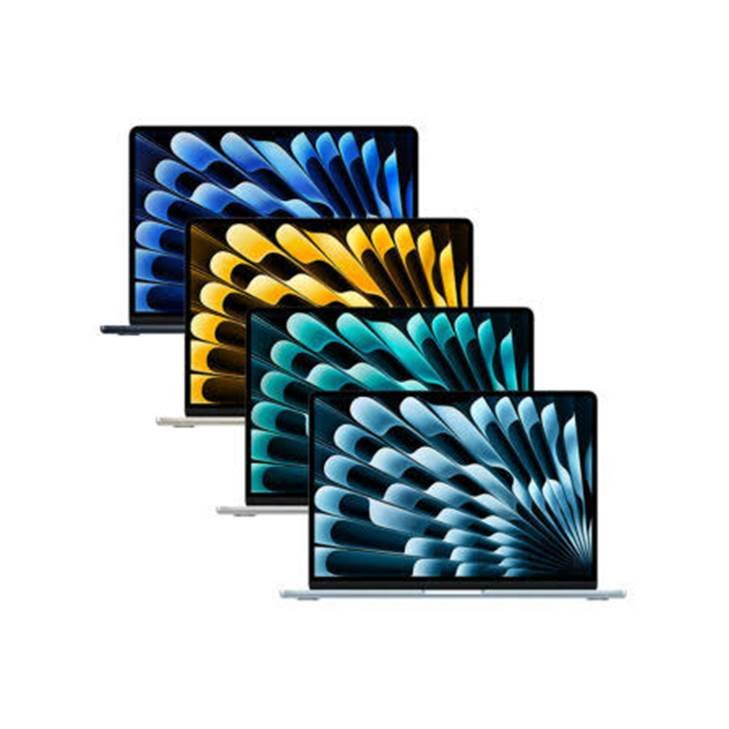
Yes, MacBook can run Final Cut Pro.
In fact, Final Cut Pro is one of the best video editing apps for Mac. It is designed by Apple and optimized for Mac hardware.
Modern MacBooks with Apple silicon can handle everything from simple YouTube videos to demanding 4K projects. Higher-end MacBook Pro models can go even further with professional workflows, large projects, and complex effects.
But not every MacBook is equally good for Final Cut Pro.
The amount of memory, storage, processor, and graphics performance can make a big difference.
So, if you are asking “Can MacBook run Final Cut Pro smoothly?”, the short answer is yes. The better question is which MacBook you should use.
Can MacBook Run Final Cut Pro?
Yes. MacBooks can run Final Cut Pro.
Apple designed Final Cut Pro specifically for Mac, and the software takes advantage of Apple’s hardware and graphics technologies.
The current version of Final Cut Pro supports professional video editing, including 4K and 8K workflows, ProRes, ProRes RAW, HDR video, multicamera editing, color correction, effects, and more.
Apple’s current requirements list macOS 26.6 or later for the latest Final Cut Pro version. Apple also lists 8GB of memory as the minimum, with 16GB recommended.
However, meeting the minimum requirements does not mean you will get the best editing experience.
For serious video editing, I recommend looking beyond the minimum.
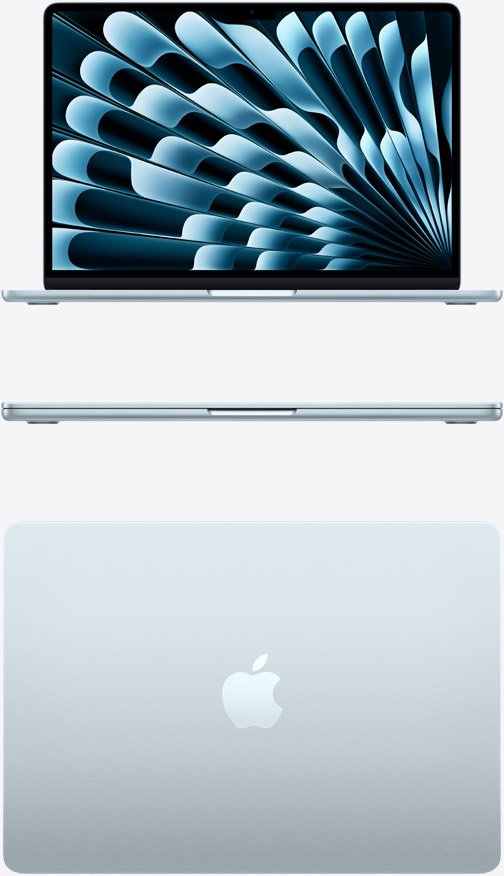
Can MacBook Air Run Final Cut Pro?
Yes, MacBook Air can run Final Cut Pro.
The current MacBook Air with the M5 chip is particularly capable.
The 13-inch M5 MacBook Air comes with a 10-core CPU, up to a 10-core GPU, 16GB of unified memory, and a hardware-accelerated media engine for H.264, HEVC, ProRes, and ProRes RAW.
That makes it a strong option for video editing.
MacBook Air for 1080p Editing
For 1080p video, a modern MacBook Air should have no trouble handling normal editing tasks.
You can use Final Cut Pro for:
- YouTube videos
- TikTok videos
- Instagram videos
- School projects
- Short films
- Tutorials
- Interviews
- Podcasts
- Social media content
For this type of work, you do not necessarily need a MacBook Pro.
A MacBook Air can be a very good choice.
MacBook Air for 4K Editing
The answer is also yes.
A current Apple silicon MacBook Air can handle 4K editing in Final Cut Pro.
However, demanding 4K projects can put more pressure on the system.
Large timelines, multiple video layers, color effects, noise reduction, motion graphics, and other effects can require more memory and processing power.
If you regularly edit complex 4K projects, a MacBook Pro becomes more attractive.
Can MacBook Pro Run Final Cut Pro?
Absolutely.
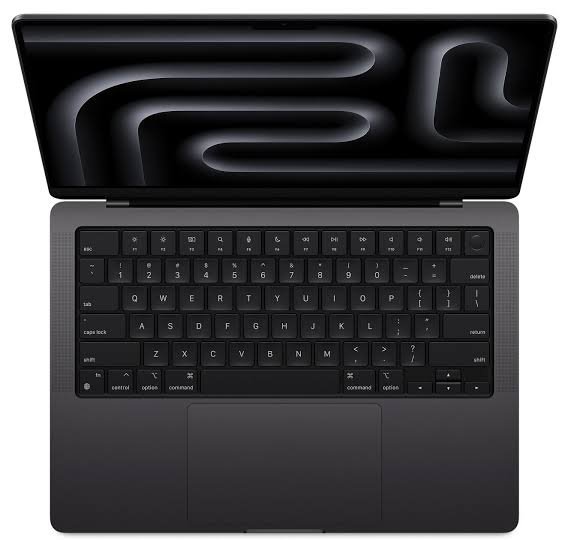
MacBook Pro is one of the best laptops for Final Cut Pro.
The current MacBook Pro lineup includes M5, M5 Pro, and M5 Max chips.
These machines are designed for demanding professional workloads.
The M5 Pro and M5 Max models include much more powerful CPUs and GPUs, higher memory configurations, and advanced media engines designed for professional video workflows.
This makes the MacBook Pro a better choice if you edit video professionally.
Which MacBook Is Best for Final Cut Pro?
There is no single MacBook that is best for everyone.
Your choice should depend on the type of video you edit.
| MacBook | Best For | Recommended Memory |
| MacBook Air M5 | YouTube, 1080p, light 4K | 16GB |
| MacBook Air M5 24GB | More demanding editing | 24GB |
| MacBook Pro M5 | Serious 4K editing | 24GB or 32GB |
| MacBook Pro M5 Pro | Professional video editing | 24GB+ |
| MacBook Pro M5 Max | Heavy 4K/8K workflows | 36GB+ |
For most people, the MacBook Air M5 with 16GB memory and 512GB storage is a good starting point.
If you edit video every day, I would consider a MacBook Pro.
If you work with complex 4K or 8K projects, the M5 Pro or M5 Max models make more sense.
How Much RAM Do You Need for Final Cut Pro?
RAM is important for video editing.
Final Cut Pro currently requires at least 8GB of memory, but Apple recommends 16GB.
That makes 16GB the better starting point.
Is 8GB Enough for Final Cut Pro?
Technically, 8GB meets Apple’s minimum requirement.
But I would not recommend buying an 8GB Mac specifically for Final Cut Pro if you have a choice.
Video editing can use a lot of memory.
You may also have Final Cut Pro, Safari, Photoshop, music apps, and other software open at the same time.
With 16GB, you have more breathing room.
Is 16GB Enough for Final Cut Pro?
For many users, yes.
16GB is a good amount of memory for:
- 1080p editing
- YouTube
- Short 4K projects
- Social media
- Basic color grading
- Small business videos
It is also the standard memory configuration on the current M5 MacBook Air.
Do You Need 24GB or More?
Consider more memory if you work with large projects.
More memory can be useful for:
- Long 4K timelines
- Multiple applications
- Motion graphics
- Heavy effects
- Multicam editing
- Large libraries
- Professional workflows
- 8K video
The current MacBook Pro can be configured with much more memory than the MacBook Air. M5 Pro and M5 Max models can reach 128GB in certain configurations.
You probably do not need 128GB.
For most creators, 24GB or 32GB is already plenty.
How Much Storage Do You Need for Final Cut Pro?
Storage is another important consideration.
Final Cut Pro itself does not require an enormous amount of space. Apple lists roughly 6.5GB of available disk space in its technical requirements, although the actual space you need for video projects can be much higher.
Video files are large.
A single project can quickly consume hundreds of gigabytes.
For that reason, I recommend at least:
512GB: Good starting point for casual creators.
1TB: Better for regular video editing.
2TB or more: Best for large libraries and professional projects.
You can also use an external SSD.
A fast external SSD can give you additional space for video footage, Final Cut Pro libraries, and project backups.
Can MacBook Edit 4K Video in Final Cut Pro?
Yes.
Modern MacBooks are very capable 4K video editing machines.
Apple says Final Cut Pro can work with video up to 8K and supports professional formats such as ProRes and ProRes RAW.
The real question is how complex your project is.
A simple 4K YouTube video is much easier to edit than a large multicamera project with multiple effects and color grading layers.
For basic 4K editing, the MacBook Air M5 is a sensible option.
For professional 4K work, the MacBook Pro provides more performance headroom.
Can MacBook Edit 8K Video?
Yes, but the MacBook you choose matters.
Final Cut Pro supports 8K video editing.
However, 8K editing is much more demanding than 1080p or standard 4K editing.
If you regularly work with 8K footage, I would choose a MacBook Pro with an M5 Pro or M5 Max chip.
More memory and storage are also worth considering.
You may also benefit from using optimized or proxy media when working with extremely large files.
Is MacBook Air Good for YouTube Video Editing?
Yes.
For most YouTubers, the MacBook Air is more than capable.
A creator who records talking-head videos, tutorials, reviews, interviews, or screen recordings does not necessarily need a MacBook Pro.
The M5 MacBook Air includes dedicated hardware for H.264, HEVC, ProRes, and ProRes RAW.
That makes it particularly well suited to video work.
If your videos are relatively simple, spending extra money on a MacBook Pro may not give you enough benefit to justify the cost.
Is MacBook Pro Better for Professional Video Editing?
Yes.
If video editing is your job, the MacBook Pro is the better choice.
It offers more powerful chip options, higher memory configurations, better sustained performance, and a brighter Liquid Retina XDR display.
The 14-inch MacBook Pro with M5 Pro or M5 Max can be configured with significantly more memory than the standard M5 model.
The MacBook Pro also has a more advanced display.
The current 14-inch model has a Liquid Retina XDR display with up to 1,600 nits peak HDR brightness, a 1,000,000:1 contrast ratio, and ProMotion up to 120Hz.
That is useful when reviewing and grading video.
Does Final Cut Pro Work Better on Apple Silicon?
Yes.
Final Cut Pro is optimized for Apple silicon.
Modern Apple chips also include dedicated media engines for video formats such as H.264, HEVC, ProRes, and ProRes RAW.
This is one reason Apple silicon MacBooks are so good for video editing.
Apple has also added newer Final Cut Pro features that require Apple silicon.
For example, Final Cut Pro 12 includes features such as Transcript Search and Visual Search that require a Mac with Apple silicon.
Newer versions also include AI-powered tools such as Generate Captions and Auto Mask, with some features requiring Apple silicon.
Can an Older MacBook Run Final Cut Pro?
Some older MacBooks can run Final Cut Pro.
However, compatibility depends on the Mac model and the version of macOS and Final Cut Pro it can run.
Older Intel MacBooks may still be useful for basic editing if they meet the current software requirements.
But they are not the best choice for someone buying a Mac specifically for video editing today.
Apple silicon is the better option for long-term use.
If you are buying a used MacBook, check the exact model and supported macOS version before purchasing.
Can MacBook Run Final Cut Pro Smoothly?
Yes, if you choose the right hardware.
A modern Apple silicon MacBook should provide a smooth experience for normal Final Cut Pro editing.
The M5 MacBook Air is a good example.
It combines a 10-core CPU, up to a 10-core GPU, 16GB or more of unified memory, and dedicated media engines.
For more demanding projects, the MacBook Pro gives you additional performance.
The M5 Pro and M5 Max are particularly well suited to professional editing because they offer more CPU and GPU resources, more memory options, and advanced media engines.
How to Make Final Cut Pro Run Better on MacBook
Even a powerful MacBook can slow down when working with large projects.
Here are some simple ways to improve your workflow.
Keep Enough Free Storage
Do not fill your internal SSD completely.
Keep enough free space for macOS, Final Cut Pro, temporary files, and project data.
If your video library is large, move older footage to an external SSD.
Use Optimized or Proxy Media
Proxy media can make demanding projects easier to edit.
Instead of constantly working with huge original files, Final Cut Pro can use lower-resolution versions during editing.
You can then switch back to the original media for final output.
Close Unnecessary Apps
If Final Cut Pro is using a lot of memory, close applications you are not using.
This is especially useful on a Mac with 16GB of memory.
Keep macOS and Final Cut Pro Updated
Apple regularly releases Final Cut Pro updates.
The current 12.3 release added features such as Generate Captions, Auto Mask, and Match Color.
Updates can also include performance improvements and bug fixes.
Final Cut Pro vs Other Video Editors on Mac
Final Cut Pro is not your only option.
You can also use Adobe Premiere Pro, DaVinci Resolve, and other editing software.
However, Final Cut Pro has an important advantage for Mac users.
It is designed specifically for Apple’s platform.
This allows Apple to optimize the software and hardware together.
Final Cut Pro also supports professional workflows, including ProRes, ProRes RAW, HDR, multicamera editing, advanced color grading, and 8K media.
For someone who already owns a MacBook, it is one of the easiest professional editing options to recommend.
Frequently Asked Questions
Can MacBook run Final Cut Pro?
Yes. Modern MacBooks can run Final Cut Pro. Apple silicon MacBooks are particularly well suited because Final Cut Pro is optimized for Apple hardware.
Can MacBook Air run Final Cut Pro?
Yes. The current M5 MacBook Air can run Final Cut Pro and is capable of handling 1080p and many 4K editing projects. It includes dedicated media engines for common video formats.
Can MacBook Pro run Final Cut Pro?
Yes. MacBook Pro is an excellent choice for Final Cut Pro. Higher-end M5 Pro and M5 Max models are especially suitable for professional video editing.
Is 8GB RAM enough for Final Cut Pro?
8GB meets Apple’s current minimum requirement, but 16GB is recommended. For serious video editing, consider 24GB or more.
Is 16GB RAM enough for Final Cut Pro?
Yes. 16GB is enough for many YouTube, 1080p, and moderate 4K projects. More memory is useful for complex professional workflows.
Can MacBook Air edit 4K video?
Yes. Modern Apple silicon MacBook Air models can edit 4K video in Final Cut Pro. For very demanding 4K projects, a MacBook Pro offers more performance headroom.
Can MacBook run Final Cut Pro for YouTube?
Yes. A MacBook Air is already powerful enough for most YouTube editing. You do not need a MacBook Pro unless your projects are particularly demanding.
Can MacBook edit 8K video in Final Cut Pro?
Yes. Final Cut Pro supports 8K editing. For regular 8K work, a MacBook Pro with an M5 Pro or M5 Max chip is a better choice than a MacBook Air.
What MacBook is best for Final Cut Pro?
For most creators, the M5 MacBook Air is the best value. Professional editors should consider a MacBook Pro with M5 Pro or M5 Max.
Does Final Cut Pro work on Intel MacBooks?
Some Intel MacBooks can run compatible versions of Final Cut Pro if they meet the required macOS and graphics requirements. However, Apple silicon is the better choice for new buyers because newer Final Cut Pro features require Apple silicon.
How much storage do I need for Final Cut Pro?
512GB is a reasonable starting point for light editing. If you regularly edit video, 1TB is more comfortable. Professional editors with large libraries may want 2TB or more, or use a fast external SSD.
Final Verdict
So, can MacBook run Final Cut Pro?
Yes.
And modern MacBooks can run it very well.
For students, YouTubers, beginners, and casual editors, the M5 MacBook Air is a strong choice. Its Apple silicon chip, 16GB standard memory, dedicated media engines, and long battery life make it capable of handling many video editing tasks.
For professional editors, the MacBook Pro is the better option.
The M5 Pro and M5 Max models provide more processing power, graphics performance, memory options, and media capabilities for demanding projects.
The most important thing is to choose a MacBook based on the type of video you edit.
If you mainly make 1080p YouTube videos, you probably do not need an expensive MacBook Pro.
If you regularly edit complex 4K or 8K projects, work with multiple camera angles, or use demanding effects, spending more on a MacBook Pro can be worthwhile.
For most people, 16GB of memory and at least 512GB of storage is a good starting point. For professional video editing, 24GB or more memory and 1TB or more storage is a better target.