

If you’re wondering which MacBook is the best right now in 2026, the answer depends on what you actually plan to do with it.
For most people, the MacBook Air M5 is the best MacBook to buy in 2026. It offers a combination of performance, portability, battery life, display quality, and storage that makes it suitable for students, professionals, business users, creators, and everyday users.
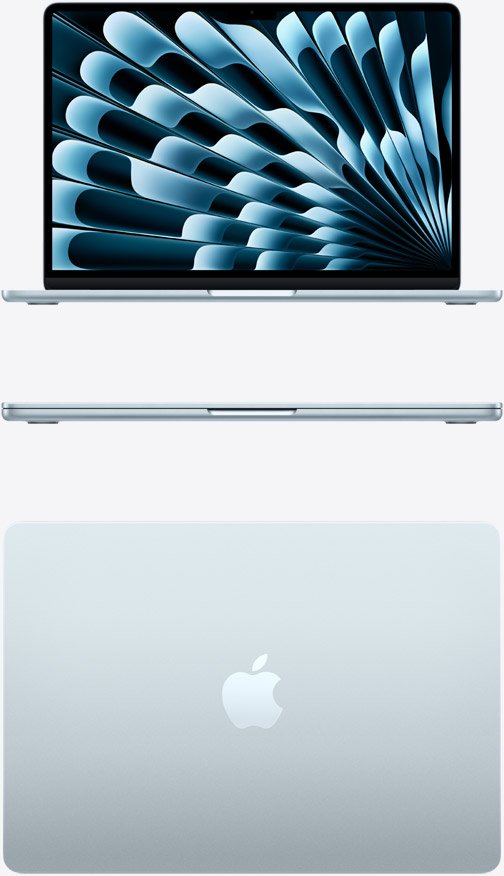
However, the MacBook Air isn’t automatically the right choice for everyone. If you’re editing professional video, working with 3D applications, developing demanding software, or running intensive workloads for hours at a time, the MacBook Pro makes more sense.
Apple’s current MacBook lineup includes the MacBook Air M5, MacBook Pro with M5, MacBook Pro with M5 Pro, and MacBook Pro with M5 Max. Apple also offers the more affordable MacBook Neo for people who mainly need a computer for basic everyday tasks.
So, which MacBook should you actually buy in 2026? Let’s break it down.
Quick Answer: Which MacBook Is Best in 2026?
Best MacBook overall: MacBook Air M5 13-inch
Best MacBook for students: MacBook Air M5 13-inch
Best MacBook for business: MacBook Air M5 13-inch or 15-inch
Best MacBook for a large screen: MacBook Air M5 15-inch
Best MacBook for professional work: MacBook Pro 14-inch
Best MacBook for video editing: MacBook Pro with M5 Pro or M5 Max
Best MacBook for demanding workloads: MacBook Pro 16-inch with M5 Pro or M5 Max
Best budget MacBook: MacBook Neo
Most buyers, though, the MacBook Air M5 is the easiest recommendation.
1. MacBook Air M5 — Best MacBook Overall
The MacBook Air M5 is the best choice for most people in 2026.
Apple’s latest MacBook Air is available in both 13-inch and 15-inch sizes and uses Apple’s M5 chip. It starts with 16GB of unified memory and 512GB of SSD storage, with configurations available up to 32GB of memory and 4TB of storage.
That starting configuration is important because you’re getting considerably more storage than some older MacBook configurations.
The M5 chip also makes the MacBook Air capable of much more than basic browsing and word processing. It’s suitable for:
- College and university work
- Microsoft Office and Google Workspace
- Web browsing
- Programming
- Photo editing
- Content creation
- Business applications
- Light to moderate video editing
- Multitasking
- AI-assisted workflows
The M5 MacBook Air has a 10-core CPU, up to a 10-core GPU, and faster unified memory than the previous generation. Apple also added Wi-Fi 7 and Bluetooth 6 to the 2026 model.
Another major advantage is battery life. Apple rates the MacBook Air M5 for up to 18 hours of battery life, depending on usage.
And because the Air has a fanless design, it’s completely silent during normal operation.
Why choose the MacBook Air M5?
The biggest reason is balance.
You don’t have to pay for professional-level hardware if you’re mainly writing documents, studying, browsing the internet, managing a business, editing photos, or creating content.
The MacBook Air M5 gives you enough performance to handle those jobs while remaining thin, light, portable, and quiet.
2. MacBook Air M5 15-inch — Best MacBook for a Bigger Screen
If you like everything about the MacBook Air but want more screen space, the 15-inch MacBook Air M5 is worth considering.
It features a 15.3-inch Liquid Retina display, compared with the 13.6-inch display on the smaller model. Both versions use the M5 chip and support up to 32GB of unified memory and up to 4TB of storage.
The larger screen is particularly useful if you regularly work with:
- Multiple browser windows
- Spreadsheets
- Documents
- Coding environments
- Photo-editing software
- Video timelines
- Research materials
For students, writers, business owners, and remote workers, the additional screen real estate can make multitasking more comfortable.
The trade-off is simple: the 15-inch model is larger and less portable than the 13-inch version.
If you frequently carry your laptop around campus, between meetings, or while traveling, the 13-inch MacBook Air remains easier to handle.
3. MacBook Pro 14-inch — Best MacBook for Professionals
The 14-inch MacBook Pro is where you should look if your workload goes beyond what most MacBook Air users need.
Apple currently offers the 14-inch MacBook Pro with M5, M5 Pro, and M5 Max chips. The 16-inch MacBook Pro is available with M5 Pro and M5 Max.
The MacBook Pro also has a major display advantage.
Its Liquid Retina XDR display offers up to 1,600 nits peak HDR brightness, a 1,000,000:1 contrast ratio, and support for professional-quality visual work.
That makes it particularly attractive for photographers, video editors, designers, and other creative professionals.
The Pro also gives you more connectivity. Depending on the configuration, you get Thunderbolt ports, HDMI, SDXC, MagSafe, and a headphone jack.
Who should buy the MacBook Pro?
Consider the MacBook Pro if you regularly:
- Edit 4K or 8K video
- Work with large photo libraries
- Use professional creative applications
- Compile large software projects
- Work with 3D applications
- Run demanding workloads for long periods
- Need more ports
- Need a high-end HDR display
For these users, the additional performance and features can justify moving beyond the Air.
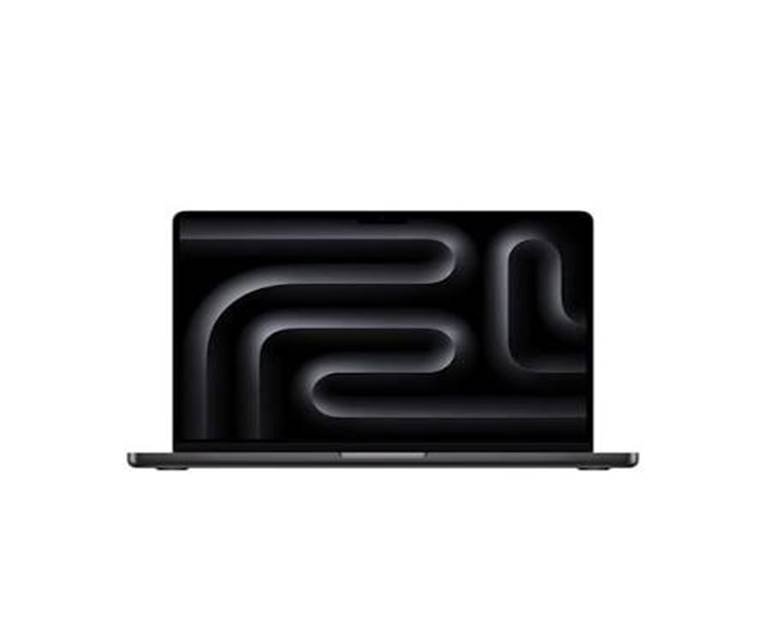
4. MacBook Pro M5 Pro and M5 Max — Best for Heavy Workloads
If you’re looking for the most powerful MacBook in 2026, you’re looking at the MacBook Pro with M5 Pro or M5 Max.
These machines are designed for workloads that can push a laptop much harder than normal productivity tasks.
Apple offers the MacBook Pro with configurations reaching 128GB of unified memory and 8TB of storage, depending on the model and configuration.
That’s far beyond what most students or everyday users need.
However, professionals working with large video projects, advanced 3D applications, demanding development environments, scientific workloads, or other memory-intensive applications can benefit from this extra headroom.
The important point is not to buy the M5 Max simply because it’s the fastest option.
If your daily workload doesn’t require that level of performance, you’re likely paying for capabilities you won’t use.
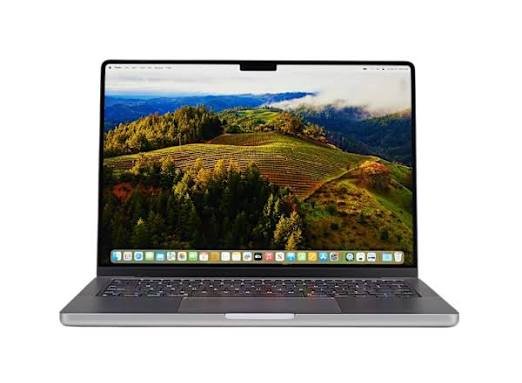
5. MacBook Neo — Best for Basic Computing
Apple’s MacBook Neo sits at the more affordable end of the MacBook family.
It’s aimed at people who primarily need a computer for basic tasks such as:
- Web browsing
- Documents
- Online classes
- Video calls
- Streaming
- Basic productivity
Apple’s current Mac comparison lineup lists the MacBook Neo alongside the M5 MacBook Air and M5 MacBook Pro models.
The Neo can make sense if your needs are relatively simple and your main priority is getting into the Mac ecosystem without stepping up to an Air or Pro.
However, if you’re buying a laptop that you expect to keep for several years and you can comfortably move up to the MacBook Air, it’s worth considering the additional performance and flexibility of the M5 Air.
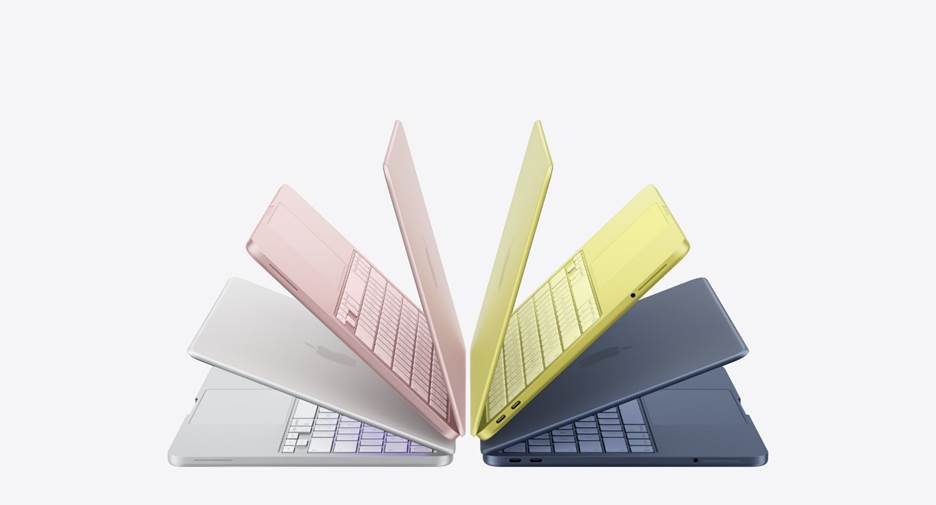
MacBook Air vs MacBook Pro: Which Should You Buy?
The easiest way to decide is to think about your workload.
| Feature | MacBook Air M5 | MacBook Pro |
| Everyday use | Excellent | Excellent |
| Students | Excellent | More than most need |
| Business | Excellent | Excellent |
| Programming | Excellent | Excellent |
| Photo editing | Excellent | Excellent |
| Video editing | Very good | Excellent |
| 3D work | Good | Excellent |
| Professional workloads | Good | Excellent |
| Portability | Excellent | Very good |
| Battery life | Up to 18 hours | Up to 24 hours |
| Display | Liquid Retina | Liquid Retina XDR |
| Ports | 2 Thunderbolt 4 | More extensive connectivity |
| Best for | Most people | Demanding users |
Apple currently rates the MacBook Pro for up to 24 hours of battery life, while the MacBook Air M5 is rated for up to 18 hours.
Is the MacBook Air M5 Worth Buying in 2026?
Yes, for most people.
The biggest strength of the M5 MacBook Air is that it doesn’t feel like a compromise laptop.
You get a modern Apple silicon chip, a high-quality Liquid Retina display, long battery life, 16GB of starting memory, 512GB of starting storage, Wi-Fi 7, Bluetooth 6, and support for up to two external displays.
For a student writing assignments, a freelancer working remotely, a business owner managing documents and meetings, or a creator editing photos and videos, that’s a strong combination.
The 13-inch model is particularly attractive if portability matters.
How Much RAM Do You Need in a MacBook in 2026?
For most buyers, 16GB is the sensible starting point.
Apple’s M5 MacBook Air starts at 16GB of unified memory, while the MacBook Pro lineup can be configured with substantially more memory for professional workloads.
16GB
Good for:
- Students
- Office work
- Browsing
- Programming
- Business
- Photo editing
- General multitasking
24GB–32GB
Consider this if you:
- Keep many applications open
- Work with larger creative projects
- Develop software regularly
- Use virtual machines
- Work with larger datasets
- Want additional headroom for future workloads
64GB–128GB
This is primarily for specialized professional workflows.
Most people do not need this much memory.
How Much Storage Should You Get?
The M5 MacBook Air starts at 512GB, which is a welcome change from older base configurations. Apple says the M5 Air can be configured with up to 4TB of storage.
For most users, 512GB is a comfortable starting point.
Consider more storage if you regularly work with:
- Large video files
- RAW photos
- Music libraries
- Games
- Large development projects
- Offline media
If you’re a student or primarily use cloud storage, 512GB may be more than enough.
Which MacBook Is Best for Students in 2026?
For most students, the 13-inch MacBook Air M5 makes the most sense.
It’s portable enough to carry around campus, powerful enough for typical academic software, and offers long battery life.
If you study a subject that involves demanding software—such as professional video production, engineering, 3D design, or advanced development—a MacBook Pro may be more appropriate.
But students shouldn’t automatically assume they need a MacBook Pro.
For essays, research, presentations, coding, online classes, browsing, and everyday productivity, the MacBook Air is already a very capable machine.
Which MacBook Is Best for Business?
The MacBook Air M5 is also a strong option for business users.
It’s powerful enough for email, spreadsheets, video meetings, presentations, web applications, accounting software, project management, and multitasking.
The 15-inch model is particularly appealing if you spend much of your day working from the laptop screen itself.
If your business involves professional video production, software development, engineering, or other demanding workloads, the MacBook Pro gives you more performance and connectivity.
Which MacBook Is Best for Video Editing?
For casual video editing, the MacBook Air M5 can handle a lot.
For professional editors, however, the MacBook Pro with M5 Pro or M5 Max is the more appropriate choice.
The Pro models provide higher-end chips, more memory options, faster professional connectivity, and the Liquid Retina XDR display.
If you’re editing short YouTube videos occasionally, don’t assume you need an M5 Max.
If you’re editing large professional projects every day, that’s where the higher-end MacBook Pro configurations become much more relevant.
Final Verdict: Which MacBook Is the Best Right Now in 2026?
So, which MacBook is the best right now in 2026?
For the majority of people, it’s the MacBook Air M5.
The 13-inch model is the best choice if you want maximum portability. The 15-inch version is better if you value a larger workspace.
The MacBook Pro becomes the better fit when your work demands sustained professional performance, a more advanced display, additional ports, or significantly more memory and storage.
And while the MacBook Neo can make sense for basic computing, the MacBook Air M5 is the model to look at if you want a MacBook that can comfortably handle a much wider range of tasks for years.
In other words, don’t simply buy the most powerful MacBook you can afford. Buy the MacBook that matches the work you actually do.
For most people in 2026, that balance is found in the MacBook Air M5.
Frequently Asked Questions
What is the best MacBook to buy in 2026?
The MacBook Air M5 is the best overall choice for most people. It combines the M5 chip, 16GB starting memory, 512GB starting storage, long battery life, and a thin, fanless design.
Is the MacBook Air M5 better than the MacBook Pro?
Neither is universally better. The MacBook Air M5 is better suited to portability and everyday workloads, while the MacBook Pro is designed for more demanding professional tasks and offers a more advanced display and broader connectivity.
Is 16GB RAM enough for a MacBook in 2026?
Yes. For most students, professionals, business users, and everyday users, 16GB is a sensible amount of unified memory. Users with specialized workloads may benefit from 24GB, 32GB, or considerably more.
Is the MacBook Air M5 good for college students?
Yes. Its combination of portability, performance, battery life, and 16GB of starting memory makes it well suited to most college workloads.
Should I buy the 13-inch or 15-inch MacBook Air?
Choose the 13-inch model if portability is your priority. Choose the 15-inch model if you want more screen space for multitasking, documents, spreadsheets, editing, or research.
Is a MacBook Pro worth it in 2026?
It can be, particularly if you regularly perform demanding professional tasks. For basic productivity and schoolwork, the MacBook Air is generally sufficient.
Which MacBook has the longest battery life?
Apple currently rates the MacBook Pro for up to 24 hours of battery life, while the MacBook Air M5 is rated for up to 18 hours. Actual battery life varies depending on workload and settings.