

As an Amazon Associate, I earn from qualifying purchases
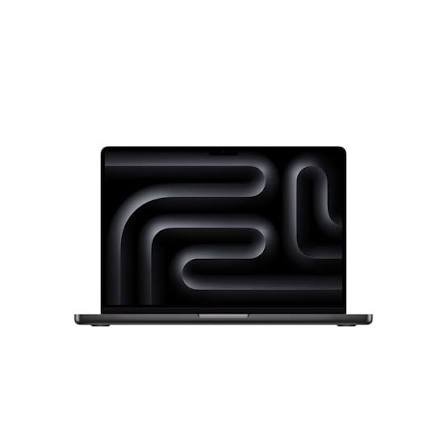
The 15-inch MacBook Air and 14-inch MacBook Pro are two very different laptops despite being relatively close in physical size.
The MacBook Air 15 is designed for people who want a large screen, excellent battery life, strong everyday performance, and a thin, lightweight design. The MacBook Pro 14 is built for users who need a better display, more connectivity, and stronger sustained performance.
So, which should you choose?
For most students, professionals, and everyday users, the 15-inch MacBook Air is the better choice. But if you’re doing serious video editing, 3D work, software development, music production, or other demanding workloads, the 14-inch MacBook Pro is the better machine.
Here’s how they compare.
MacBook Air 15 vs MacBook Pro 14: Quick Comparison
| Feature | MacBook Air 15 | MacBook Pro 14 |
| Chip | M5 | M5, M5 Pro or M5 Max |
| Display | 15.3-inch Liquid Retina | 14.2-inch Liquid Retina XDR |
| Refresh rate | 60Hz | Up to 120Hz ProMotion |
| Brightness | 500 nits | Up to 1,600 nits peak HDR |
| Weight | About 1.51 kg | About 1.55 kg with M5 |
| Battery | Up to 18 hours video | Up to 24 hours video with M5 |
| Ports | 2 Thunderbolt 4 | 3 Thunderbolt 4 + HDMI + SDXC |
| Cooling | Fanless | Active cooling |
| Best for | Students and everyday users | Professionals and demanding workloads |
Apple’s current specifications confirm that the 15-inch Air has a 15.3-inch Liquid Retina display and up to 18 hours of video streaming, while the 14-inch M5 Pro has a 14.2-inch Liquid Retina XDR display, ProMotion up to 120Hz, and up to 24 hours of video streaming.
MacBook Air 15: Who Is It For?
The 15-inch MacBook Air is essentially the laptop for someone who wants more screen without moving into the Pro experience.
It uses Apple’s M5 chip with a 10-core CPU and 10-core GPU. The standard configuration includes 16GB of unified memory, with higher-memory options available.
For everyday work, it’s extremely capable.
You can comfortably use it for:
- College assignments
- Web browsing
- Microsoft Office
- Programming
- Photo editing
- Video calls
- Presentations
- Business applications
- Light to moderate video editing
- Multitasking
The biggest attraction is its combination of screen size and portability.
At about 1.51 kg, the 15-inch Air is only slightly lighter than the 14-inch M5 MacBook Pro, despite having a larger screen.
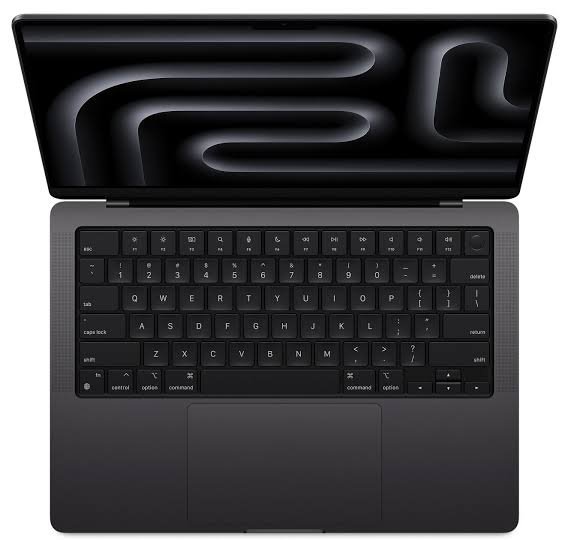
MacBook Pro 14: Who Is It For?
The 14-inch MacBook Pro is designed for people who need more than everyday performance.
Depending on the configuration, you can choose Apple’s M5, M5 Pro, or M5 Max chips.
That makes the Pro much more flexible for professional workloads.
It’s particularly well suited to:
- Video editing
- 3D rendering
- Software development
- Large programming projects
- Music production
- Professional photography
- Animation
- Graphic design
- AI development
- Heavy multitasking
The biggest difference isn’t simply peak performance.
The MacBook Pro has active cooling, allowing it to maintain high performance for longer periods during demanding workloads.
The MacBook Air is fanless, which is fantastic for silence and portability, but sustained heavy workloads can expose the limits of a thin, passively cooled design.
Display: Air 15 vs Pro 14
This is one area where the MacBook Pro wins easily.
The 15-inch Air has a 15.3-inch Liquid Retina display with a 2880-by-1864 resolution and 500 nits of brightness. It supports P3 wide color and True Tone.
The 14-inch Pro has a smaller 14.2-inch Liquid Retina XDR display, but it is significantly more advanced.
It offers:
- 3024-by-1964 resolution
- Up to 120Hz ProMotion
- Up to 1,600 nits peak HDR brightness
- 1,000,000:1 contrast ratio
- P3 wide color
- True Tone
The Pro’s XDR display is particularly valuable for HDR video, photography, professional creative work, and anyone who simply wants a more impressive screen.
Which has the better display?
MacBook Pro 14 wins.
But there’s an important distinction.
If you care more about screen size than HDR performance and refresh rate, the 15-inch Air may actually be more enjoyable for everyday productivity.
Performance: Which Is Faster?
The answer depends on which MacBook Pro chip you choose.
The standard M5 MacBook Pro is already a powerful machine, while M5 Pro and M5 Max configurations take performance much further.
The 15-inch Air’s M5 chip is designed to deliver excellent everyday and moderately demanding performance without the need for active cooling.
For browsing, office applications, coding, photo editing, and normal creative work, the Air is more than capable.
But when you’re repeatedly rendering videos, compiling large projects, working with complex 3D scenes, or performing other intensive tasks, the Pro has the advantage.
Winner: MacBook Pro 14
For serious workloads, the Pro is the obvious choice.
Battery Life
Interestingly, the smaller MacBook Pro has the advantage here.
Apple rates the 15-inch M5 MacBook Air for up to 18 hours of video streaming and up to 15 hours of wireless web use.
The 14-inch M5 MacBook Pro is rated for up to 24 hours of video streaming and up to 16 hours of wireless web use.
Actual battery life will depend on your applications, brightness, network connection, and workload.
Still, if maximum battery endurance matters, the Pro has an advantage.
Winner: MacBook Pro 14
Portability
This comparison is closer than you might expect.
The 15-inch Air is larger but weighs about 1.51 kg.
The 14-inch M5 Pro weighs about 1.55 kg.
That’s a surprisingly small difference.
However, the Air is thinner and has a larger footprint.
If you’re carrying your laptop around campus every day, the 15-inch Air remains highly portable.
If you want the smallest footprint while still having a professional-grade laptop, the 14-inch Pro makes more sense.
Winner: MacBook Air 15 for portability and screen size
Ports and Connectivity
This is another clear advantage for the MacBook Pro.
The 15-inch Air has:
- Two Thunderbolt 4/USB-C ports
- MagSafe 3
- 3.5mm headphone jack
The 14-inch Pro adds:
- Three Thunderbolt 4 ports
- HDMI
- SDXC card slot
- MagSafe 3
- 3.5mm headphone jack If you regularly connect cameras, SD cards, external displays, audio equipment, or other accessories, the Pro’s built-in ports can save you from carrying a hub.
Winner: MacBook Pro 14
MacBook Air 15 vs MacBook Pro 14 for Students
For most students, I would choose the 15-inch MacBook Air.
The larger display is excellent for reading PDFs, writing papers, researching online, and keeping multiple windows open.
It’s also powerful enough for most college majors.
The MacBook Pro becomes more attractive if you’re studying:
- Computer science with demanding workloads
- Video production
- Architecture
- 3D design
- Animation
- Music production
- Data science
- AI or machine learning
Before choosing either one, check whether your course requires Windows-only software.
MacBook Air 15 vs MacBook Pro 14 for Video Editing
If video editing is an important part of your work, choose the MacBook Pro 14.
The Air can handle video editing very well, especially with Apple’s hardware-accelerated media engines. But the Pro’s active cooling and higher-performance chip options make it better suited to long rendering sessions and complex projects.
For casual YouTube videos and basic editing, the Air is perfectly capable.
For professional editing, color work, effects, and demanding timelines, the Pro is the better investment.
Winner: MacBook Pro 14
MacBook Air 15 vs MacBook Pro 14 for Everyday Use
For everyday use, the Air makes more sense.
You don’t need a high-end display or professional-grade sustained performance just to browse the web, write documents, watch videos, attend meetings, or manage a business.
The Air gives you a large screen and plenty of performance without adding features you may never use.
Winner: MacBook Air 15
Which MacBook Should You Buy?
Choose the MacBook Air 15 if you:
- Want a large display
- Are a student
- Work from home or an office
- Browse and multitask heavily
- Do moderate creative work
- Value quiet operation
- Want a lightweight laptop
- Don’t need professional-level sustained performance
Choose the MacBook Pro 14 if you:
- Edit video professionally
- Work with 3D applications
- Compile large software projects
- Produce music professionally
- Need the best built-in display
- Need HDMI and an SD card slot
- Want more powerful chip options
- Regularly perform demanding workloads
Final Verdict

The MacBook Air 15 vs MacBook Pro 14 isn’t really a battle between a good laptop and a better laptop.
They’re designed for different people.
The 15-inch MacBook Air is the better choice for most users. Its large display, M5 performance, excellent battery life, silent operation, and lightweight design make it an outstanding everyday laptop.
The 14-inch MacBook Pro is the better choice for professionals and power users. Its Liquid Retina XDR display, ProMotion, additional ports, active cooling, and higher-performance chip options make it much better suited to demanding work.
If you’re a student, writer, business user, or general laptop user, go with the MacBook Air 15.
If your laptop is a serious professional tool for video, development, design, engineering, or other demanding workloads, choose the MacBook Pro 14.
In short: Air 15 for everyday life, Pro 14 for professional workloads.
Frequently Asked Questions
Is the MacBook Air 15 better than the MacBook Pro 14?
For most everyday users, yes. The Air 15 provides a larger screen and excellent performance in a thin, quiet design. The Pro 14 is better for demanding workloads and professional users.
Which has a better display, MacBook Air 15 or Pro 14?
The MacBook Pro 14 has the better display. Its Liquid Retina XDR panel offers ProMotion up to 120Hz, much higher HDR brightness, and substantially higher contrast. citeturn0search1
Is MacBook Air 15 good for video editing?
Yes. The M5 MacBook Air can handle many video-editing workloads. For professional editing, long rendering sessions, and complex effects, the MacBook Pro 14 is a better choice.
Which has better battery life?
The 14-inch M5 MacBook Pro has the higher official battery rating, at up to 24 hours of video streaming compared with up to 18 hours for the 15-inch M5 MacBook Air.
Is MacBook Air 15 good for college students?
Yes. Its large screen, portability, battery life, and M5 performance make it an excellent choice for most college students.
Should I buy MacBook Air 15 or MacBook Pro 14?
Choose the Air 15 for everyday work, school, browsing, productivity, and moderate creative tasks. Choose the Pro 14 if you need sustained professional performance, a superior display, more ports, or higher-end chip options.